Stopping the 9183-22X system
You can use the power switch or a command to stop the system.
Procedure
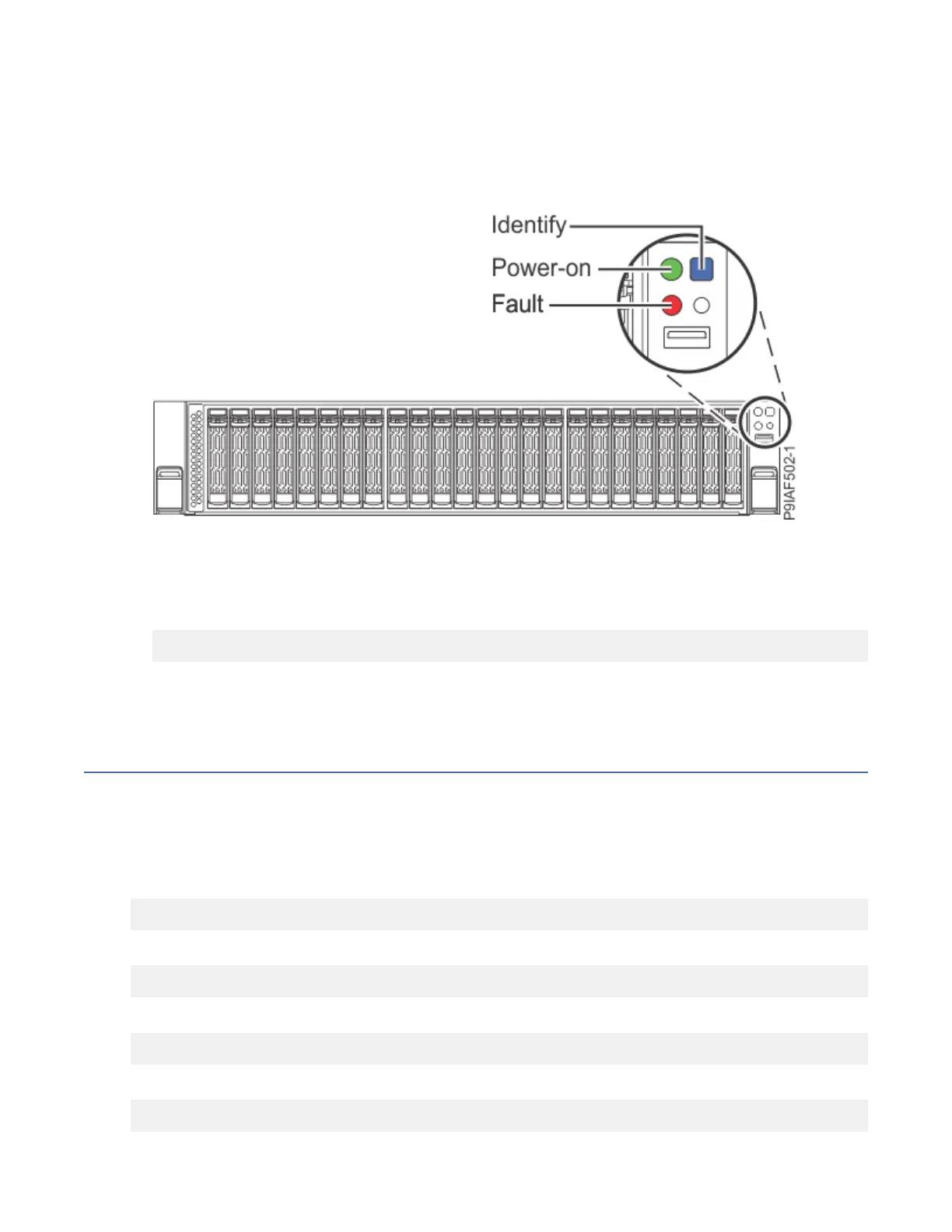
• You can press and hold the power switch to stop and power off the system as shown on the following
gure.
Figure 134. Locating the Power-on switch and Power-on LED
• You can use the Linux shutdown command to stop and power off the system.
For example, the following command shuts down the system in 10 minutes and sends the message
"Repairs coming" to the users.
shutdown -P +10 "Repairs coming"
The -P setting instructs the system to shut down and then power off. The + indicates the time in
minutes before the shutdown occurs.
Drive commands for the 9183-22X system
Learn about the storage drive commands for the system.
StorCLI commands available at the operating system
Learn about the StorCLI commands that are available at the operating system.
To show a summary of the drive and controller status:
storcli show
To show a list of all controllers and drives that need attention:
storcli show all
To show information about the drives:
storcli /cx[/eall]/sall show
To locate a physical disk by turning on the identify LED:
storcli /cx[/ex]/sx start locate
Common procedures for servicing or installing features in the 9183-22X system
153



 To Next Page