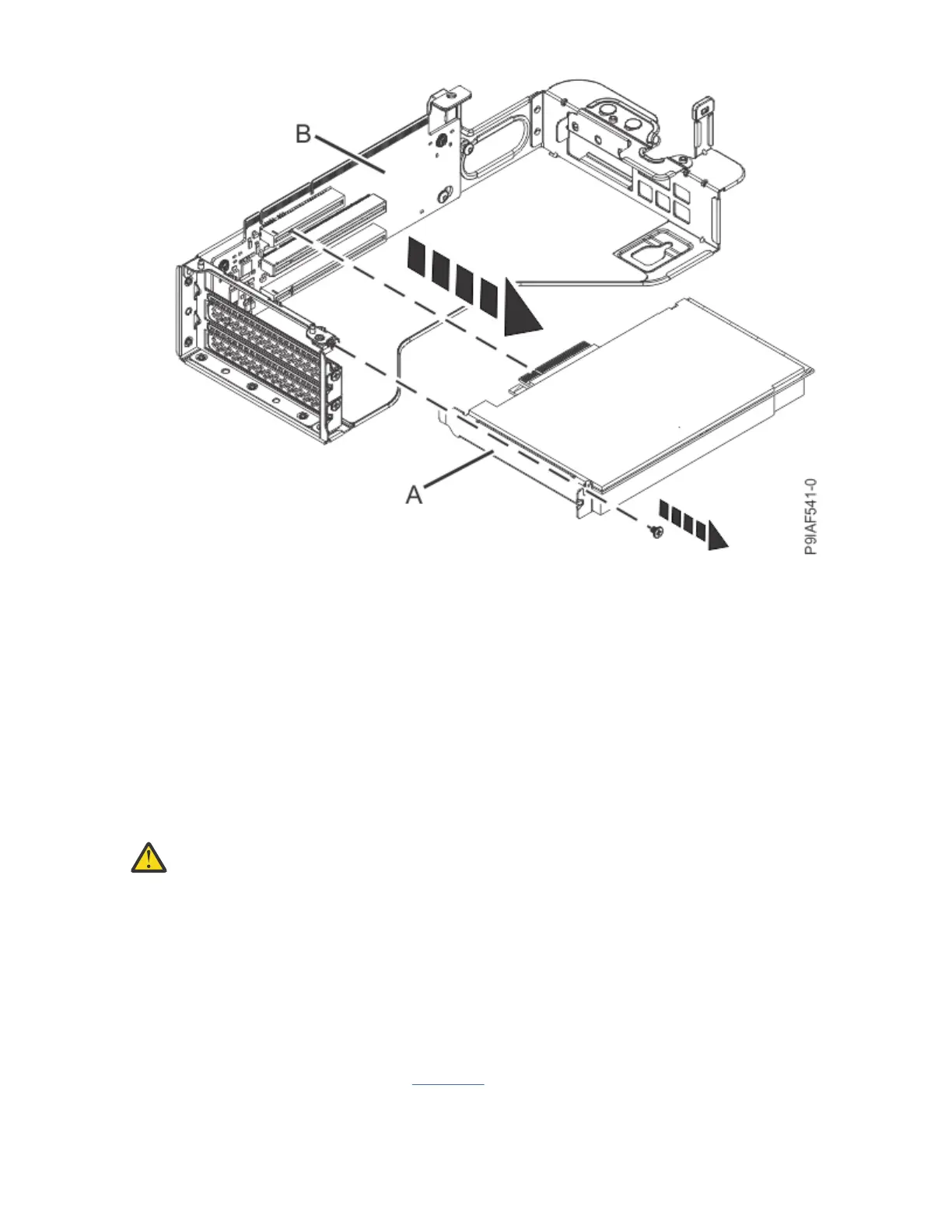
Figure 36. Removing a PCIe adapter from a PCIe riser
7. Place the PCIe adapter on an ESD mat.
8. If you are replacing a drive PCIe adapter or drive cables, label the new drive cables.
a) Lay out all the old labeled drive cables on a table; shortest to longest.
b) Match the old drive cables to the new drive cables. Part number labels on the cables might help you
to match the cables.
c) Label all the new drive cables to match the old drive cables.
Replacing a PCIe adapter in the 9183-22X system
To replace a PCIe adapter in the system, complete the steps in this procedure.
About this task
Attention:
For safety and airflow purposes, if you remove parts from the system, you must ensure
that:
• PCIe tailstock llers are present.
• System airflow baffle is present.
Notes:
• If you are installing or replacing a Broadcom 93xx adapter (FC EK41, FC EK43, or FC EK47), it must be
installed in slot 5 or 10. If you are installing an FC EK47 Broadcom adapter, you must install the
CacheVault Power Module in slot 2 (if you use slot 5 to install the adapter ) or slot 7 (if you use slot 10 to
install the adapter).
• If a CacheVault power module is attached to the adapter, install or replace the CacheVault power
module and cable. For details, see the Broadcom web site (https://www.broadcom.com/products/
storage/raid-controllers/megaraid-sas-9361-8i). Select Documentation > Quick Installation Guides >
LSICVM02 Kit Quick Installation Guide.
44
Power Systems: Servicing the IBM Power System IC922 (9183-22X)



 To Next Page