Procedure
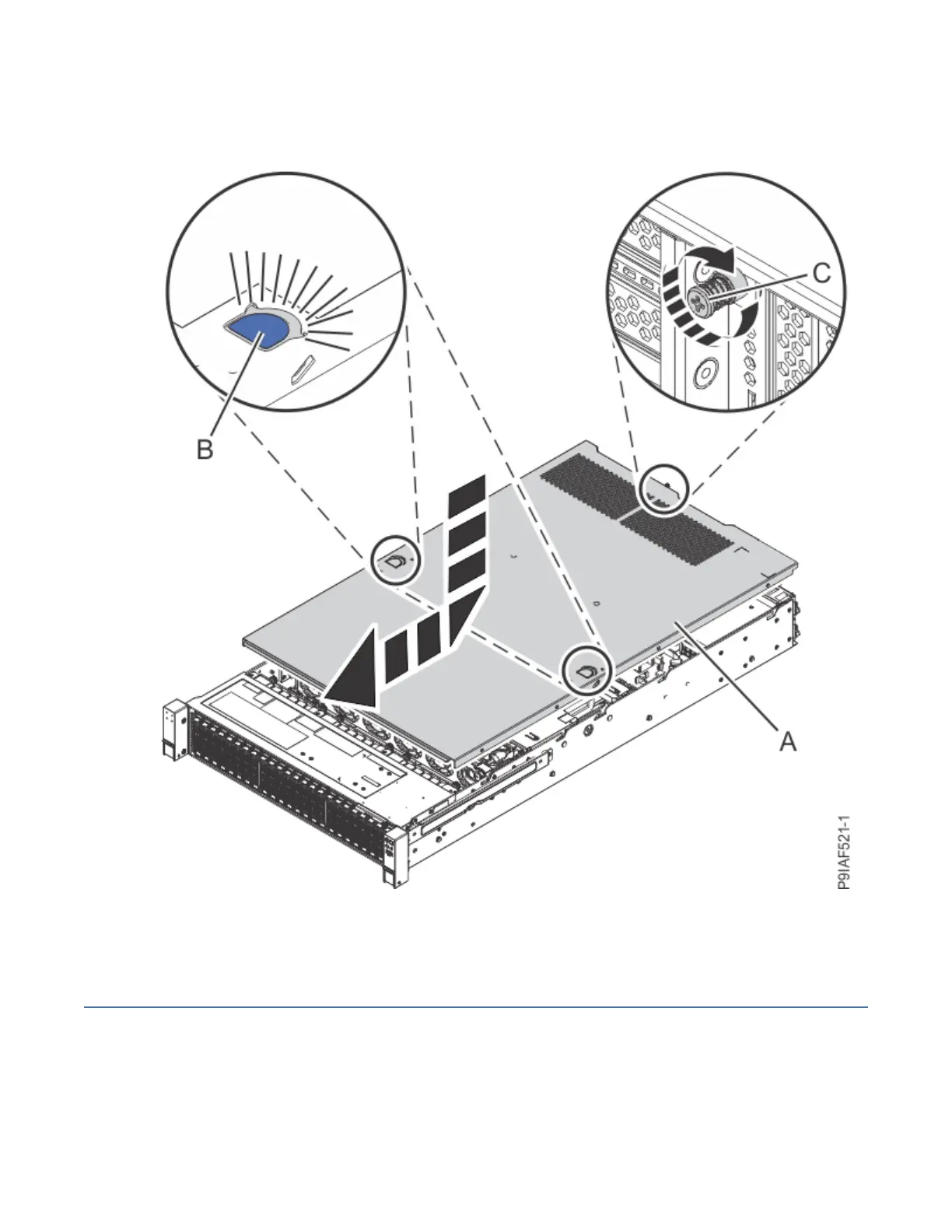
1. Place the cover (A) on the system unit such that the alignment pins on the cover are aligned to the
slots on the chassis. Slide the cover to the front of the system until the blue release latches (B) lock in
to place.
Figure 136. Installing the cover
2. Fasten the cover screw (C) at the rear of the cover.
Service and operating positions for the 9183-22X system
Find information about placing the IBM Power System IC922 (9183-22X) server into the service or
operating position.
158
Power Systems: Servicing the IBM Power System IC922 (9183-22X)



 To Next Page