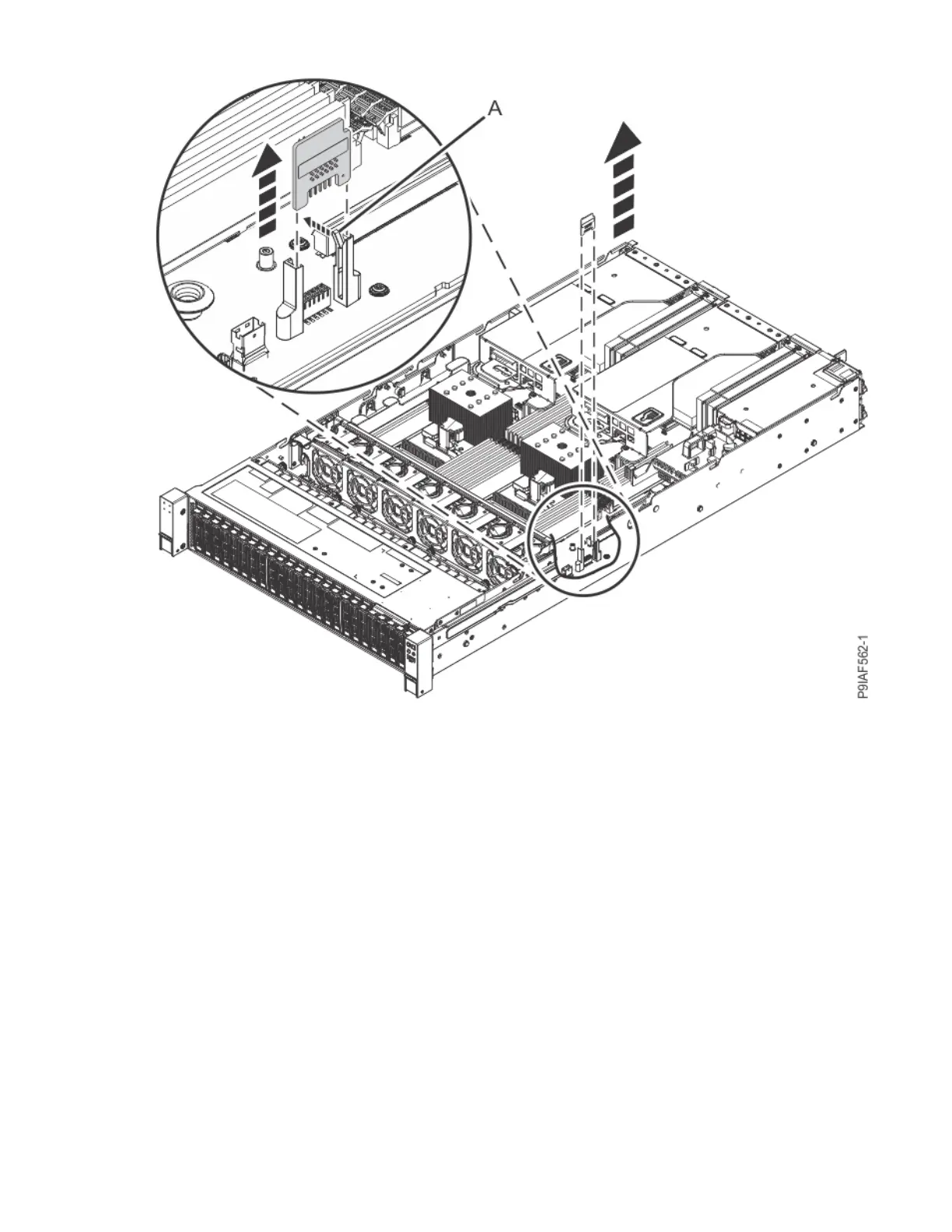
Figure 122. Removing the TPM card
5. Place the TPM card on an ESD mat.
Replacing the trusted platform module card in the 9183-22X system
To replace a trusted platform module (TPM) card, complete the steps in this procedure.
Procedure
1. Ensure that you have the electrostatic discharge (ESD) wrist strap on and that the ESD clip is plugged
into a ground jack or connected to an unpainted metal surface. If not, do so now.
2. To replace the TPM card, align the TPM card with the plastic guides as shown in the following gure.
Push the TPM card straight into the system backplane until it is fully seated and the lever (A) clicks
into place.
Removing and replacing parts in the 9183-22X
135



 To Next Page