Placing a 9183-22X system into the service position
To place a system into the service position, complete the steps in this procedure.
Before you begin
Notes:
• When you place the system into the service position, you must ensure that all stability plates are rmly
installed to prevent the rack from toppling. Ensure that only one system unit is in the service position at
a time.
• Ensure that the cables at the rear of the system unit do not catch or bind as you pull the system unit
forward in the rack.
• When the slide rails are fully extended, the rail safety latches lock into place. This action prevents the
system from being pulled out too far.
Procedure
1. If present, remove the screws on either side of the system that secure the system to the rack.
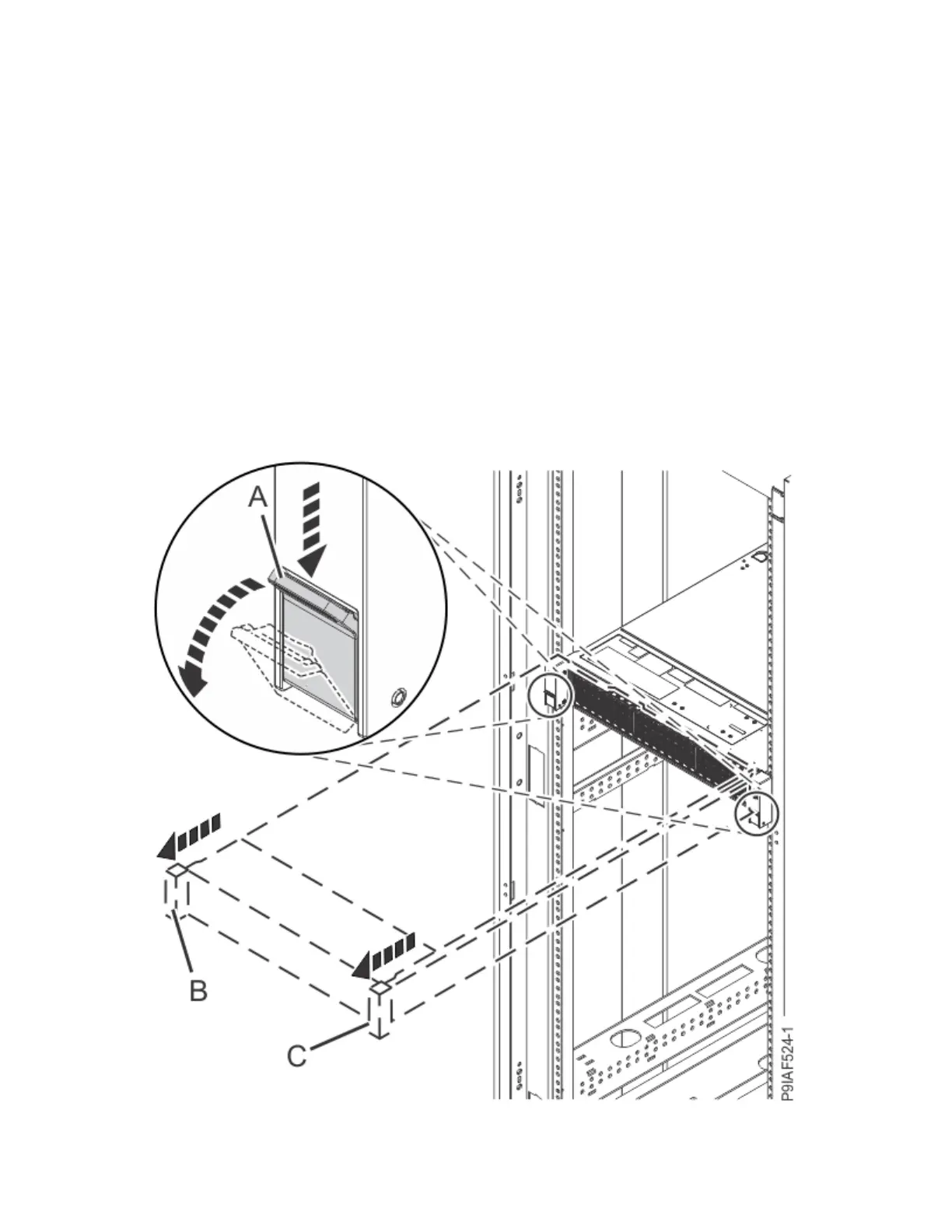
2. Push down the front latches (A) that secure the system unit to the rack as shown in the following
gure.
Figure 137. Placing the system into the service position
Common procedures for servicing or installing features in the 9183-22X system
159



 To Next Page