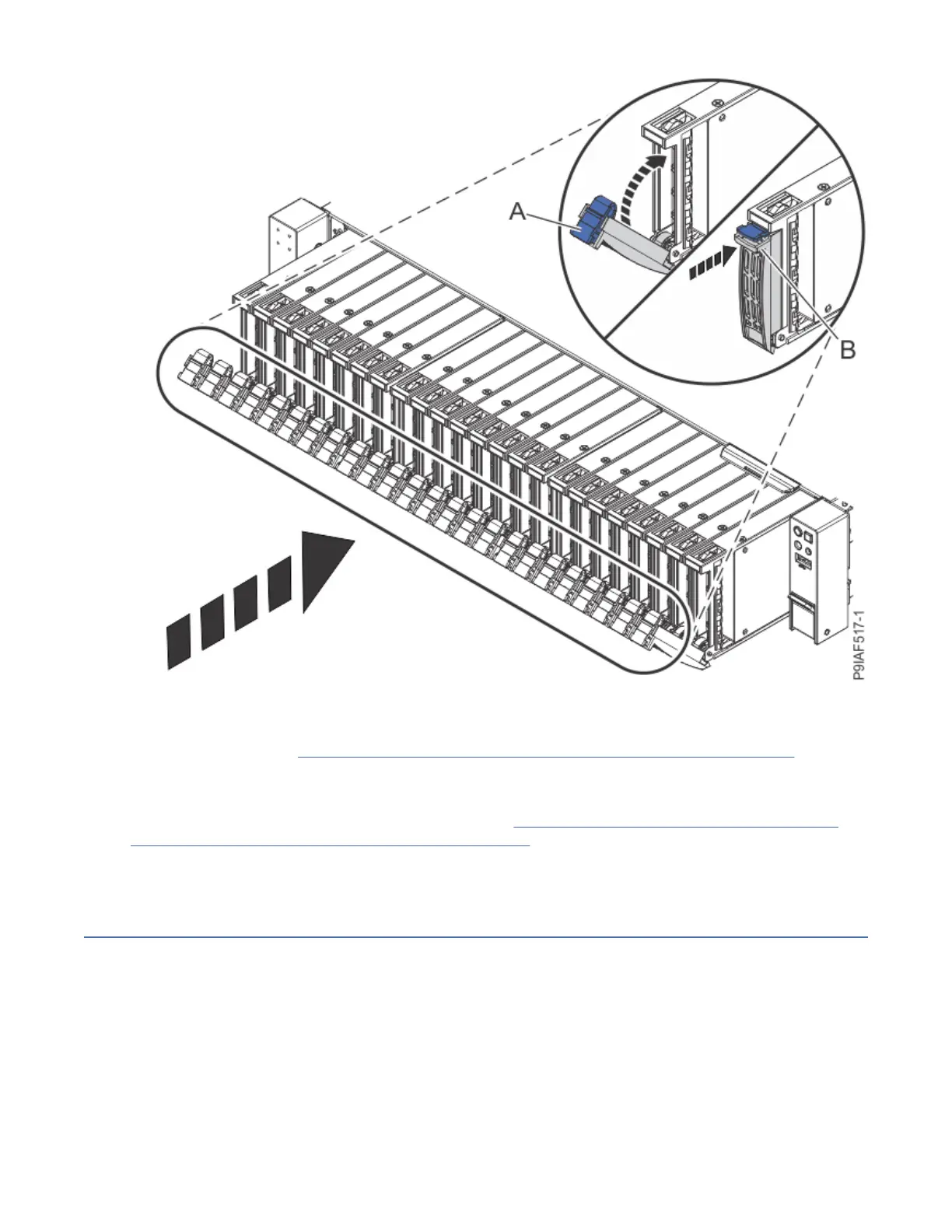
Figure 6. Replacing the front drives
6. Replace the fan cage assembly.
For instructions, see “Replacing the fan cage assembly in the 9183-22X system” on page 22.
What to do next
Prepare the system for operation. For instructions, see “Preparing the 9183-22X system for operation
after you remove and replace internal parts” on page 150.
Removing and replacing a hard disk drive or solid-state drive in the
9183-22X system
Learn how to remove and replace a hard disk drive or solid-state drive in the IBM Power System IC922
(9183-22X) system.
About this task
The drive might be a hard disk drive (HDD) or a solid-state drive (SSD) drive.
Removing and replacing parts in the 9183-22X
9



 To Next Page