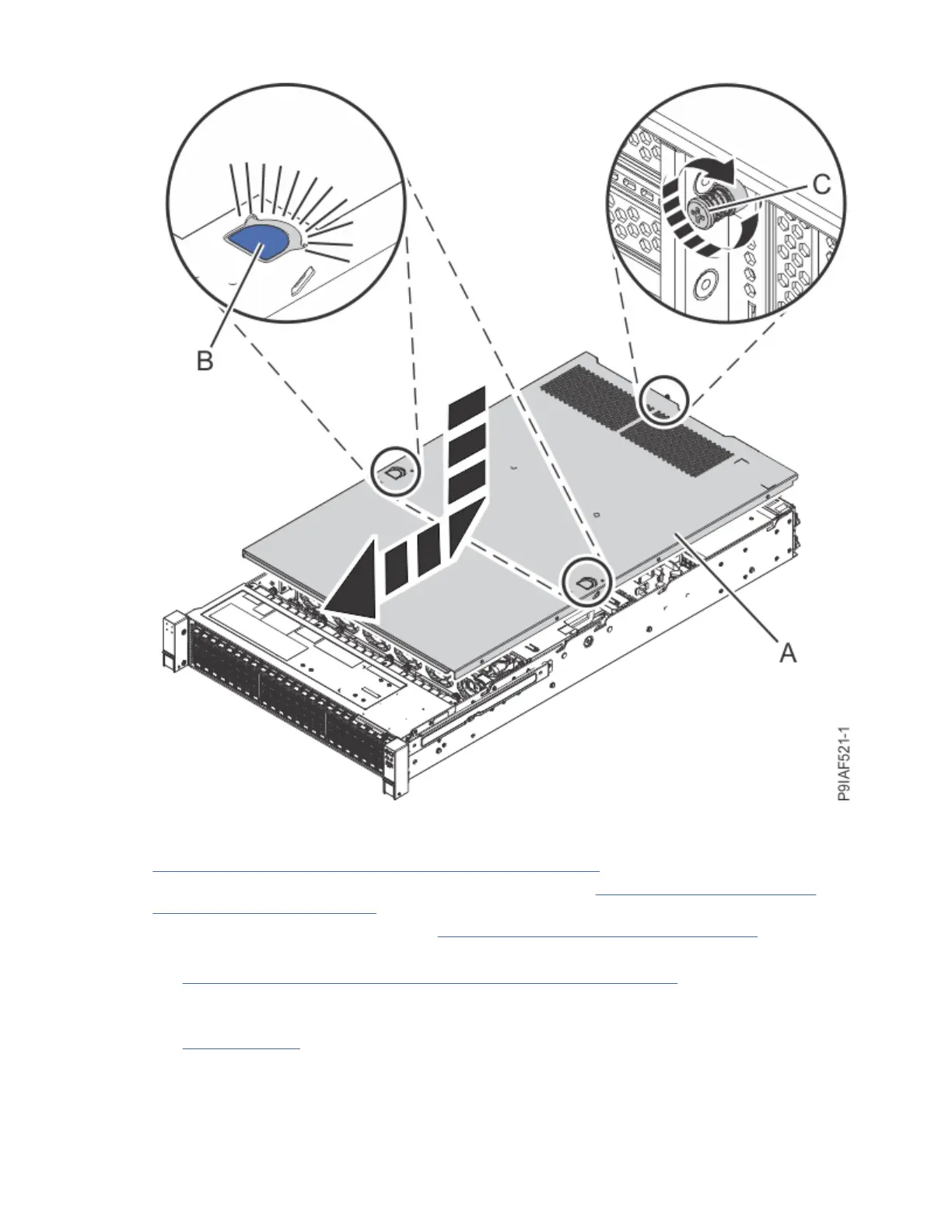
Figure 132. Tightening the cover screw
5. Ensure that both of the power supplies are fully seated into the system. For instructions, see
“Replacing a power supply in the 9183-22X system” on page 69.
6. Reconnect the power cords to the system. For instructions, see “Connecting power cords to the
9183-22X system” on page 162.
7. Restart the system. For instructions, see “Starting the 9183-22X system ” on page 152.
8. If you installed or replaced a PCIe adapter, update the adapter rmware.
See Getting rmware xes for vendor I/O adapters from the vendor website (www.ibm.com/support/
knowledgecenter/POWER9/p9ei8/p9ei8_update_other_adapter.htm).
9. Verify the installed part.
See Verifying a repair (www.ibm.com/support/knowledgecenter/POWER9/p9ei3/
p9ei3_verifyrepair.htm).
Common procedures for servicing or installing features in the 9183-22X system
151



 To Next Page