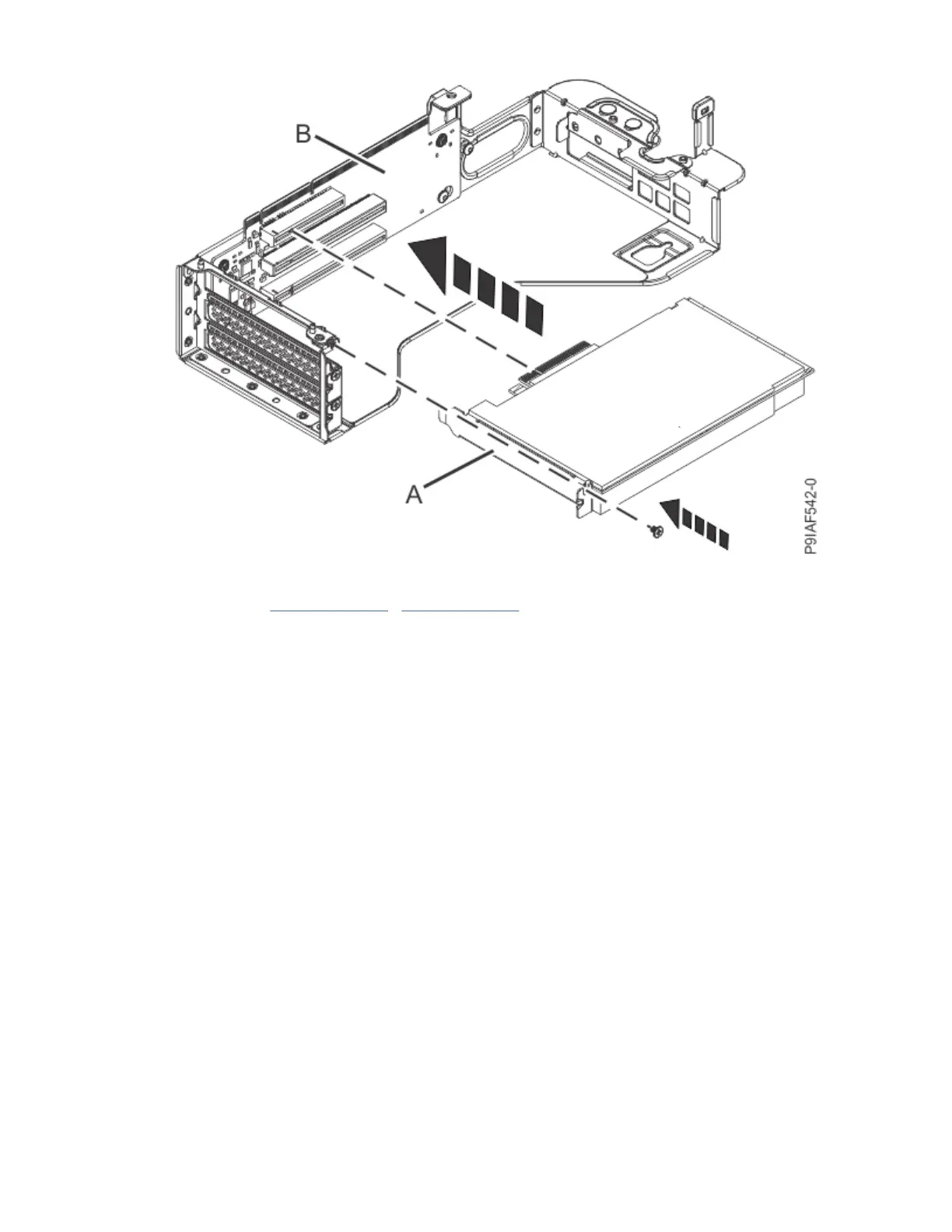
Figure 48. Inserting a PCIe adapter into the PCIe riser
d) Repeat steps “2.a” on page 55 - “2.c” on page 55 for the remaining adapters.
e) Using your labels, replace any plugs or cables that extend out from the rear of the PCIe adapter.
f) Insert the PCIe riser into the system backplane as shown in the following gure.
Insert the riser, by using the slots and alignment pins (A) to properly insert the riser. Push the riser
rmly into the system backplane.
56
Power Systems: Servicing the IBM Power System IC922 (9183-22X)



 To Next Page