24
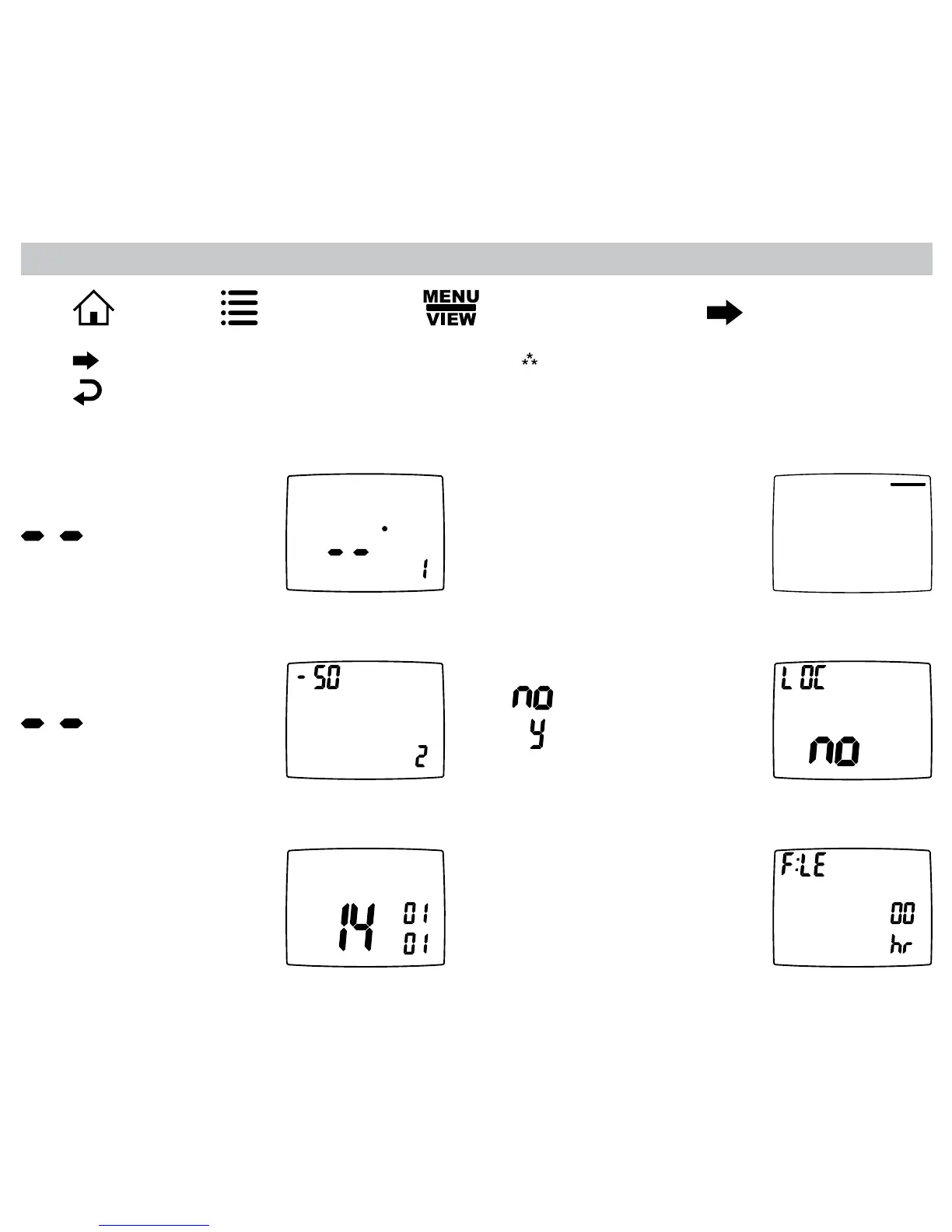
Press ,thenpress repeatedlyuntilthe optiondisplaysthenpress .
View Screen Options
Press toadvancetothenextscreen.
Press togotopreviousscreen.
Note:These screens are visible when the
thermostat is locked or unlocked.
View program schedule settings
• OFF shows when schedule is off.
• SETTINGS show when schedule
is on.
VIEW
SCHEDULE
SLEEP
Mon
View REMOTE SENSOR 1
temperature
if not used.
VIEW
Remote Sensor
VIEW
View if locked or unlocked
= Unlocked
= Locked
View REMOTE SENSOR 2
temperature
if not used.
VIEW
Remote Sensor
VIEW
Day
Month
Year
View month, day, and year
VIEW
View filter status
Accumulated fan run time
displays.







 To Next Page