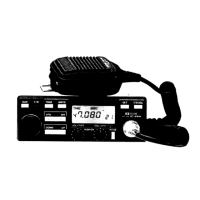
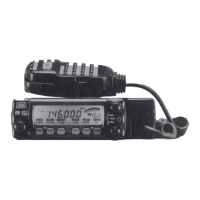
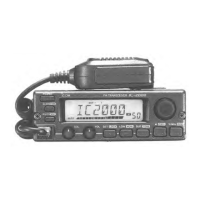
Previous view
q POWER KEY [ ]
Hold down for 1 second to turn power ON or OFF.
w MEMORY WRITE KEY [S.MW MW] (p. 17)
➥ Push to enter the memory write mode.
➥ Hold down for 1 second to program a selected
memory channel.
• Continue to hold down the key to automatically
increment the memory channels.
e MICROPHONE CONNECTOR
Connect the supplied microphone here.
r VOLUME CONTROL [VOL] (p. 8)
Rotate to adjust the audio level.
t SQUELCH CONTROL [SQL] (p. 8)
Rotate to adjust the squelch level.
• The S-meter squelch or attenuator squelch is ac-
tivated, when you rotate [SQL] clockwise from the
center position. (p. 9)
Squelch is
open.
Squelch attenuator
or
S-meter squelch
Squelch
threshold
Shallow Deep
Noise squelch
y SET•LOCK KEY [SET LOCK]
➥ Push to enter to the Set mode. (p. 43)
➥ Hold down for 1 second to turn the Lock function
ON or OFF. (p. 7)
u MONITOR•CHANNEL NAME KEY [MONI ANM]
➥ Push to turn the monitor function ON or OFF. (p. 8)
➥ In the memory or Call channel mode, hold down
for 1 second to turn the channel names or num-
ber ON or OFF. (p. 21)
i OUTPUT POWER•DUPLEX KEY [LOW DUP]
➥ Push to select the output power. (p. 11)
➥ Hold down for 1 second to select the minus du-
plex, plus duplex or simplex mode. (p. 12)
o TONE•TONE SCAN KEY [TONE T-SCAN]
➥ Push to select the tone function. (pp. 2, 39, 41)
➥ Hold down for 1 second to start the Tone Scan.
(p. 42)
!0 MEMORY/CALL•PRIORITY KEY [M/CALL PRIO]
➥ Push to select and toggle memory, Call and
weather channel* modes. (pp. 18, 27, 50)
*For only USA versions.
➥ Hold down for 1 second to start the priority watch.
(p. 34)
!1 VFO/MHz TUNING•SCAN KEY [V/MH z SCAN]
➥ Push to select the VFO mode. (p. 5)
• In the VFO mode, push to select the tuning step.
(p. 5)
➥ Hold down for 1 second to start a scan. (p. 29)
• Push to cancel the scan while scanning.
!2 BANK•OPTION KEY [BANK OPT]
➥ Push to select the memory bank while in the
memory mode. (p. 23)
➥ Hold down for 1 second to enter the Option Set
mode. (p. 36)
!3 TUNING DIAL [DIAL]
➥ Sets the operating frequency (p. 5), memory
channel. (p. 18)
➥ Sets the item in the Set mode. (p. 43)
➥ Changes the scanning direction. (p. 30)
D Microphone connector (front panel view)
q
i
q +8 V DC output (Max. 35 mA)
w Channel up/down
e 8 V control IN
r PTT
t GND (microphone ground)
y MIC (microphone input)
u GND
i Data IN
S.MW
SQL
VOL
MW
BANK
OPT
Function display (p. 2)
!0oiuy
q
w
e
rt
!3
!1
!2
1
PANEL DESCRIPTION
1
Front panel ■



 To Next Page