Previous view
7
2
SETTING A FREQUENCY
■ Lock functions
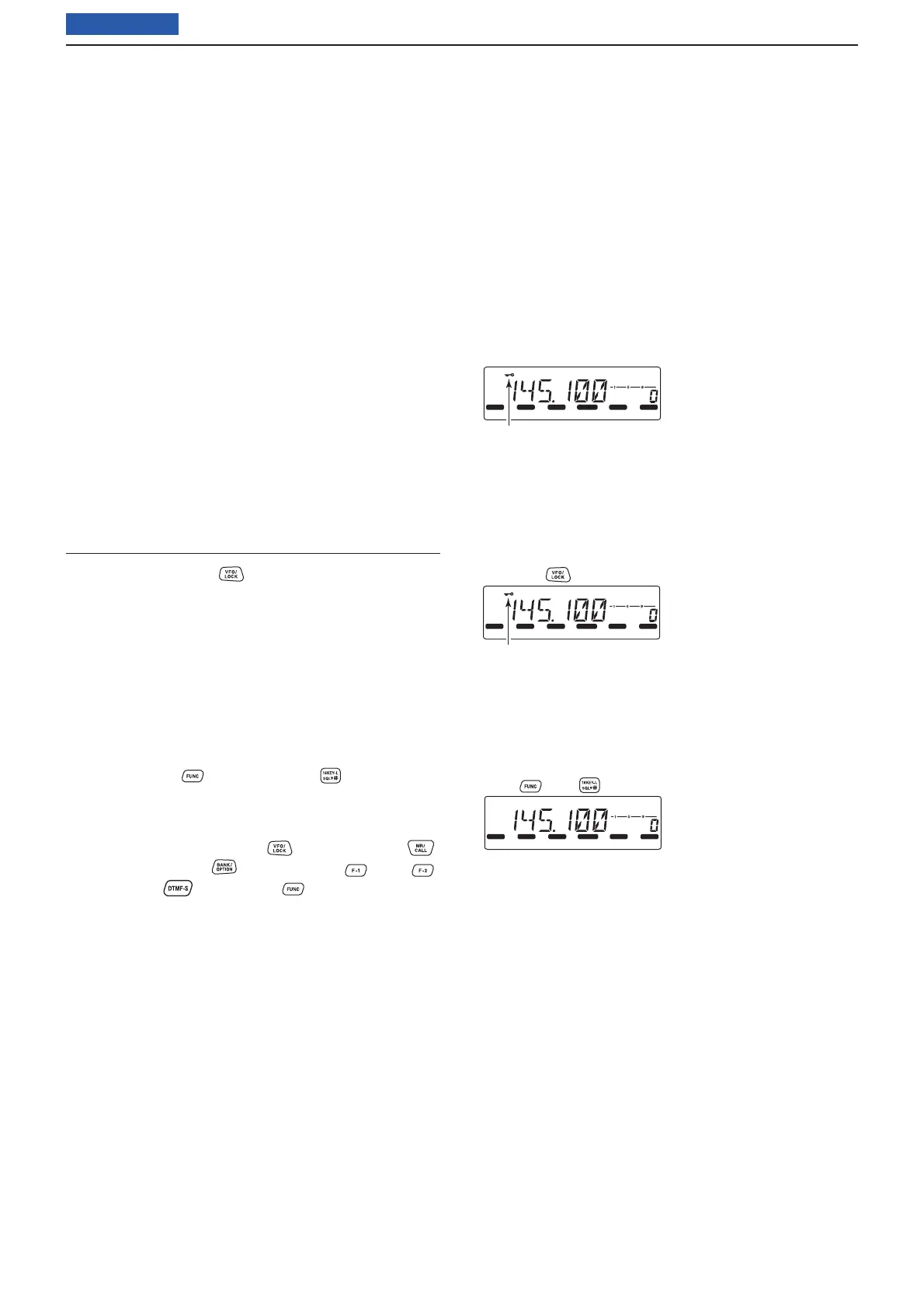
Use the Lock function to prevent accidental channel
changes and unnecessary function access. The IC-
2300H has two different lock functions.
D Lock function
This function electronically locks [DIAL] and the key-
pad. This function can be used together with the Micro-
phone Lock function.
➥ Hold down [LOCK] (SET) for 1 second to turn the
Lock function ON or OFF.
• [PTT], [MONI], [VOL] and [SQL] can be used,
even while the Frequency Lock function is ON.
TONE-1, TONE-2, DTMF tones or DTMF memory
contents can also be transmitted from the micro-
phone.
Using the HM-133V
➥ Hold down [LOCK] for 1 second to turn the Lock
function ON or OFF.
D Microphone Keypad Lock
This function electronically locks the microphone key-
pad.
➥ Push [FUNC] then [16KEY-L] to turn the Mi-
crophone Keypad Lock function ON or OFF.
• The activity indicator lights orange, while the Micro-
phone Keypad Lock function is activated.
• [PTT], [VFO/LOCK] , [MR/CALL] ,
[BANK/OPTION] , [Y], [Z], [F-1] , [F-2] ,
[DTMF-S] and [FUNC]
on the microphone
can be used.
• All keys on the transceiver can be used.
• When the transceiver's power is turned OFF, the
Keypad Lock function is also turned ON.
LOCK
S
E
T
ANM
MONI
DUP
LOW
T
-
SCAN
TONE
PRIO
M/CALL
SCAN
V/MHz
DIGITAL
PRIO
AO
BUSY
MUTE
NAR
MID
LOW
Appears
Hold down [LOCK] (SET) for 1 second.
LOCK
S
E
T
ANM
MONI
DUP
LOW
T
-
SCAN
TONE
PRIO
M/CALL
SCAN
V/MHz
DIGITAL
PRIO
AO
BUSY
MUTE
NAR
MID
LOW
Appears
Hold down for 1 second.
LOCK
S
E
T
ANM
MONI
DUP
LOW
T
-
SCAN
TONE
PRIO
M/CALL
SCAN
V/MHz
DIGITAL
PRIO
AO
BUSY
MUTE
NAR
MID
LOW
Push , then .



 To Next Page