62
9
OPTION INSTALLATIONS
Several IF filters are available for the IC-756. You can
install 2 filters for 9 MHz and 455 kHz IF. Choose ap-
propriate filter(s) for your operating needs.
9 MHz optional filters:
FL-100 CW NARROW FILTER 500 Hz/–6 dB
FL-101 CW NARROW FILTER 250 Hz/–6 dB
FL-223 SSB NARROW FILTER 1.9 kHz/–6 dB
FL-232 CW NARROW FILTER 350 Hz/–6 dB
455 kHz optional filters:
FL-52A CW NARROW FILTER 500 Hz/–6 dB
FL-53A CW NARROW FILTER 250 Hz/–6 dB
FL-222 SSB NARROW FILTER 1.8 kHz/–6 dB
FL-257 SSB WIDE FILTER
3.3 kHz/–6 dB
q Remove the top and bottom covers as shown on
the opposite page.
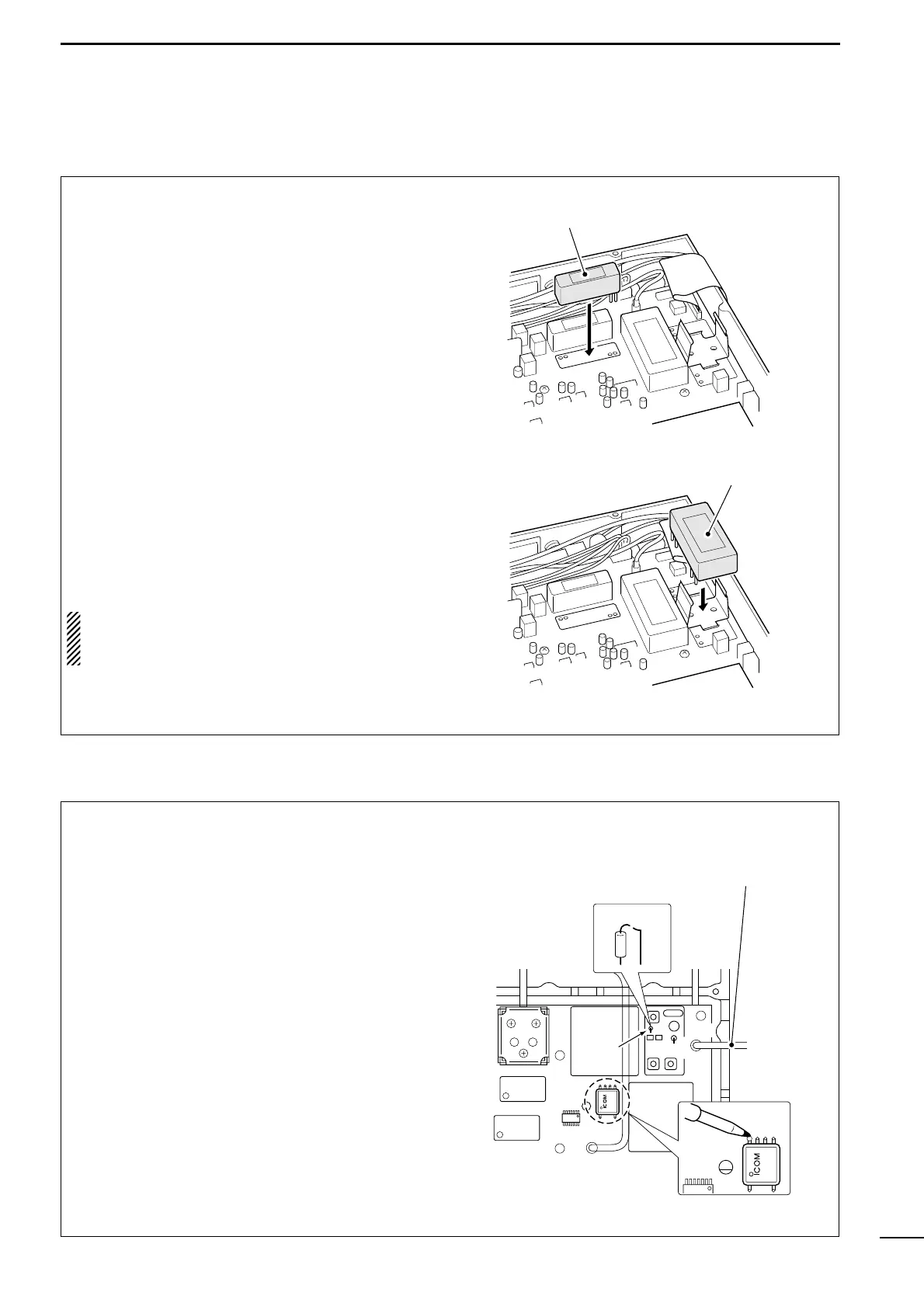
w Turn the transceiver upside down. Install the de-
sired filter as shown in the diagram at right.
•The 9 MHz filters can be installed in either direction.
e Replace the top and bottom covers.
NOTE: After filter installation, specify the installed
filter using set mode. (p. 55) Otherwise, the in-
stalled filter will not function properly.
■ Optional IF filters
By installing the CR-502, the total frequency stability
of the transceiver will be improved.
q Remove the top and bottom covers as shown on
the opposite page.
w Turn the transceiver upside down. Remove 6
screws from the PLL shielding plate, then remove
the plate.
e Cut the leads of R56 and L55 (in a shielded box)
on the PLL unit.
r Put the CR-502 in the space available as shown in
the diagram, then solder its feet into place (6
points).
t Adjust the reference frequency using a frequency
counter.
y Return the shield case, shield plate and top/bottom
covers to their original positions.
CR-502 frequency stability: ±0.5 ppm
(–30°C to +60°C;
–22°F to +140°F)
Reference freq. check point



 To Next Page