15
4
RECEIVE FUNCTIONS
The
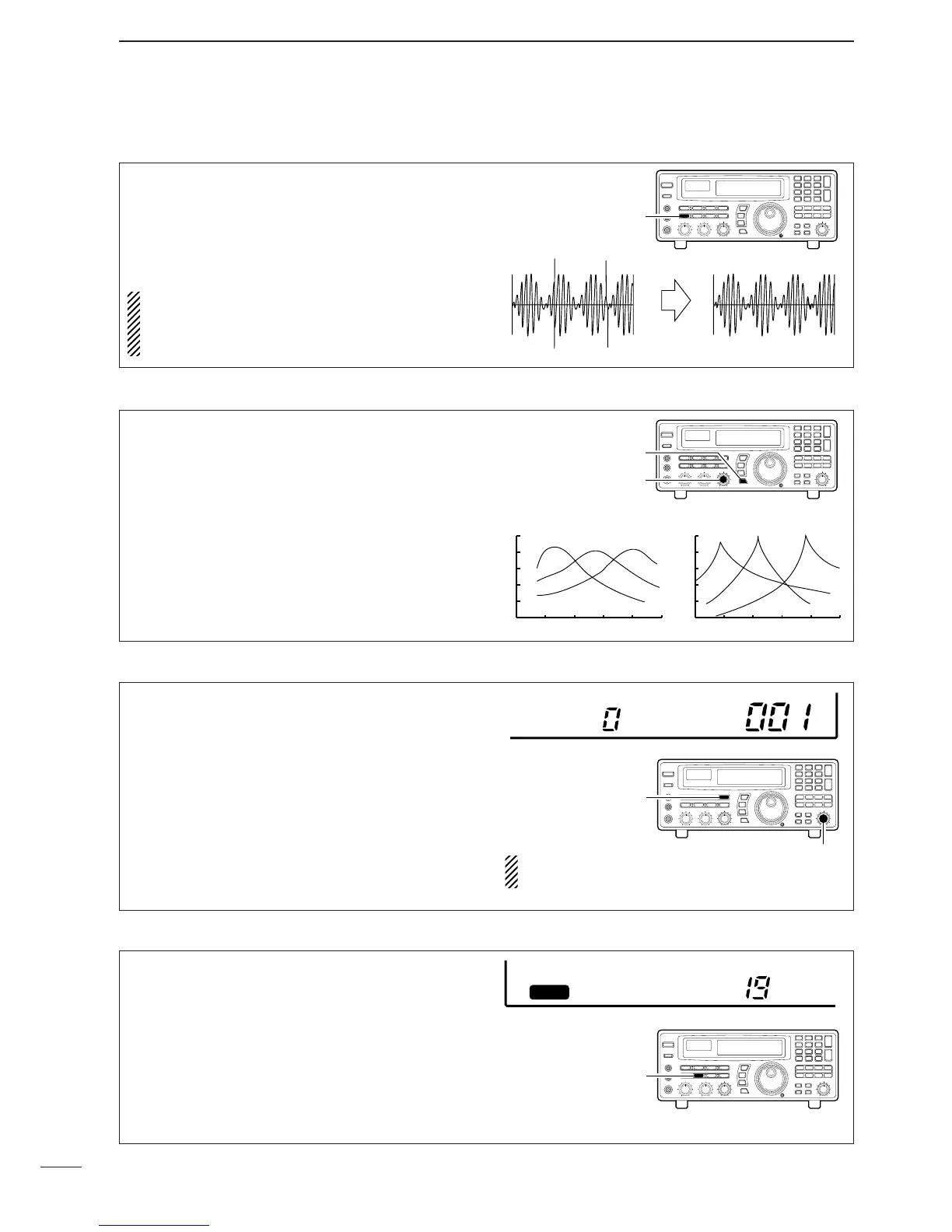
noise blanker
reduces pulse-type noise such as
that generated by automobile ignition systems. This
function is not effective for FM and WFM mode or for
non pulse-type noise and wide width pulses.
Push [NB] to toggle the noise blanker ON and OFF.
•“NB” appears when the noise blanker is activated.
NOTE: When a strong signal is received while the
noise blanker is ON, the output audio may be dis-
torted. In such cases, the noise blanker should be
turned OFF.
The APF (audio peak filter) adjusts the peak fre-
quency of the received audio. The APF can be used
for adjusting the audio response. The IC-R8500 has
two selectable width filters.* Use the appropriate filter
width for optimum receiving.
➀ Push the [APF] switch.
➁ Rotate the [APF] control to adjust the peak fre-
quency.
➂ To change the filter width*, push [APF] for 1 sec.
*Available for SSB, CW and AM only.
BFO stands for beat frequency oscillator. This func-
tion is useful in conjunction with the IF shift function.
When eliminating interference with the IF shift func-
tion, the audio characteristics of the received signal
are often changed. Use the BFO adjustment function
to adjust the audio quality of the received signal to
that desired.
➀ Push [SSB/CW] to select SSB or CW mode.
➁ Push [SSB/CW] for 1 sec. to activate the function.
•BFO appears.
➂ Rotate [M-CH] to adjust the BFO.
•–1.2 kHz to +1.2 kHz are selectable.
AGC stands for automatic gain control. This function
controls receiver gain to produce a constant audio
output level even when the received signal strength
is varied by fading, etc. Use AGC slow for normal
phone operation; AGC fast for receiving data and
searching for signals. AGC time constant cannot be
changed in FM and WFM modes.
Push [AGC] to toggle between AGC fast and slow.
•AGC-F appears when AGC fast is selected; no indi-
cator appears when AGC slow is selected.
D Noise blanker
D Audio peak filter
D BFO adjustment
D AGC function



 To Next Page
 Loading...