28
6
SCANS
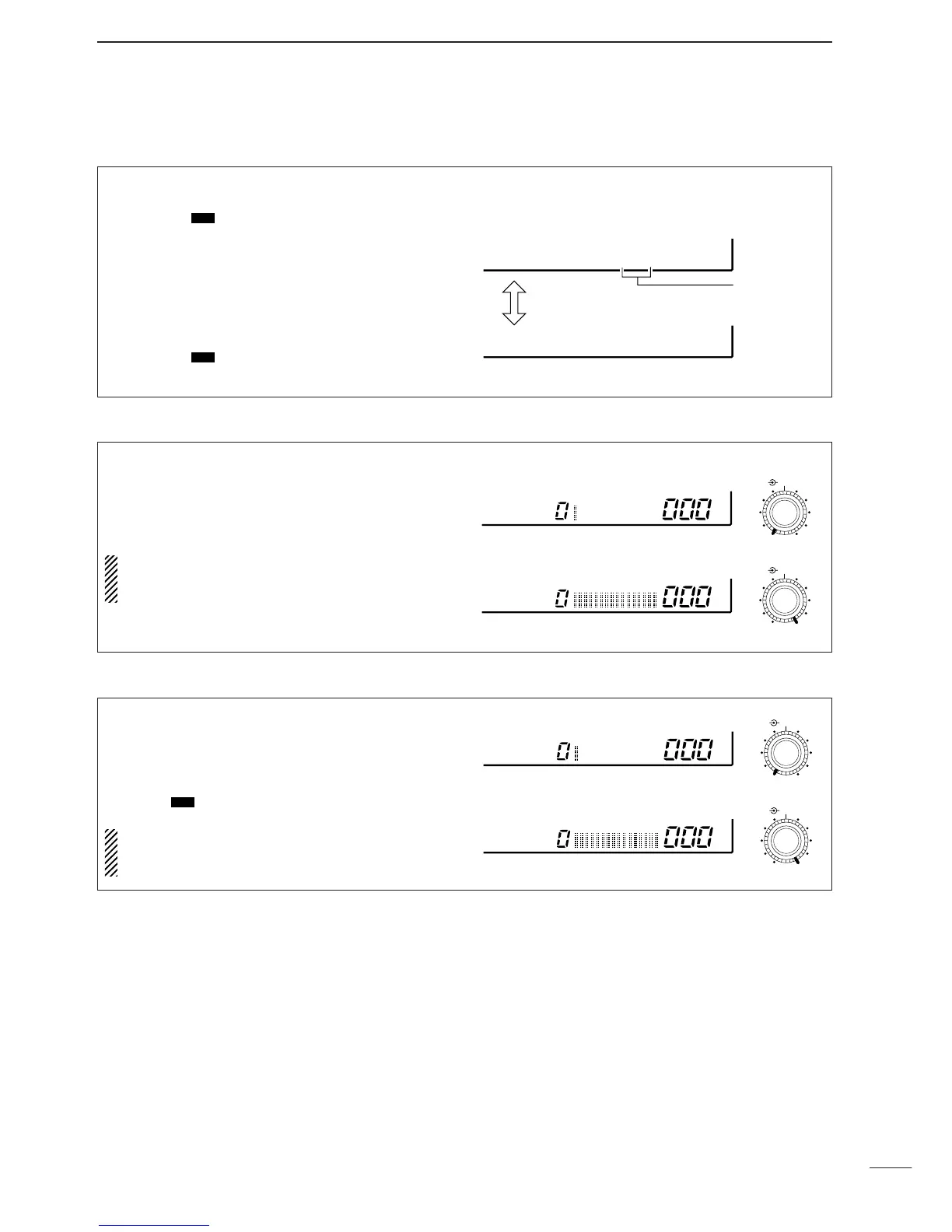
When scan speed is assigned to the [DELAY/SPEED]
control (see above), the scan speed can be instantly
updated during scan operation.
The name area shows as at right for 1 sec. after
rotating the control.
When scan delay time is assigned to the
[DELAY/SPEED] control, the scan speed is fixed
at the maximum of 40 ch/sec.
Highest scan speed: 40 ch/sec.
Lowest scan speed: 1 ch/sec.
SPEED
SPEED
DELAY/SPEED
DELAY/SPEED
The [DELAY/SPEED] control adjusts the scan delay
period (scan resume period) when:
•The scan delay function is assigned to the
[DELAY/SPEED] control (see above).
•“DLY” is selected for the scan resume condition with
the [DLY ] switch.
When scan speed is assigned to the
[DELAY/SPEED] control, the scan delay is deter-
mined by the set value of 3 to 18 sec.
Longest delay time: 18 sec.
Shortest delay time: 3 sec.
DELAY
DELAY
DELAY/SPEED
DELAY/SPEED
The function of the [DELAY/SPEED] control is selec-
table, as shown below, to suit your operating style.
➀ Push [DLY ] for 1 sec. to enter the setting con-
dition.
➁ Rotate the main dial to select the function for the
[DELAY/SPEED] control.
➂ When the scan speed is assigned to the
[DELAY/SPEED] control, the scan delay time is
determined while “VR:SPD DLY: 3S” appears.
•Rotate the [M-CH] selector to set the delay time.
➃ Push [DLY ] to return to the previous display.
D Assigning a function to the [DELAY/SPEED] control
Scan speed is assigned to the [DELAY/SPEED] control
Toggle via the
main dial
Adjustable
via the [M-CH]
selector
Scan delay is assigned to the [DELAY/SPEED] control
VR:SPD
DLY= 3S
VR:DLY
SPD=MAX


 To Next Page
 Loading...