The IC-R8500 has a sleep timer function to automati-
cally turn the power OFF after a specified period.
D Operation
➀
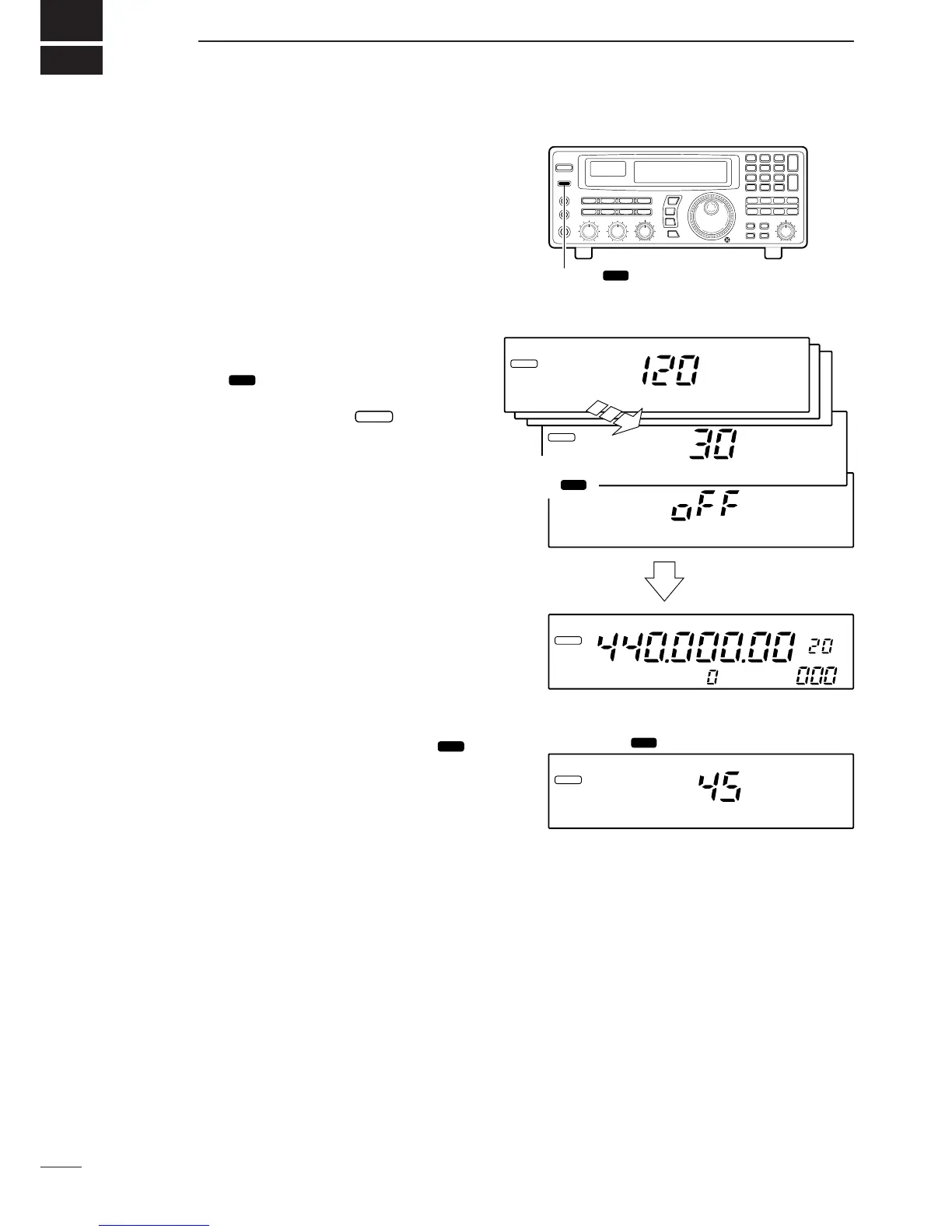
Push [SLEEP/ ] momentarily, several times, to
activate the sleep timer and set the power OFF period.
•When the sleep timer is activated, “ ” appears in
the display.
•5 settings are available: 120, 90, 60, 30 min. and sleep
OFF.
➁ 2 sec. after performing step ➀ above, the receiver
returns to the previous display.
➂ To confirm the set sleep period, push [SLEEP/
] momentarily, one time.
•Be careful not to push the switch more than once, other-
wise the sleep period may be changed.
➃ To turn ON the receiver after the sleep timer has
turned power OFF, push [POWER] OFF then ON
again.
•The sleep timer is cancelled.


 To Next Page
 Loading...