20
5
MEMORY CHANNELS
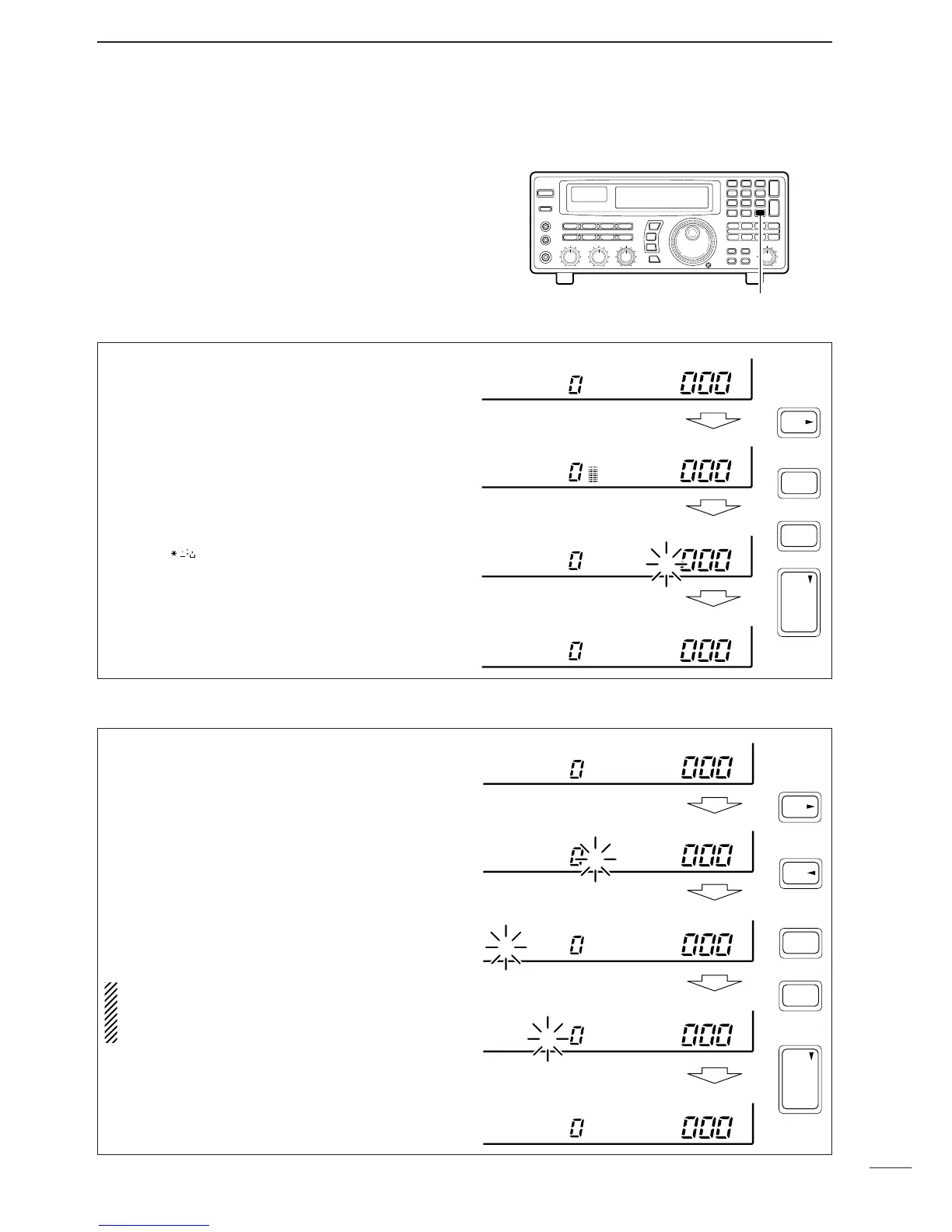
■ Channel/bank names
Channel names of up to 8 characters and bank names
of up to 5 characters can be programmed for conve-
nience. Programmed names can be easily copied to
other channels using the copy/paste function.
➀ Select the desired memory channel.
➁ Set the frequency (and mode/tuning steps), then
push and hold the [MW] key.
•When no data is programmed, “BLANK” appears and
memory names cannot be programmed.
➂ Push [CE
s
•NAME].
•A cursor appears at the first character space of the
name area.
➃ Enter the desired name via the keypad.
•Push the appropriate keys to input the desired charac-
ters.
•To erase a character, overwrite with a ‘space’ using the
[
M-CH• ] key.
•To move the cursor forwards or backwards, use the
[•
t
] or [CE
s
] key.
➄ Push [ENT] to input the set name.
➀ Select the desired bank using [M-CH •BANK
▲
] or
[ENT•BANK
▼
].
➁ Push [CE
s
•NAME].
•A cursor appears at the first character space of the
name area.
•When no data is programmed, (“BLANK” appears) the
cursor does not appear. Program a frequency or
change the channel in such cases.
➂ Push [•
t
] to move the cursor to the bank name
area.
➃ Enter the desired name via the keypad.
•Use the same method as for channel names (see
above).
➄ Push [ENT] to input the set name.
NOTE: When using [CE
s
] on the last digit of the
bank name, the current name is cleared and the
previous one is substituted. DO NOT forget to
push [ENT] after the bank name is set.


 To Next Page
 Loading...