27
6
SCANS
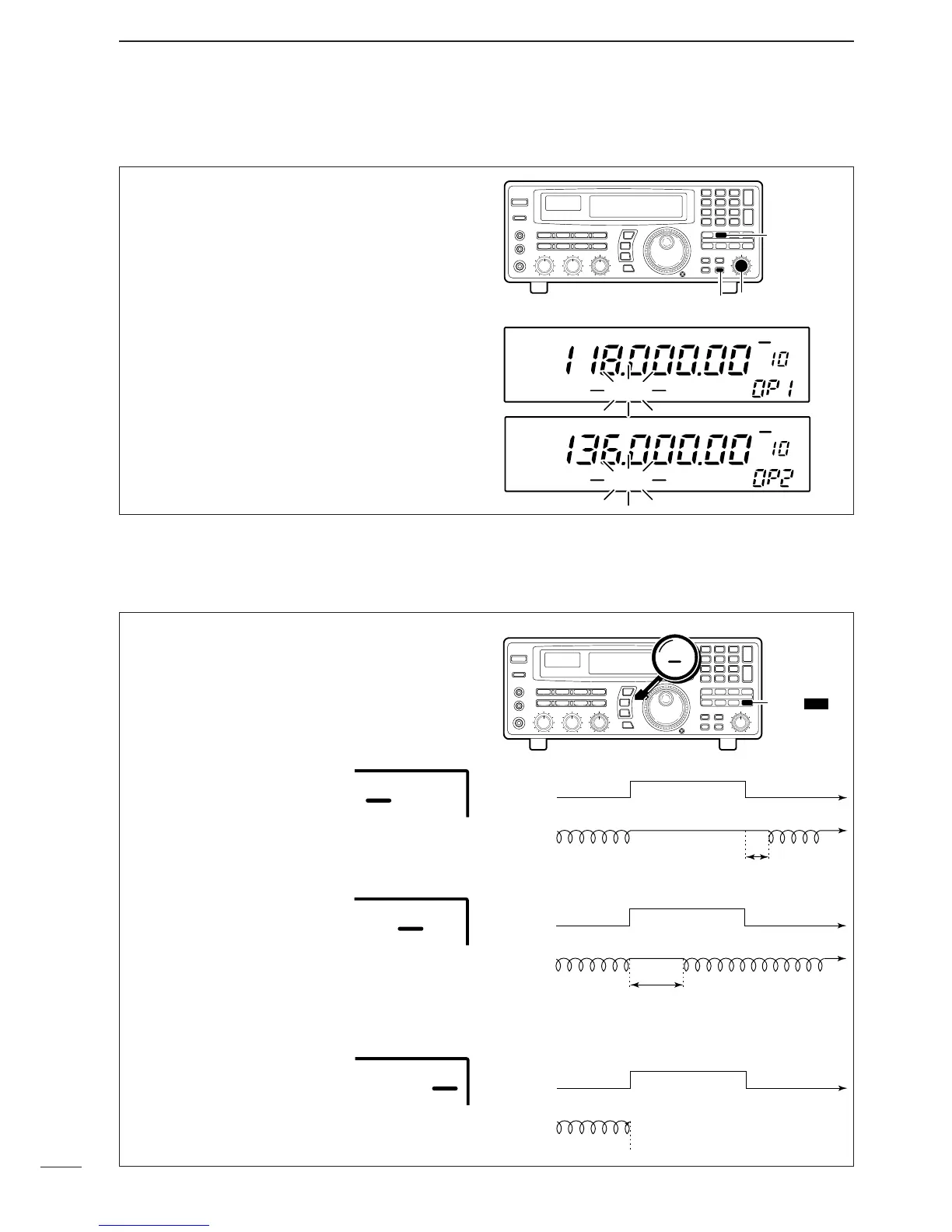
■ Programming scan edge frequencies
A set of scan edge frequencies must be programmed
before starting the programmed or auto memory
write scans. 10 pairs of scan edges are available:
0P1 to 9P2.
➀ Push [PROG] for 1 sec.
•“*SET*” appears in the bank name area, then
changes to a flashing “PROG.”
➁ Rotate the [M-CH] selector to select the lower scan
edge in a pair e.g. 0P1.
•The keypad can also be used for selection.
➂ Set the frequency, mode, tuning step and memory
name then push [MW] for 1 sec. to program one of
the scan edges.
➃ Rotate the [M-CH] selector to select the other edge
in the pair e.g. 0P2.
➄
Set the frequency then push [MW] for 1 sec. to program.
•
Mode, tuning step and name are common to both scan edges.
➅ Push [PROG] momentarily to return to the previous
channel; or repeat ➁ to ➅ for other scan edges.
Scan pauses when finding a signal, and then resumes
or is cancelled depending on the selected scan
resume condition. There are 3 resume conditions.
Push [DLY] one or more times to select a resume
condition.
•Scan resume OFF
Scan pauses until signal disap-
pears, then resumes 3 sec. after
that.
•Scan resume ON with adjusted
delay period
Scan pauses for the adjusted
delay period after receiving a signal, then resumes.
When the received signal disappears, scan resumes
approx. 3 sec. after that.
•Scan cancel
Scan is cancelled when a signal
is found during scan.
■ Scan speed/delay functions
D Scan resume condition



 To Next Page
 Loading...