24
6
SCANS
D Programmed scan D Auto memory write scan
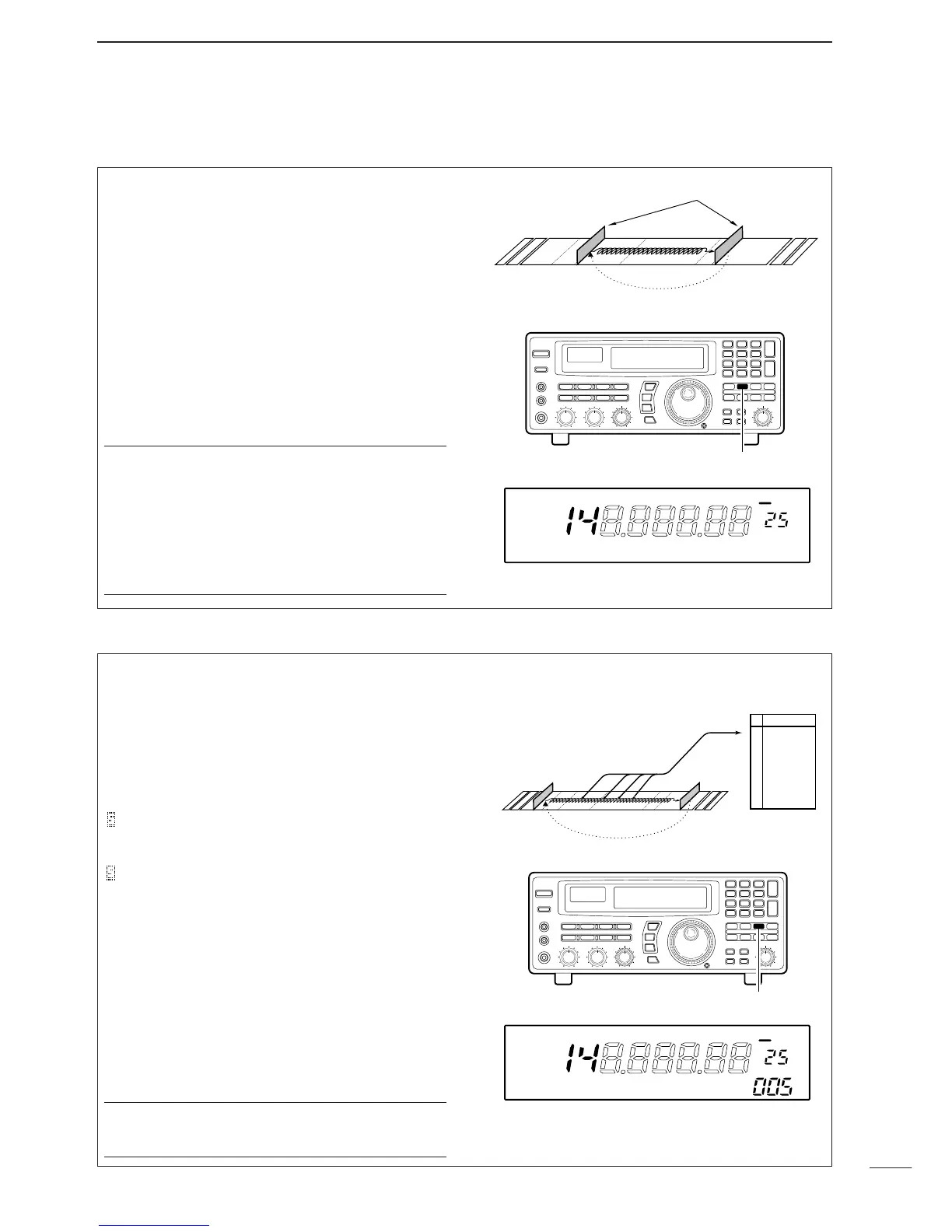
Programmed scan (and auto memory write scan)
searches for signals within a specified frequency
range, using the selected tuning step increments. The
result is like an ‘automatic’ rotating of the main dial.
Preparation—setting the scan range:
Push and hold [PROG] to enter the ‘prog’ bank, then
input the desired edge frequencies, mode and tuning
steps. Refer to p. 27 for details.
Start/stop:
➀ Set the [SQUELCH] control to the threshold point.
➁ Push [PROG] to start the scan.
•“PROG” (and scan range number) appears in the bank
name area.
➂ Push [PROG] again to stop the scan.
✔
Convenient:
Direct range selection
—The desired programmed
scan range can be selected using the keypad.
➪ Push a numeral key before or after pushing the
[PROG] key.
Skip scan release
—Programmed scan skips all fre-
quencies specified as skip channels in all 1000 chan-
nels.
Auto memory write scan operates in the same way
as programmed scan. However, when a signal is
received, the received frequency is automatically
written into a memory channel in the auto write bank.
Preparation—written memories condition:
Push and hold [AUTO] to enter the written memory
setting condition, then rotate the main dial to select
the condition.
:Previously written memories
in the ‘Auto’ bank are saved, then frequencies are
written into the next available channels.
:Previously written mem-
ories in the ‘Auto’ bank are cleared, then frequencies
are written into channels, starting from channel 0.
Start/stop:
➀ Set the [SQUELCH] control to the threshold point.
➁ Push [AUTO] momentarily or for 1 sec. to start the
scan.
•CAUTION:Be sure the written memories condition is set
as desired, otherwise previously written memories are
cleared.
•“AUTO” (and scan range number) appear in the bank
name area.
➂ Push [AUTO] again to stop the scan.
✔
Convenient:
The same convenient functions are available as de-
scribed above.


 To Next Page
 Loading...