Software
MVS6000 System Level Manual/1.0/Dec-2001 3-3
3.2 Installation of the Software
The following software is already installed on systems that leave the factory:
· Windows 2000, with the correct Ethernet, video and PLX PCI drivers.
· MVS6000 Hardware files and utilities.
You only have to install or upgrade the MVS software and the MMI software, as explained in on
page 3-12 and 3-19.
Note: The installation and the upgrade of MVS and MMI software are always with InstallShield.
No support is given for configurations obtained by copying files.
Tip: To be able to install the board you need administrator rights on the system.
3.2.1 Install the Plug & Play Driver
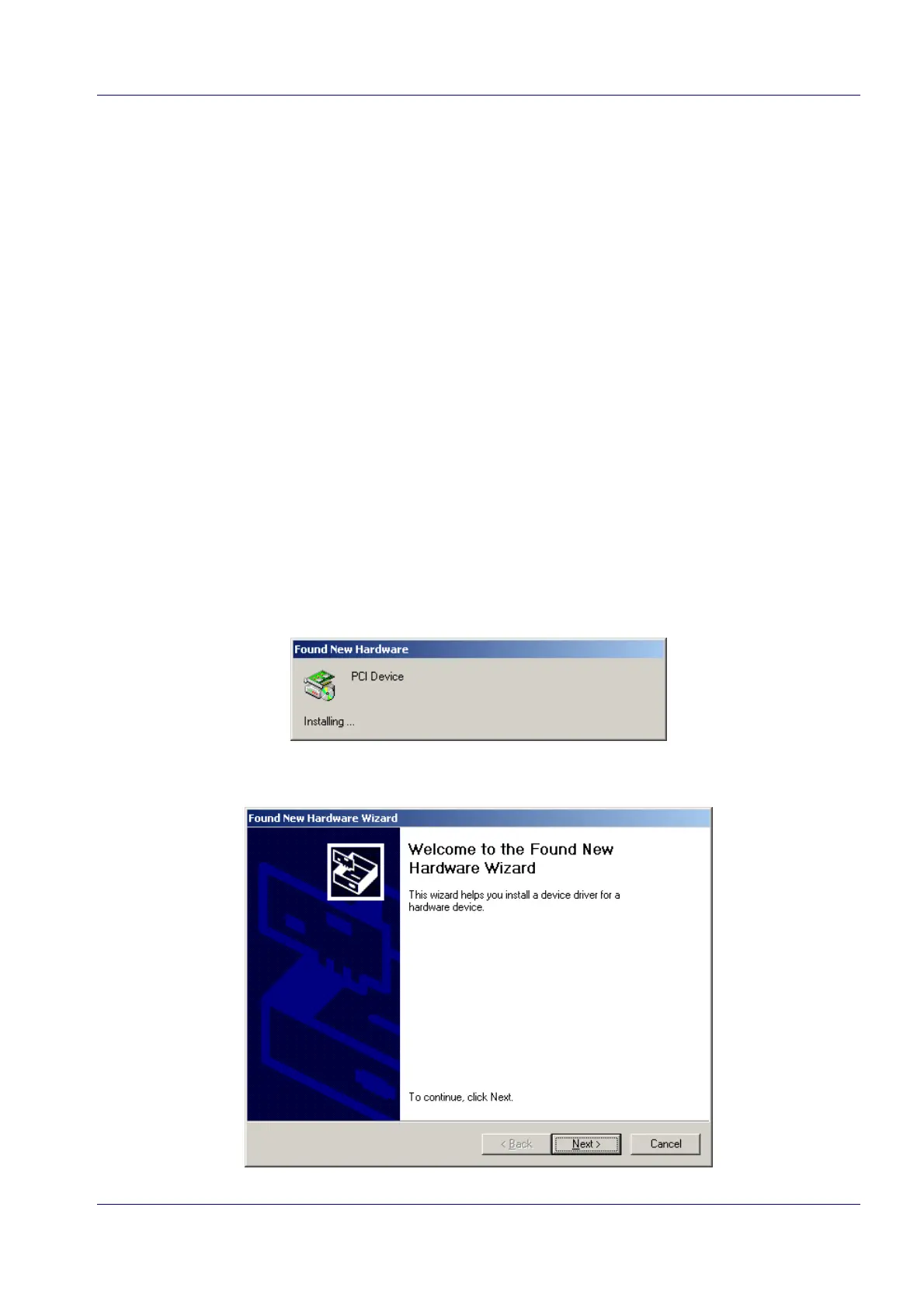
When starting from a clean Windows 2000 installation, Windows will warn you that new hardware
has been found if an MVS6000 has been inserted in one of the PCI slots.
The Found New Hardware Wizard helps you to install the driver, as is explained here:


 To Next Page