MVS6000
6-2
MVS6000 System Level Manual/1.0/Dec-2001
6.1 PCITerm
This program is used to communicate with the board in menu mode or message mode. It is an
ICOS terminal emulation program that replaces the HyperTerminal program of Windows. There is
no need anymore for a serial cable.
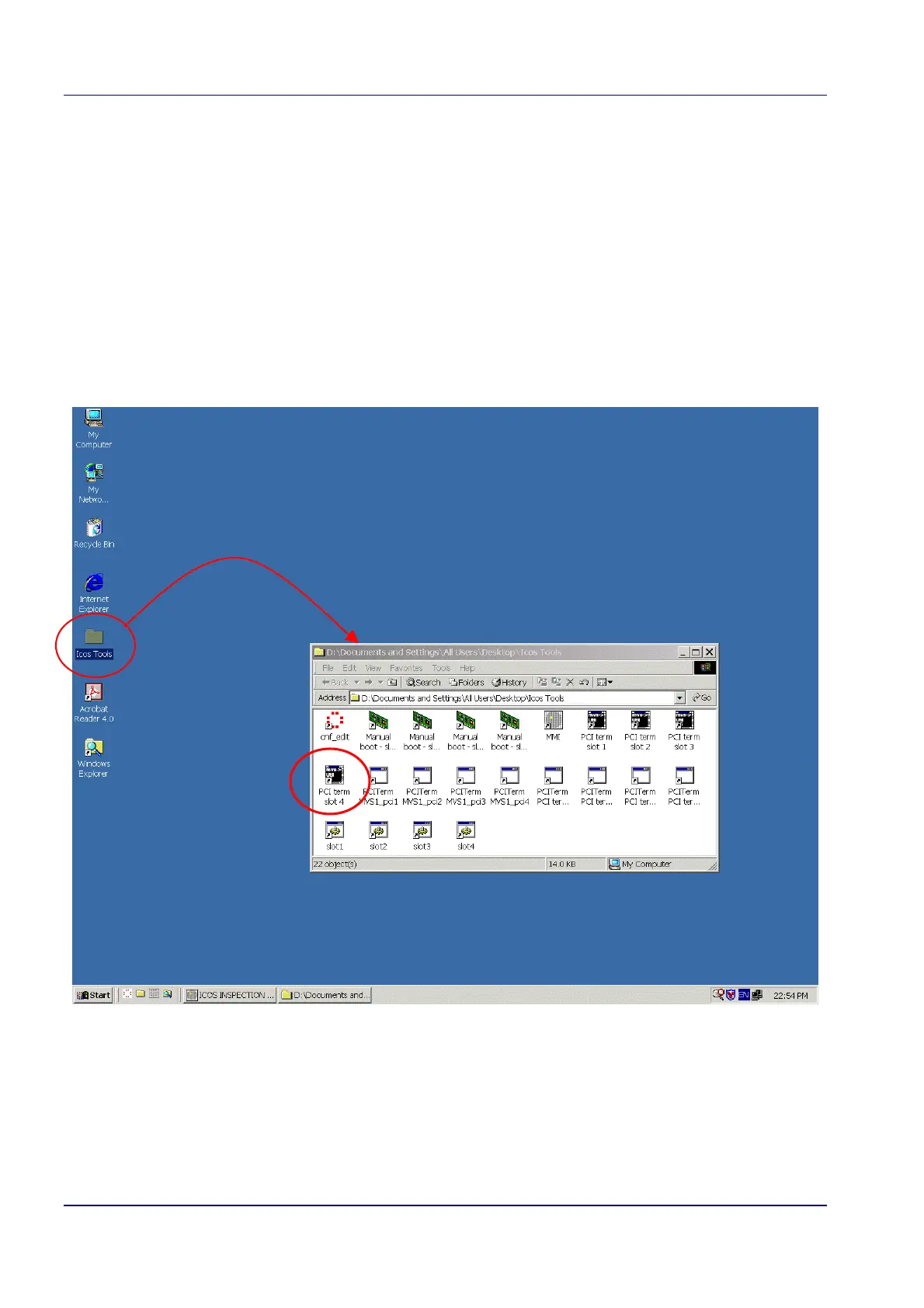
PCITerm is installed together with the MVS software. The installation program creates shortcuts in
the Icos Tools folder on your desktop, like, pciterm MVS1_pci4.
· MVS<n> represents the board with which you want to communicate, <n> is the slot number
· pci<m> represents a pipe, that is, a communication channel.
Notes:
1.
Pipes 1 and 2 are reserved for communication with the MMI, so you can select pipe
3 or 4 for PCITerm.
2. When the board is reset, you have to restart PCI Term.


 To Next Page