MVS6000
3-22
MVS6000 System Level Manual/1.0/Dec-2001
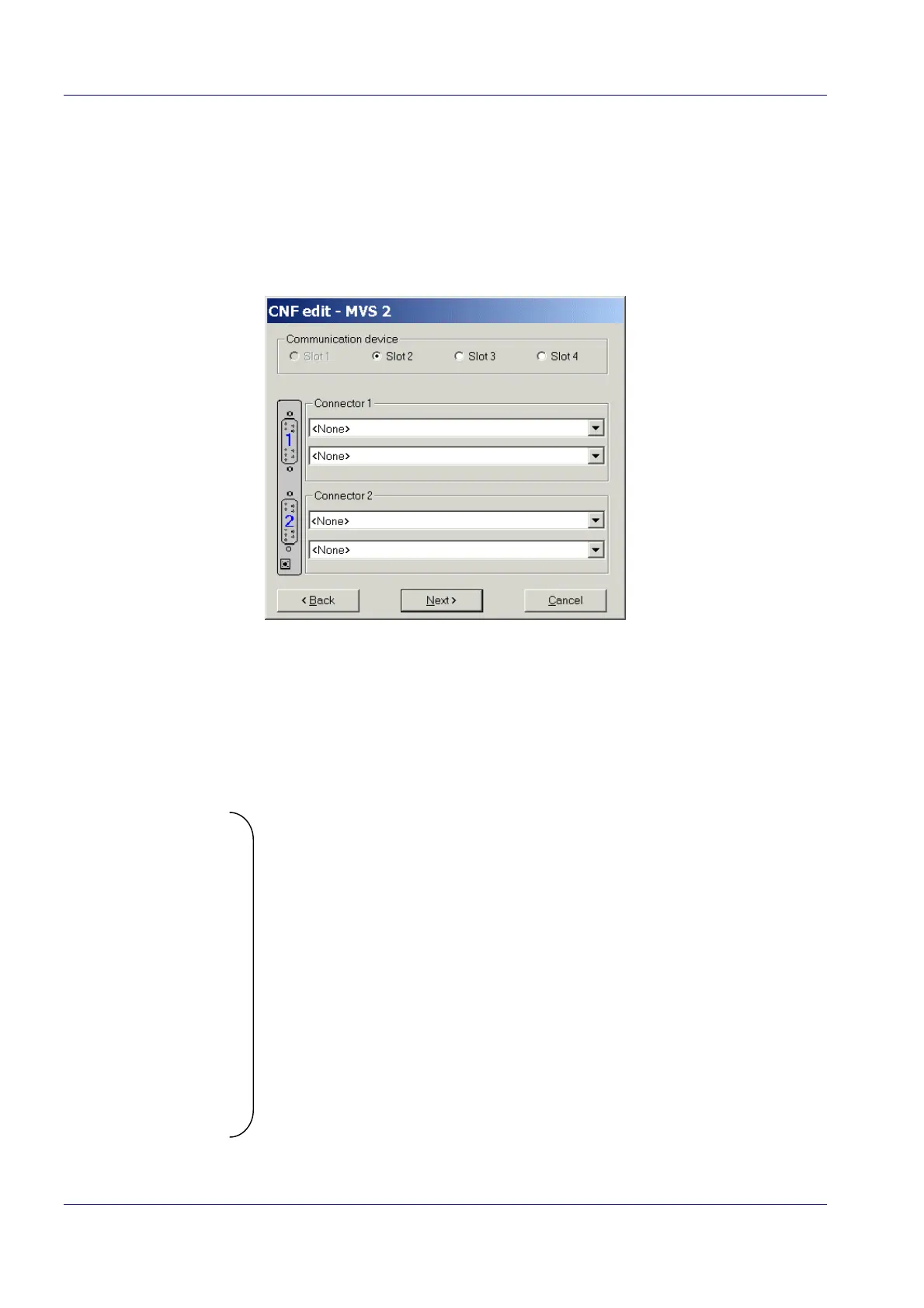
3.3.2.1 Slots
By default, MVS1 is supposed to be in the first non-empty slot 1, but you can select another slot
(see page 3-21). The slots that are empty or the slots from which a board is already defined are
disabled. For the next board(s), the default is slot 2. Select the correct slot and enter the camera
definitions.
3.3.2.2 Camera Type for a Specific Connector
For each connector on the MVS6000 board, you have two lists. In the upper list you can select
between:
· <None>
· ADIMEC 40M50PC (progressive scan) Þ HR camera
· Sony XC75CE_2:
· Sony XC75CE_6
· Sony XC75CE_7
· Sony XC55CE_5
· Sony ST50CE_6
· Sony ST50CE_7
· Sony ST30CE_6
· Sony ST30_CE_7
· Sony ST70CE_6
· Sony ST70_CE_7
· Sony XC8500M_5
· Teli CS8531_5
Þ SR cameras


 To Next Page