MVS6000
3-6
MVS6000 System Level Manual/1.0/Dec-2001
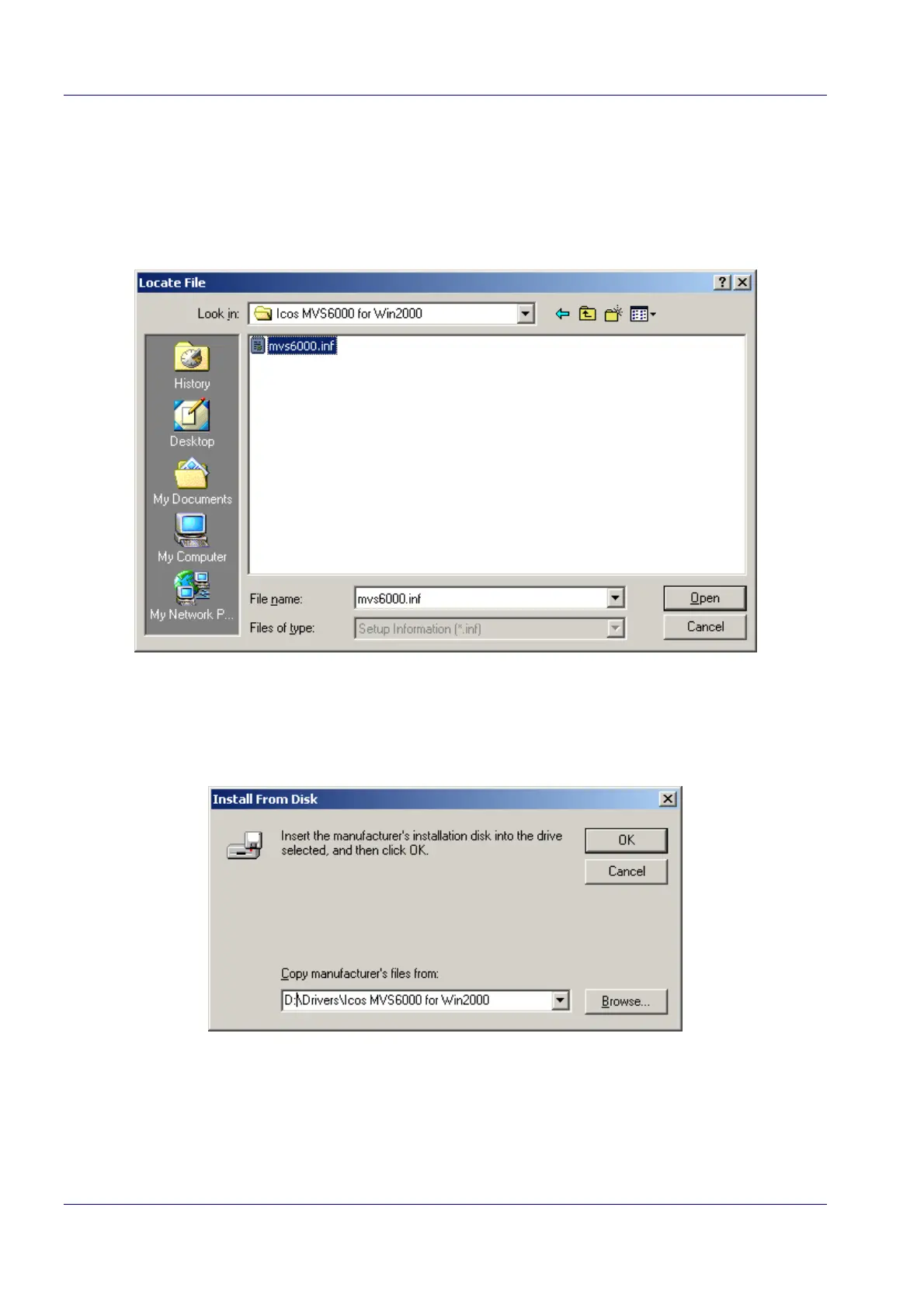
5. Click Browse… to open the Locate File dialog box. Here you can select the folder that
contains the mvs6000.inf file.
Note: The folder that contains the mvs6000.inf file is stored on the ICOS Installation CD that
is delivered with your system. The folder is “\ Drivers \ Icos MVS6000 for Win2000”.
6. Select the mvs6000.inf file and click Open.
The Locate File dialog box closes. The folder containing the mvs6000. inf file is added to the
drop-down list in the Install From Disk dialog box.


 To Next Page