MVS6000
6-12
MVS6000 System Level Manual/1.0/Dec-2001
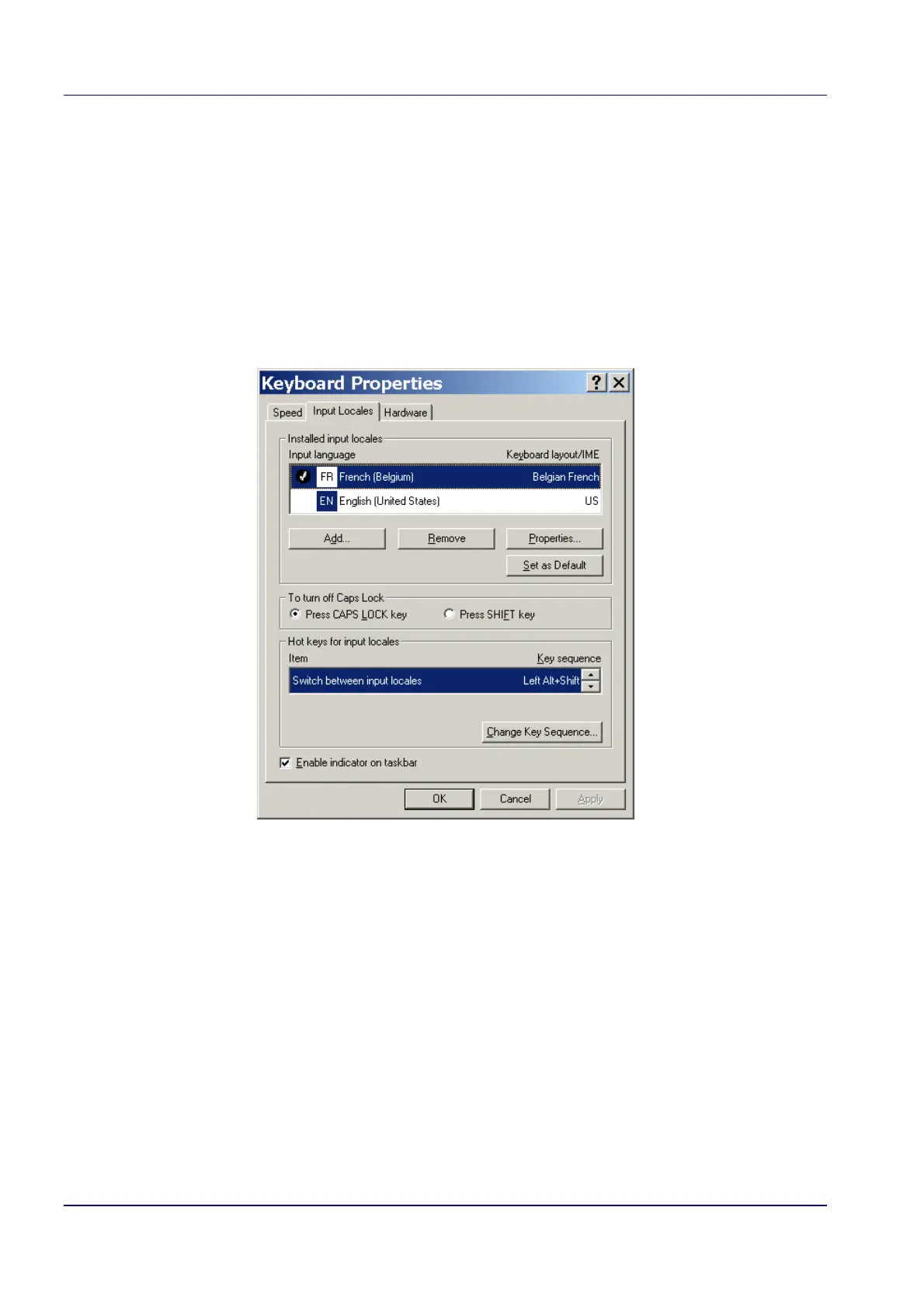
How to uninstall the keyboard layout you do not use:
You can also uninstall the keyboard layout you do not use:
1. Select Start > Settings > Control Panel.
2. Select the Keyboard icon
The Keyboard Properties dialog box opens.
3. Select the Input Locales tab:
4. Select the keyboard layout you do not use and click Remove.
5. Click OK to apply these settings and to close the dialog box.


 To Next Page