22
Installation and Servicing
SECTION 2 - INSTALLATION
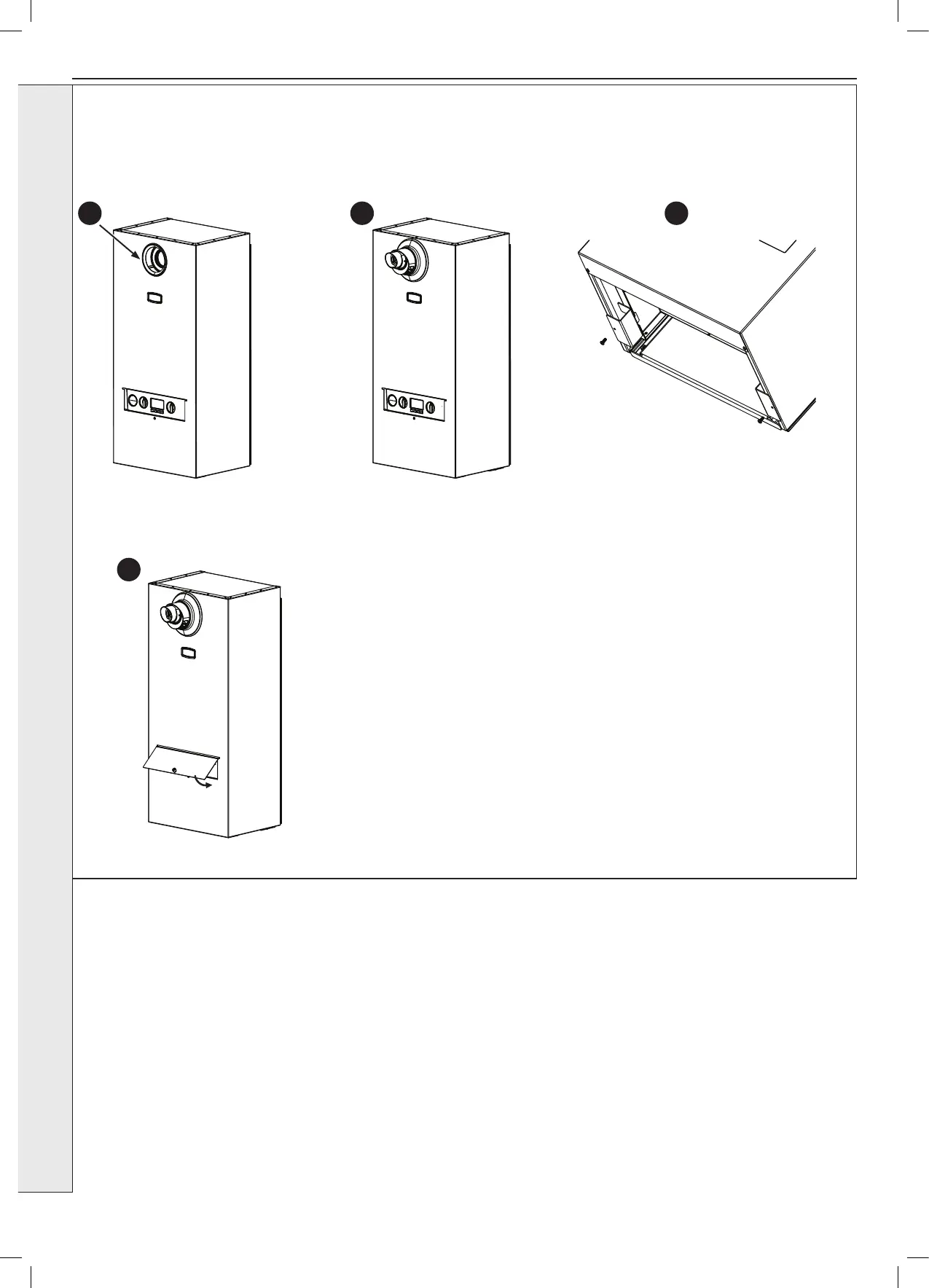
2.12 ATTACHING WEATHER SHIELD
1. Lift the weather shield over the appliance and slide down onto the locating
bracket.
2. Insert the internal ue seal into the orice.
3. Fit external black ue seal, ensuring the inside of the outer lip is in contact
with the terminal lip.
4. Apply water to the ue turret seals and place the ue through the orice,
ensuring full insertion and the external seal is ush to the case.
5. Attach the two securing tabs on the bottom of the appliance with the screws
provided.
6. Fit the front removable panel and secure with the retained securing knob.
2 4 5
6




 To Next Page