37
Installation and Servicing
SECTION 3 - SERVICING
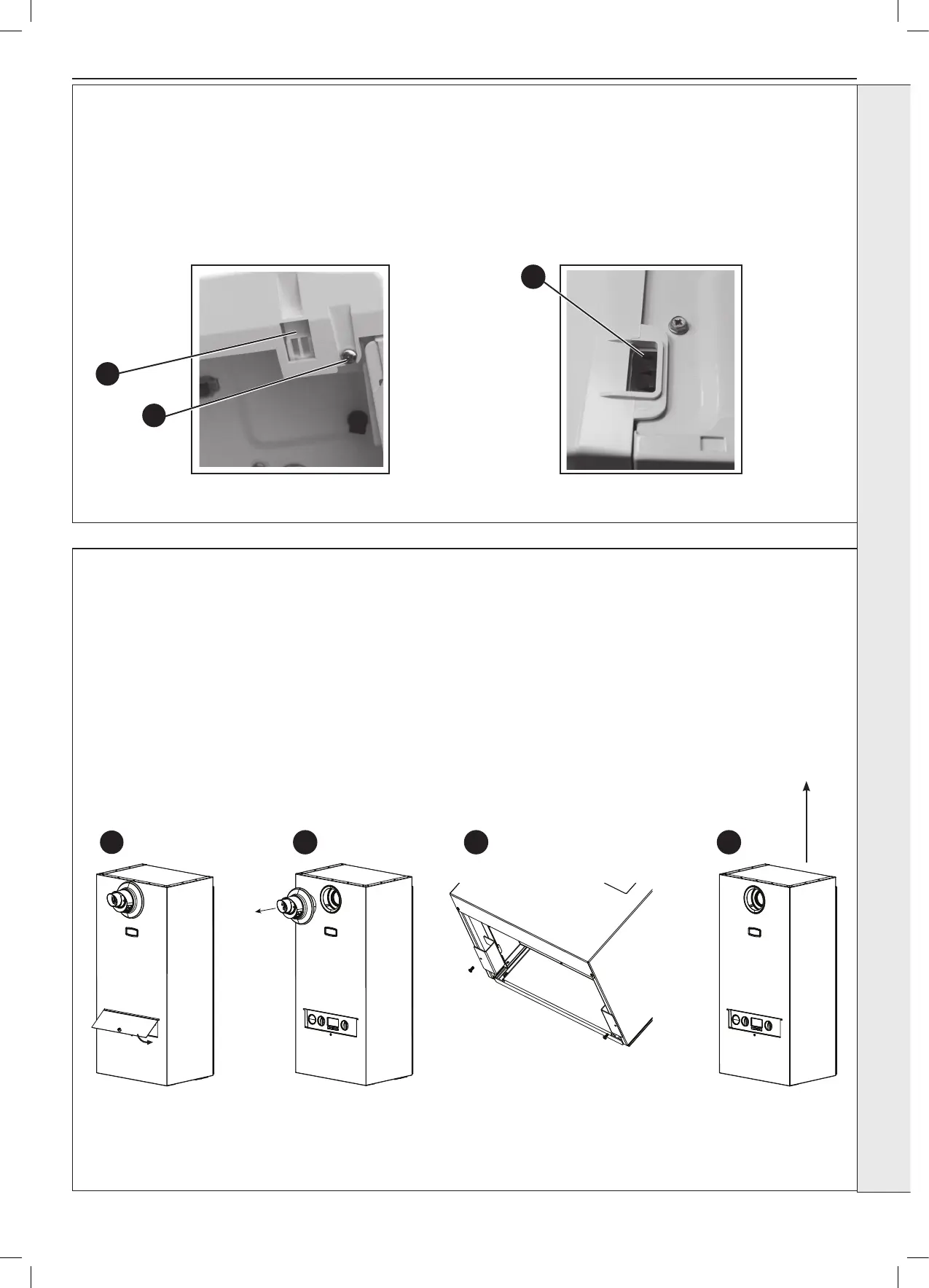
3.2 BOILER FRONT PANEL REMOVAL / REPLACEMENT
3.3 WEATHER SHIELD REMOVAL / REPLACEMENT
REMOVAL
1. Loosen the two screws retaining the front panel.
2. Pull the two clips down to disengage and pull panel forward
and upward and remove.
REPLACEMENT
3. Hook the panel onto the top retaining clips.
4. Push the panel until the 2 bottom spring clips engage
ensuring the 4 control knobs line up with the holes in the
front panel.
5. Re-tighten the two retaining screws.
view from bottom of boiler
view from top of boiler
3
1
2
53
1
IMPORTANT: The Weather Shield must only be removed by the service engineer.
1. Unscrew the front removable panel using the securing knob.
2. Turn the boiler off and isolate the power.
3. Remove the ue and external black ue seal.
4. Remove the two securing tabs on the bottom of the appliance.
5. Slide up and lift the weather shield over the appliance.
4




 To Next Page