SETTINGS - System
The System settings are grouped under the heading of System.
Tap to expand the System group.
Tap to return to the top level Setup menu
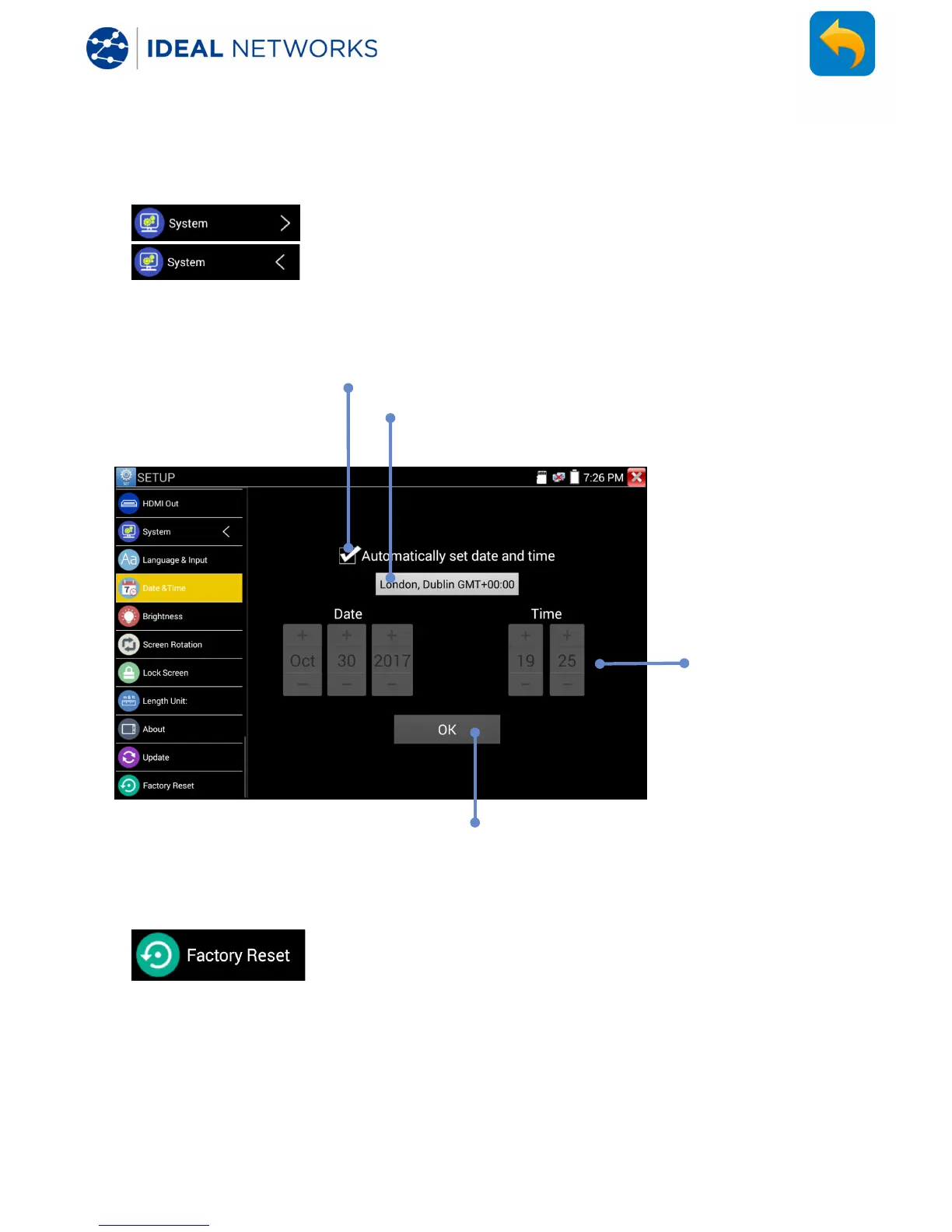
SETUP>>System>>Date & Time
SETUP>>System>>Factory Reset
Tap then confirm to restore the tester configuration to the original
factory settings.
CAUTION! Any software updates performed since the tester was manufactured will
need to be re-installed following Factory Reset. (Note that the user software can not
be backed up. For standard software, the user needs to download latest SW from
IDEAL Networks web site to recover it. The user’s own software needs to be reinstalled
separately.


 To Next Page
 Loading...