171810.01 SecuriTEST® IP 16
SecuriTEST® IP User Manual
POWER - PoE Output
The tester's LAN port is equipped with Power over Ethernet capability. It can be used
to provide power to PoE enabled cameras:
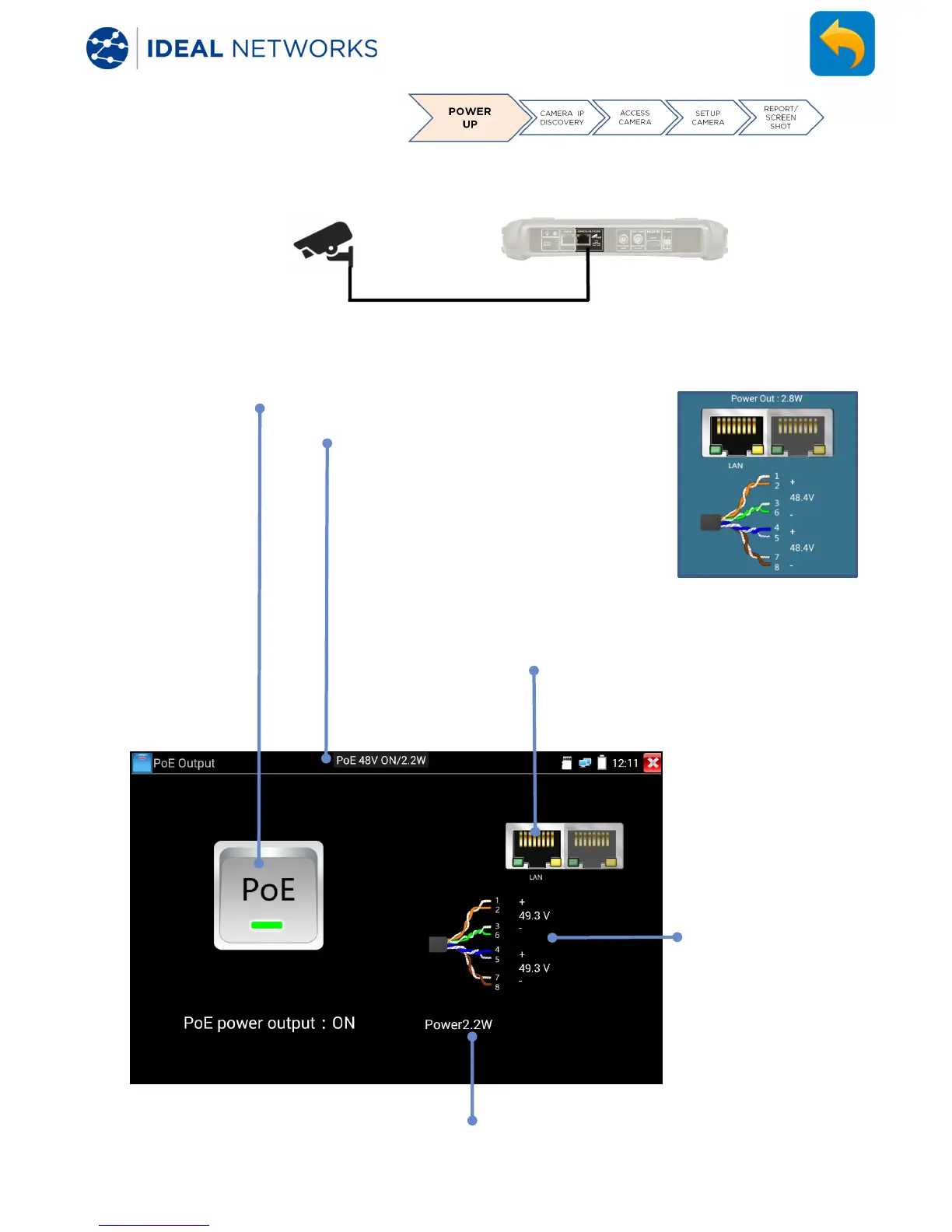
POWER >> PoE
Tap the switch to turn PoE on/off
Floating indicator shows PoE
status, voltage and power
consumed. This floating
indicator can be dragged to any
convenient place on the screen,
and always appears on top.
tap the floating indicator
to display / hide more details:
Indicates that PoE is
present on the
LAN/Network port
Indicates the pin
numbers of the
actual PoE voltages
applied
Indicates the PoE
power consumed
by the load


 To Next Page