EasyManua.ls Logo

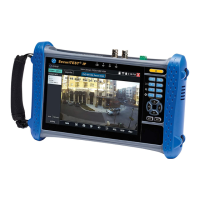
IDEAL SecuriTest IP - Keypad and Interface Controls; Keypad Button Functions

IDEAL SecuriTest IP
63 pages
Print Icon
To Next Page IconTo Next Page
To Previous Page IconTo Previous Page
Loading...
171810.01 SecuriTEST® IP 3
SecuriTEST® IP User Manual
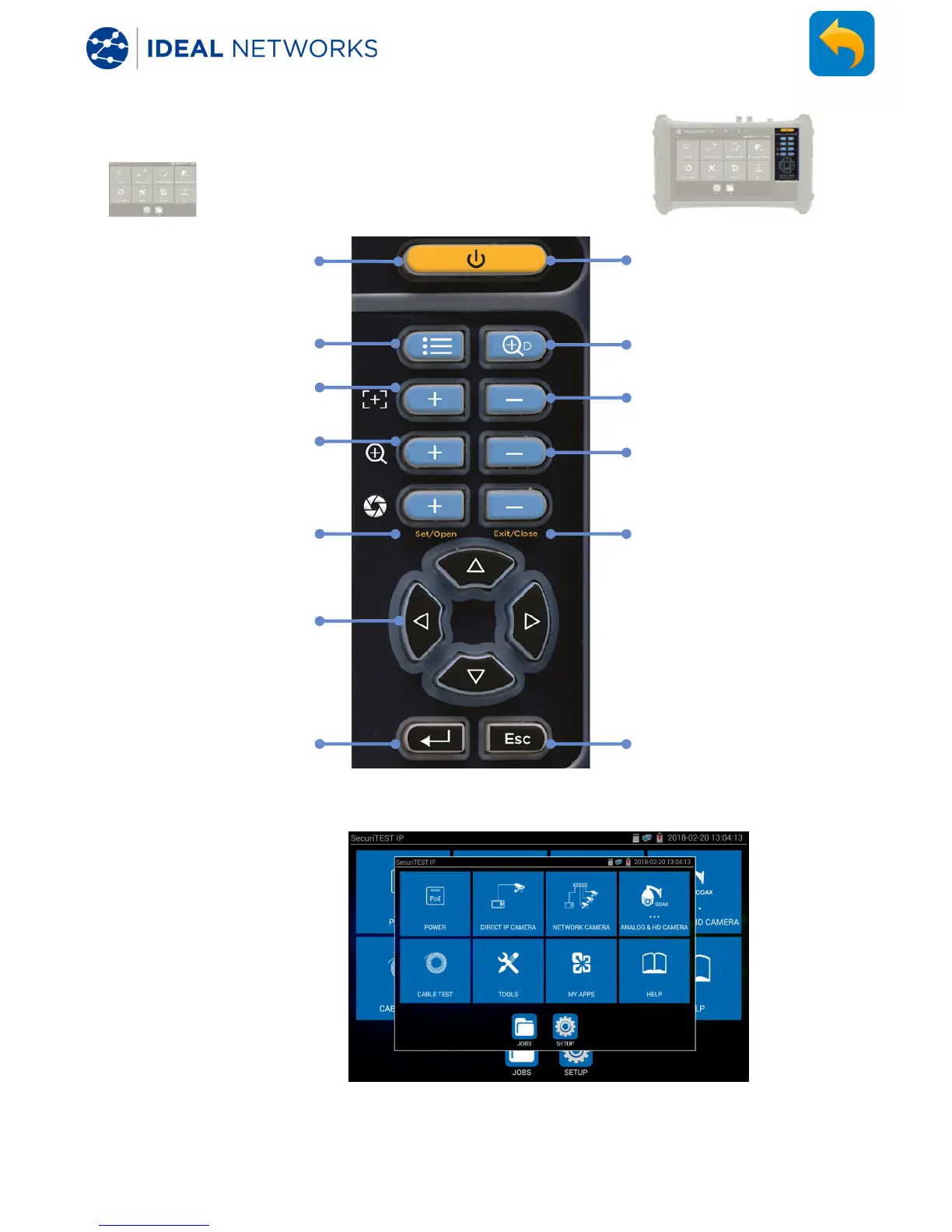
INTERFACE AND STATUS INDICATION - Keypad
Home screen /
shortcut menu
Zoom in
Aperture open /
increase / confirm
Menu navigation
/ PTZ controls
Confirm settings and
return.
Long press to
capture
a screen
shot.
While the screen shot
is being created, a
smaller version of the
screen appears briefly,
then the screen shot is
stored in the Jobs /
Screenshots folder of
the internal SD card.
Short press to
sleep / wake
Digital zoom
toggle
Focus near
Aperture close / decrease
/ exit in
-camera menu
Return without confirming
settings. Long press to
return to home screen
Zoom out
Focus far

Table of Contents

Related product manuals