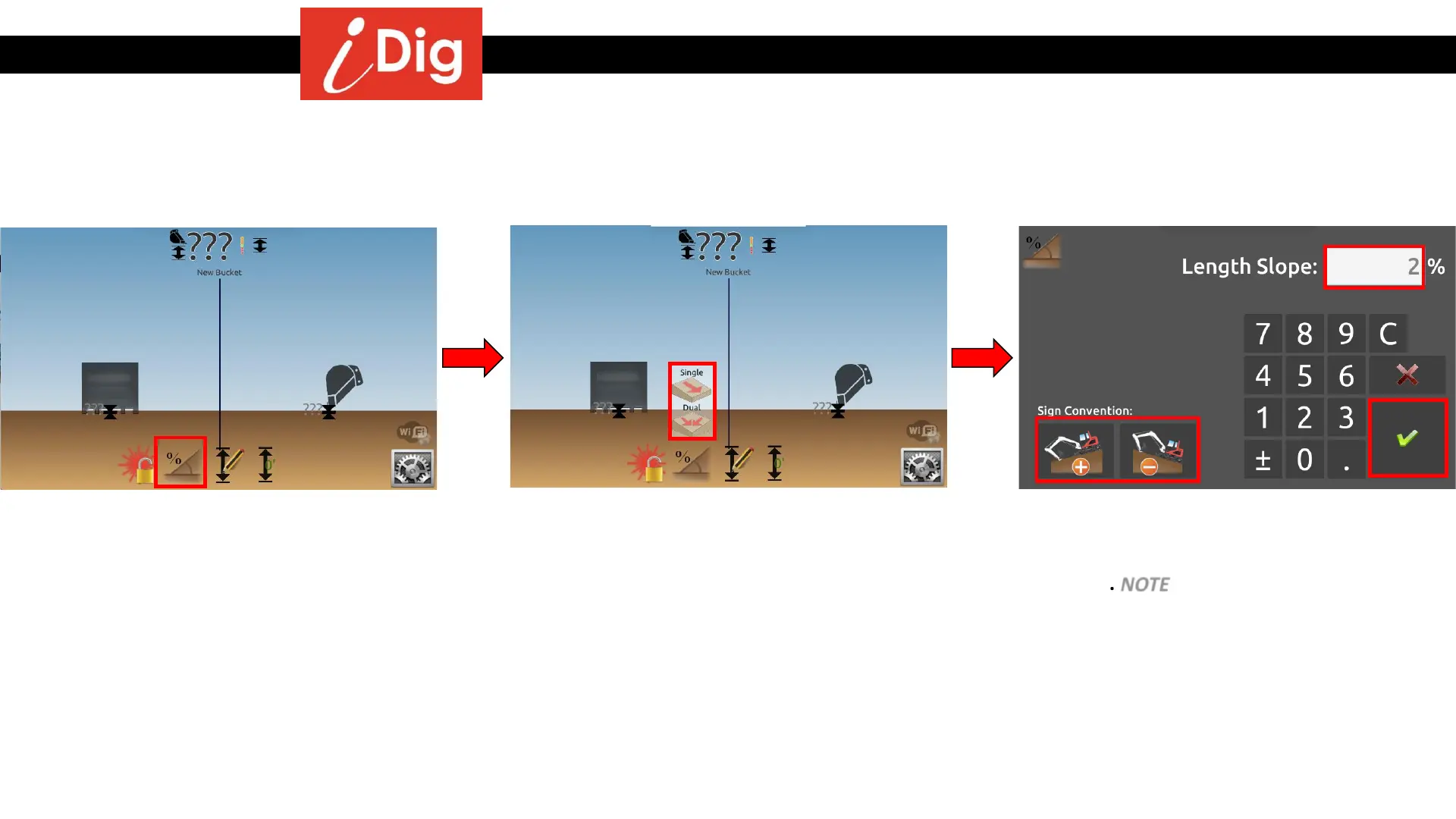
Digging a trench with 2% slope
103
Method 1: Using the bottom of the trench as the reference
• Click on the “Slope” button.
• Select Single or Dual Slope
• Choose the direction of the slope you wish
to dig.
• Enter the percentage of slope that you
want. NOTE – if you prefer ° (degrees) or
X:Y you can change in the “Units” menu in
Basic Settings.
• Click on the green check mark to validate.



 To Next Page