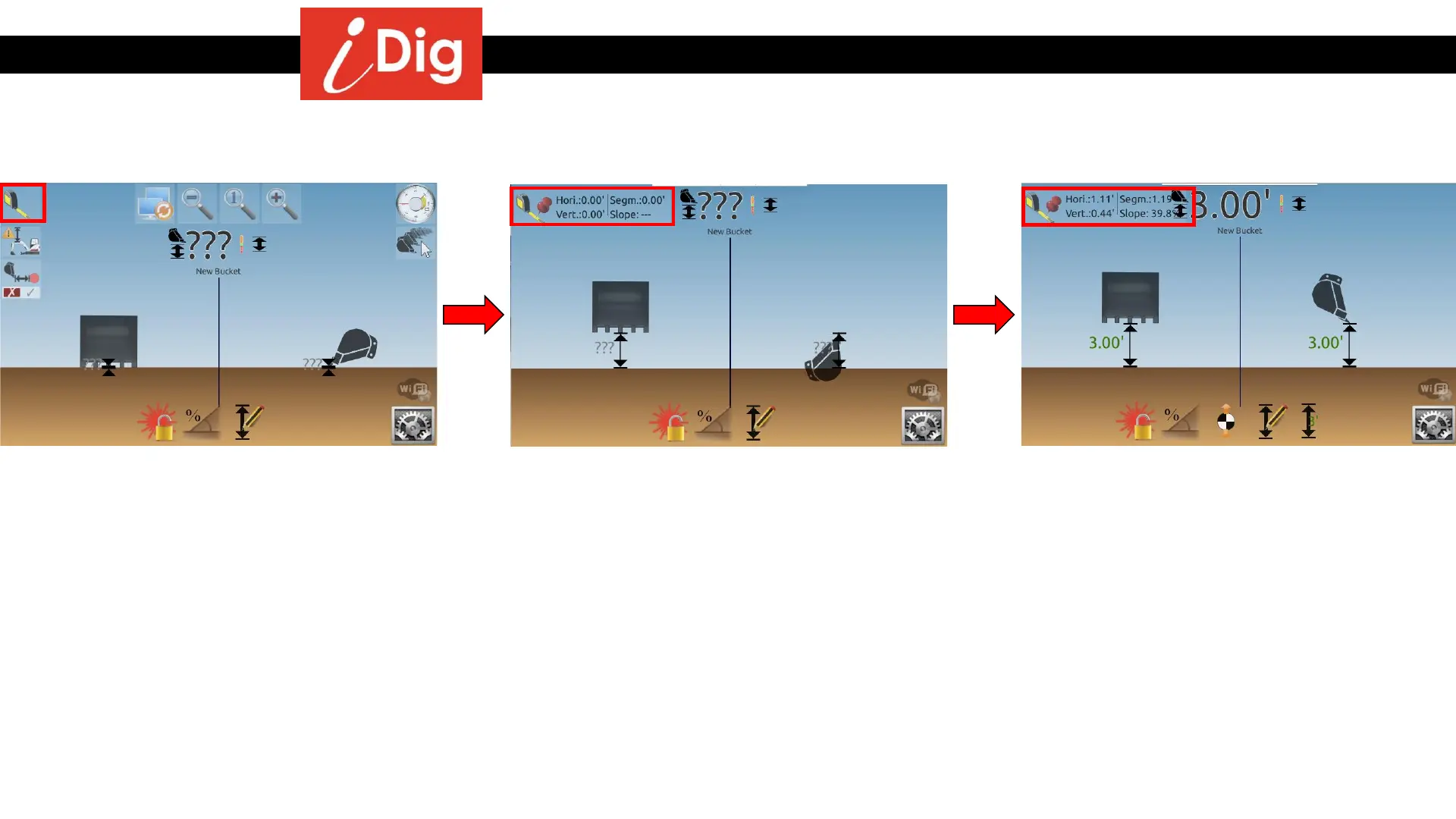
Tape Measure function
131
• The Tape Measure Mode will give you the
ability to measure the vertical distance,
horizontal distance and percent of slope
between two points. To start, place your
bucket on the first point and touch the
main screen so that the icons fly in from
the sides. Then touch the “Tape Measure”
button.
• Tap the indicated values to zero out the
setting and move your bucket to the
second point. The values will change as
you move the machine elements and also
as you rotate the cab.
• When you reach your second point you can
see the indicated horizonal distance
(1.11’), the vertical distance (.44’) and the
percent of slope (39.8%) between the two
points.
• Click on the numbers again to zero out the
function.
• Click on the Tape Measure symbol to
disable the tape measure function.



 To Next Page