Using the Dozer Function
114
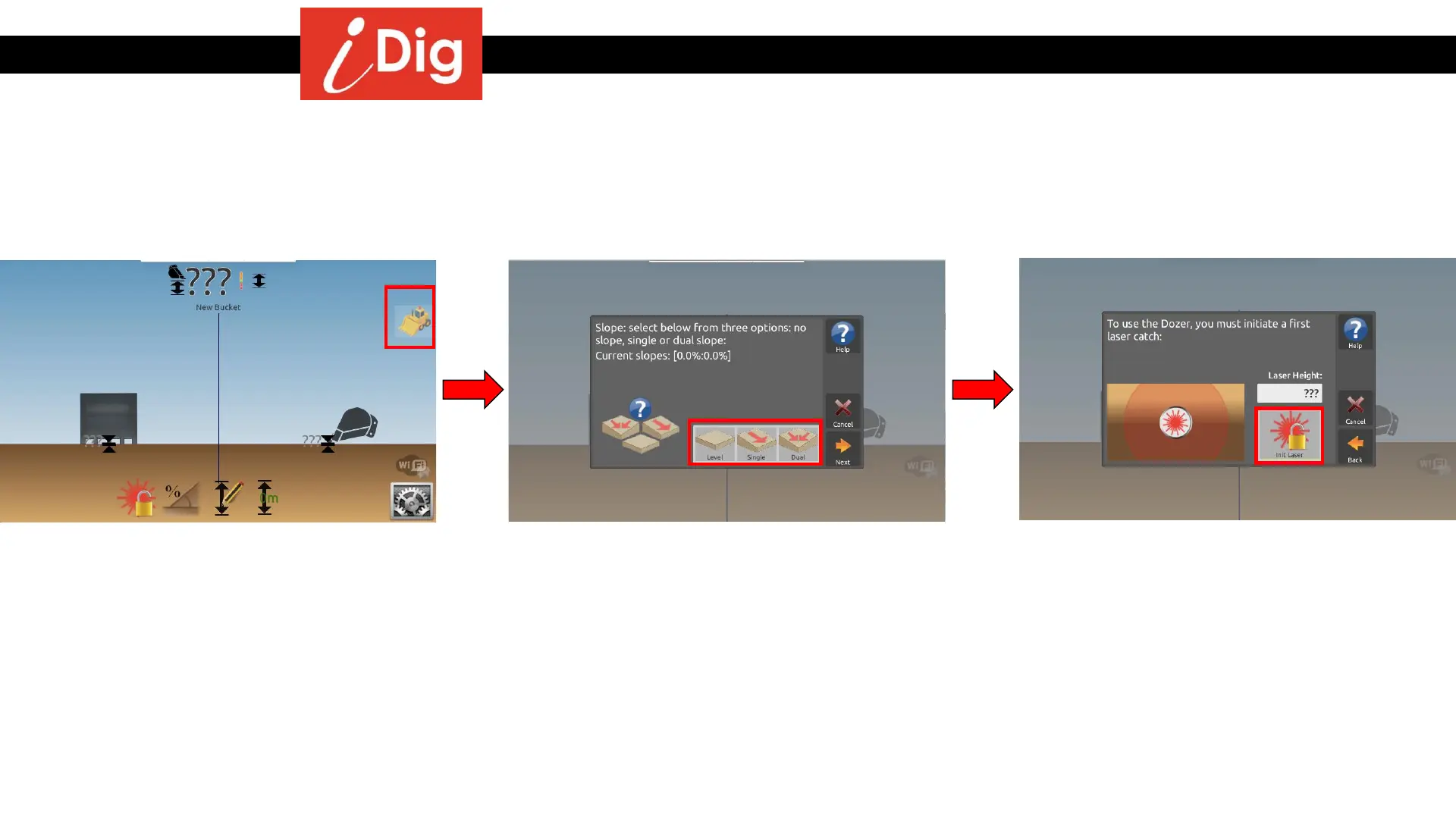
• Tap anywhere on the Main Screen to have
the system icons fly in from the sides, then
click on the Dozer icon on the right hand
side of the screen.
• Select from three different slope options:
level, single slope or dual slope.
• If you choose single or dual slope,
the next screen will ask the direction
and percent of grade for your
slope(s).
• Before you can use the dozer function you
must first initiate a laser catch. Click on the
“Init Laser” button.



 To Next Page