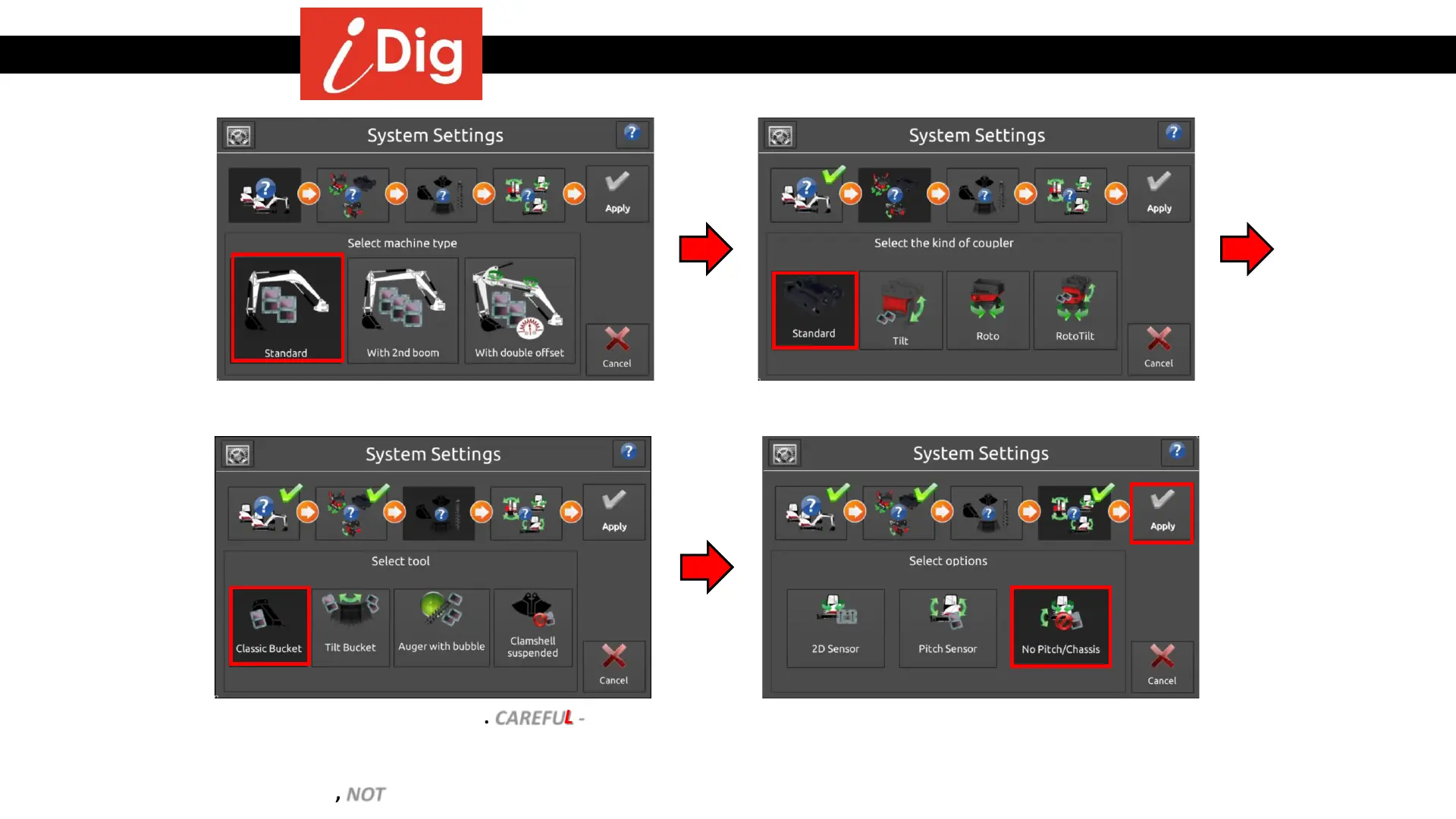
Installation Procedures – System Settings
• Select machine type
• Select the type of coupler being used
• Select the tool to be used. CAREFUL - Tilt
coupler or tilt bucket should only be
selected if there is a tilt bucket kit to be
installed, NOT if a tilt exists on the machine!
• Select No Pitch/Chassis and press
“Apply”. The 2D Sensor will be calibrated
last. System Settings are complete.
15



 To Next Page