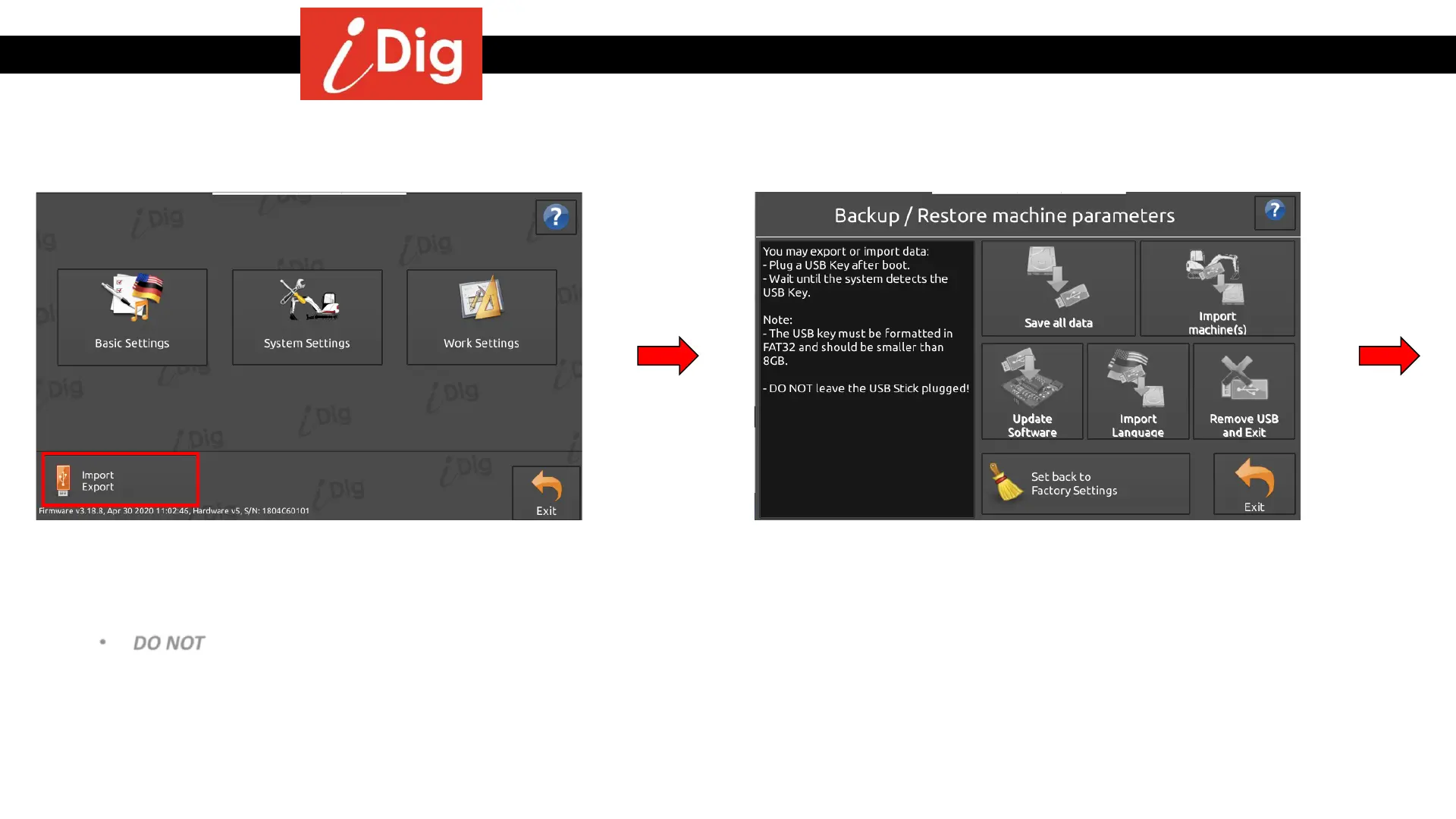
Import / Export Function
157
• This function allows the use of a USB stick to import
and export data to the system.
• The USB must be formatted in FAT32.
• The USB should be smaller than 8 GB.
• DO NOT leave the USB plugged in when
import/export has been completed.
• You can access the Import/Export screen from
any menu page by clicking on the
“Import/Export” button.
• When you reach this screen insert your USB stick into
the port on the bottom of the Control Box Cradle.



 To Next Page