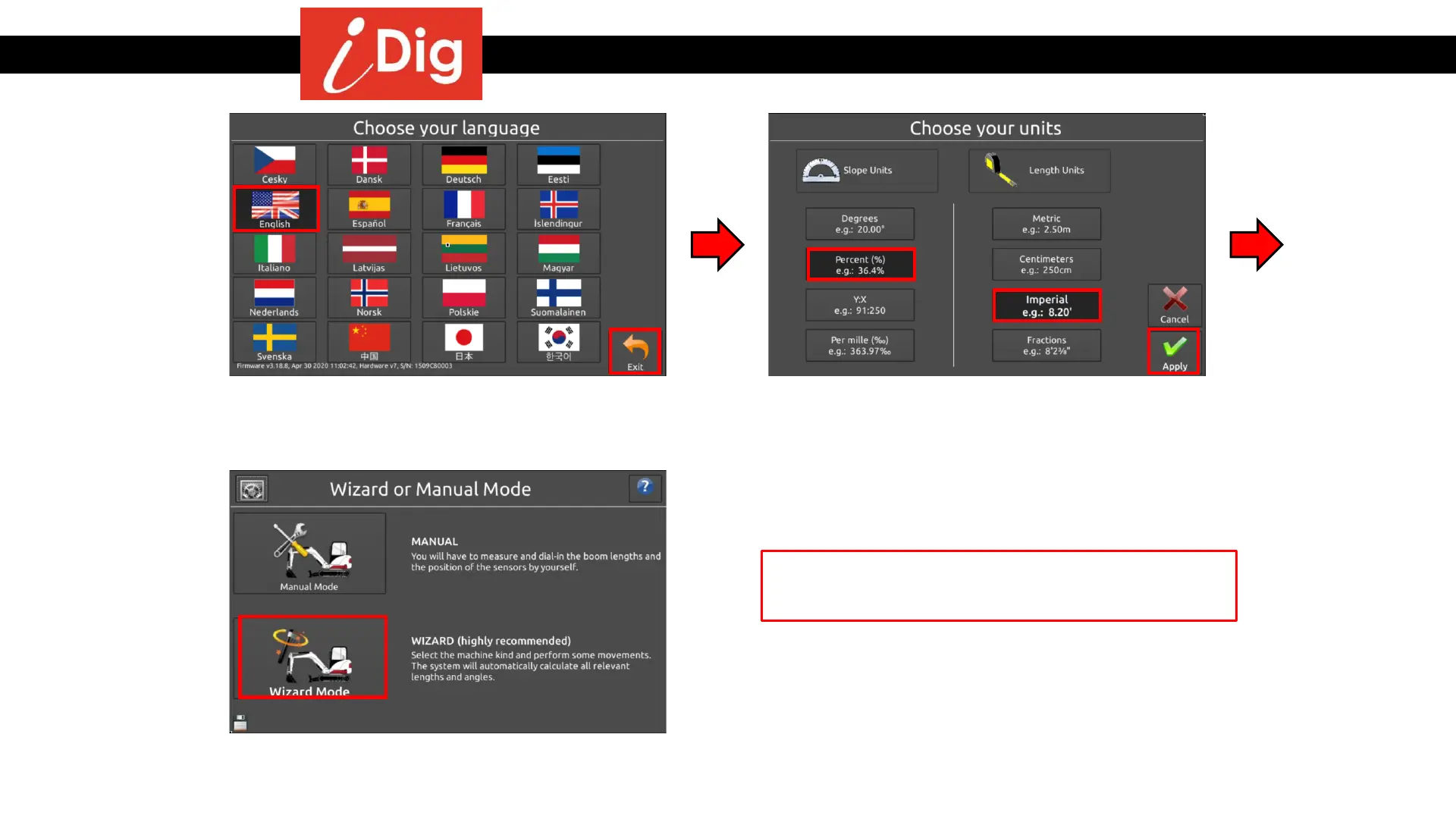
Installation Procedures – Initial Settings
• Basic settings are required when
performing the initial calibration. Select a
language and press “Apply”.
• Select the desired Slope Units and Length
Units and press “Apply”.
• Select “Wizard Mode”
Initial settings are complete. Go to “System
Settings”.
14



 To Next Page