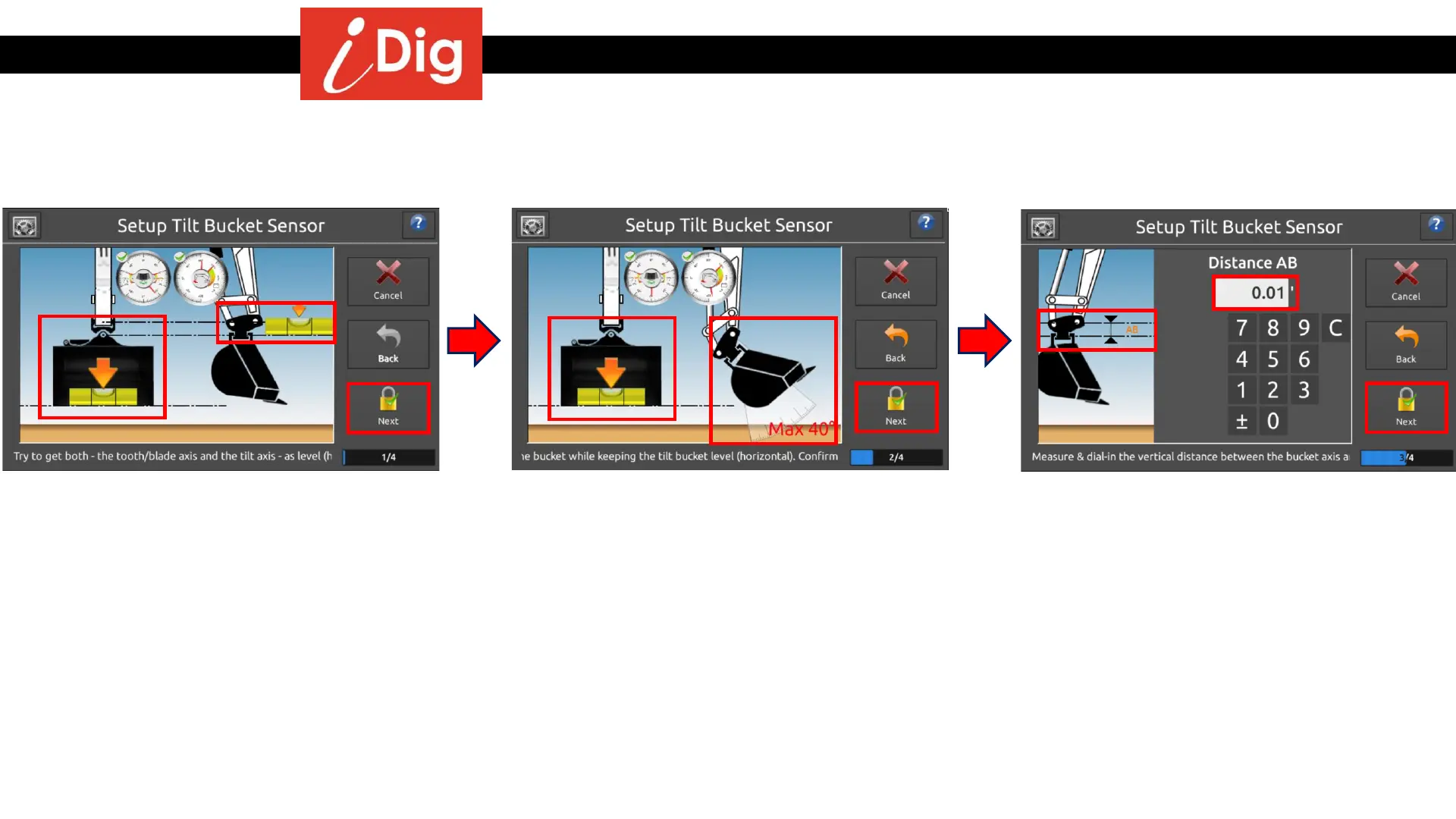
Installation Procedures – Tilt Bucket Calibration
Calibration on a New Machine
• Continue by following the instructions on the screen:
47
• Make sure you have the Tilt A & Tilt B
Sensors paired to the system and placed
on the correct plates.
• Open/Close the bucket to horizontally
level the tilt axis using a spirit level.
• Tilt the bucket left/right to horizontally
level the bucket blade using a spirit level.
• Click on “Next”.
• Slowly close the bucket between a range of
35°-55°.
• Tilt the bucket left/right to horizontally
level the bucket blade using a spirit level.
• Click on “Next”.
• Close the bucket to horizontally level the
tilt axis using a spirit level.
• Measure the distance between the bucket
pivot pin and the tilt axis (line AB).
• Enter this value into the system using the
correct unit length.
• Click on “Next”.



 To Next Page