Installation Procedures – Auger Calibration
Calibration on a New Machine
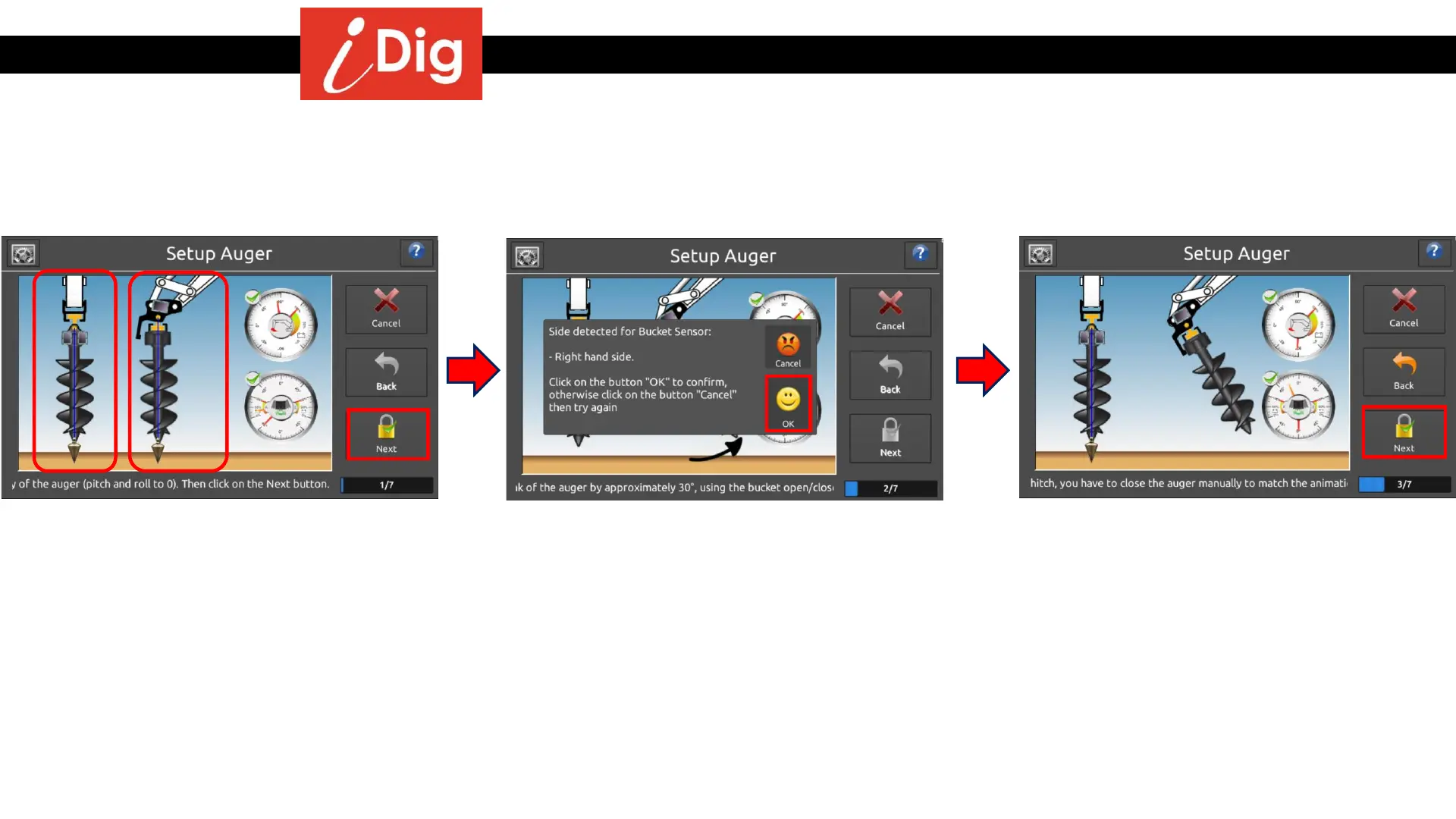
• Put the Auger exactly vertical.
57
• Use the bucket open/close control to place
the auger shaft vertical as viewed from the
side of the machine.
• Manually adjust the auger left/right to
maintain it’s vertical axis as viewed from
inside the cab.
• Click on “Next”.
• Bucket Sensor detection
• Use the bucket close control to pull back
the tip of the auger towards the cabin.
• The location of the Bucket Sensor has been
detected. Click on “OK” to confirm
otherwise click on “Cancel” and try again.
• If the auger does not have an
individual tilting mechanism, try to
move it with the tip on the ground,
moving the top backwards.
• Orientation of the Tilt Kit
• While holding the auger inclined with the
tip towards the cab approximately 35° -
55°, adjust it’s left/right inclination as
viewed from the cab so that it is perfectly
upright in the left/right orientation.
• If the auger does not have an
individual tilting mechanism, you
must manually tilt the auger with tip
pointing towards the cab.
• Click on “Next”.



 To Next Page