Installation Procedures – Engcon Rotative Coupler Calibration
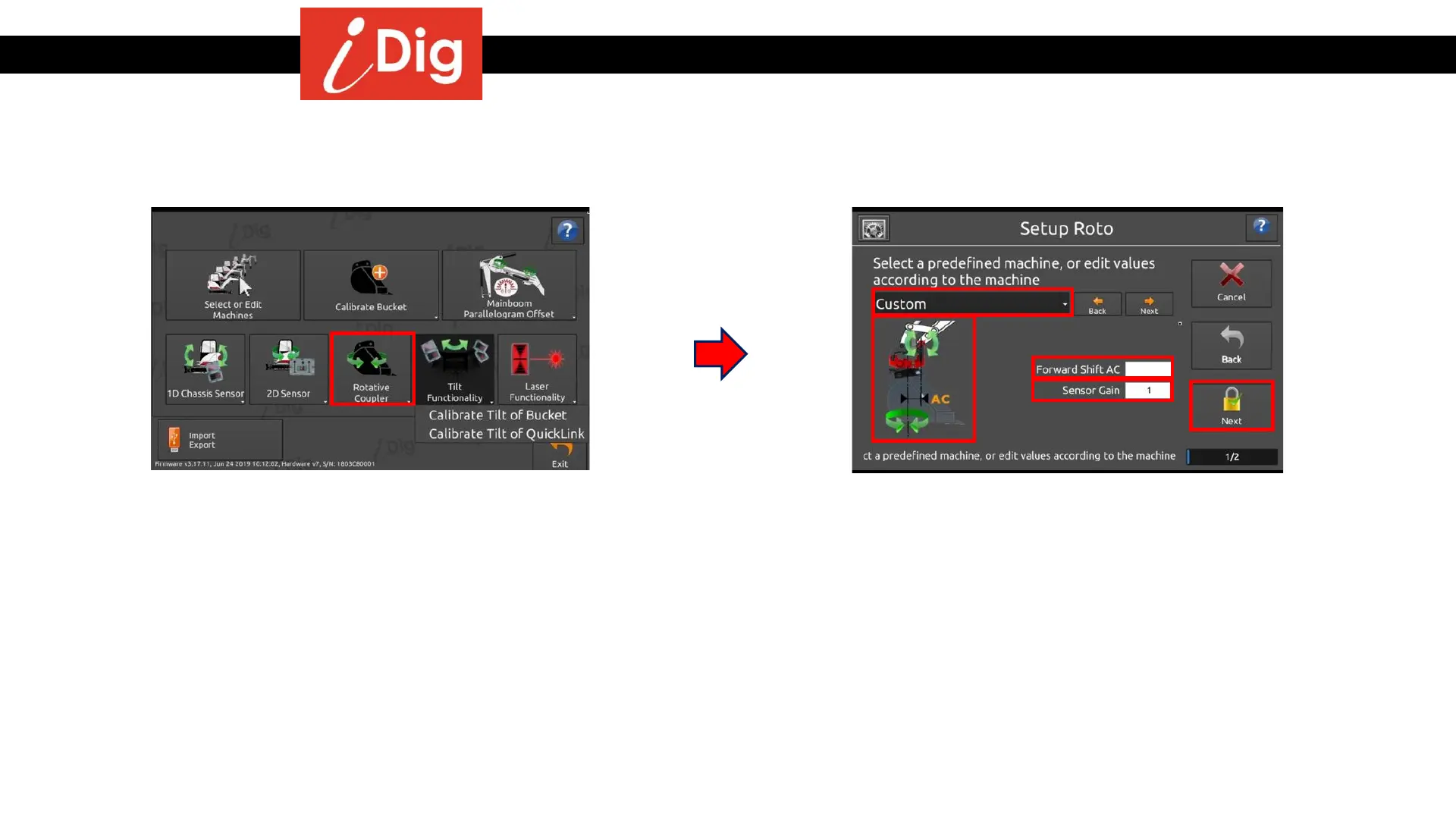
Setup Rotative Coupler
65
• To access this function there needs to be a
CAN cable connected to the Control Box
Cradle, otherwise the button will be
grayed out and unusable.
• With a CAN cable connected, press the
button “Rotative Coupler” to start the
calibration process.
• Select the predefined Engcon coupler from
the drop down menu.
• If the coupler is not listed in the drop
down menu, enter the forward shift AC
value between the rotative coupler axis
and the axis of rotation (pivot point)
between the dipper stick and the quick
coupler.
• Enter “1” for the Sensor Gain value.
• Click on “Next”.



 To Next Page