Installation Procedures – Dozer Calibration
70
Big Combo Replacement
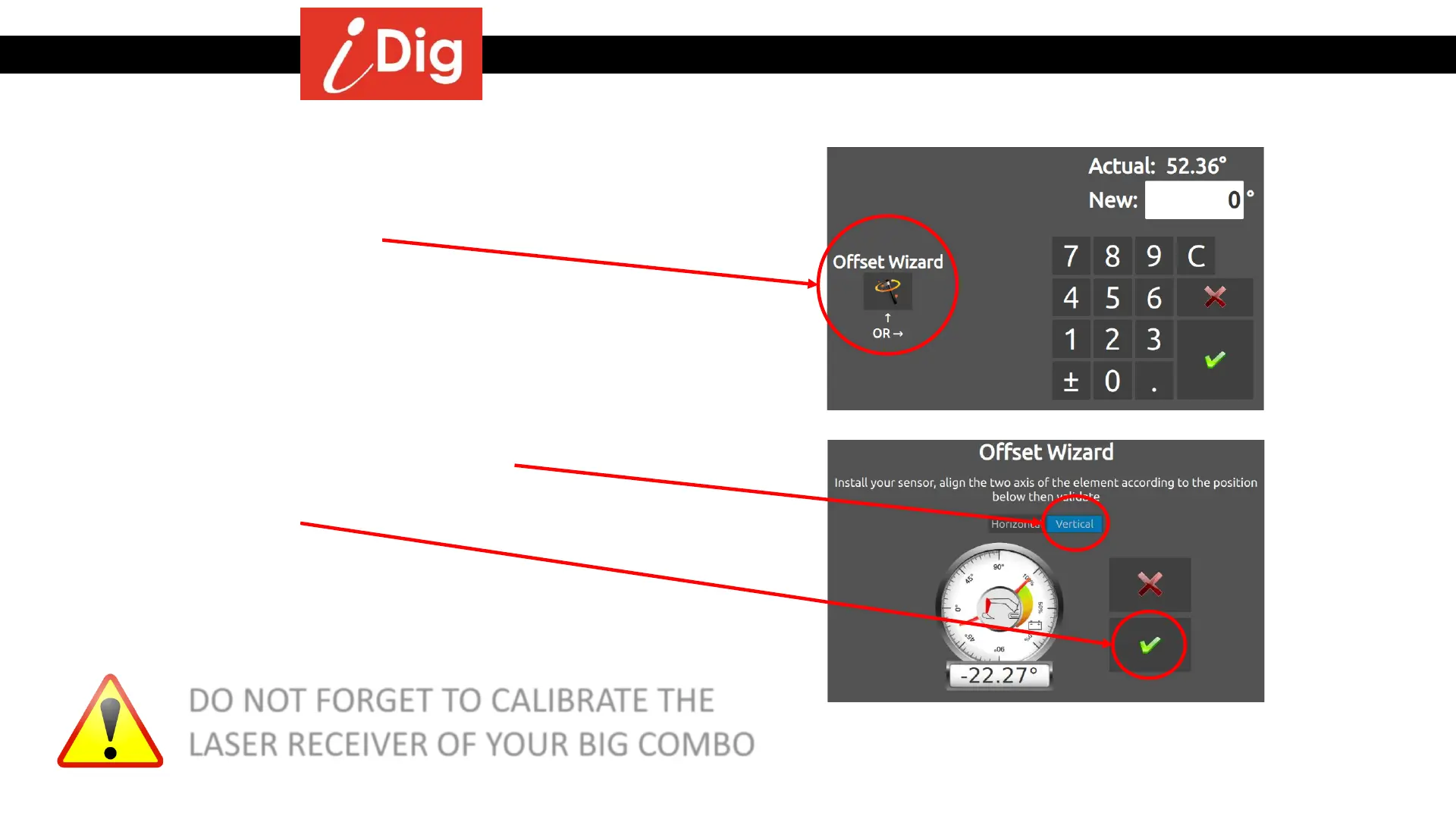
• Click on “Offset Wizard”.
• Remove the old Combo Sensor.
• Install the new Big Combo Sensor plate but do not attach
the sensor yet.
• The Sensor Symbol appears missing (red circle). Long press
the symbol and install the Big Combo Sensor in order to
pair it to the system.
• Press “Validate”.
• Ensure that the blue slider is on “Vertical”.
• Click on Validate.
• Done, the system is now calibrated with your new Big
Combo Sensor!
DO NOT FORGET TO CALIBRATE THE
LASER RECEIVER OF YOUR BIG COMBO



 To Next Page