Digging to an Elevation
85
Method 1: Using the bottom of the excavation as the reference point
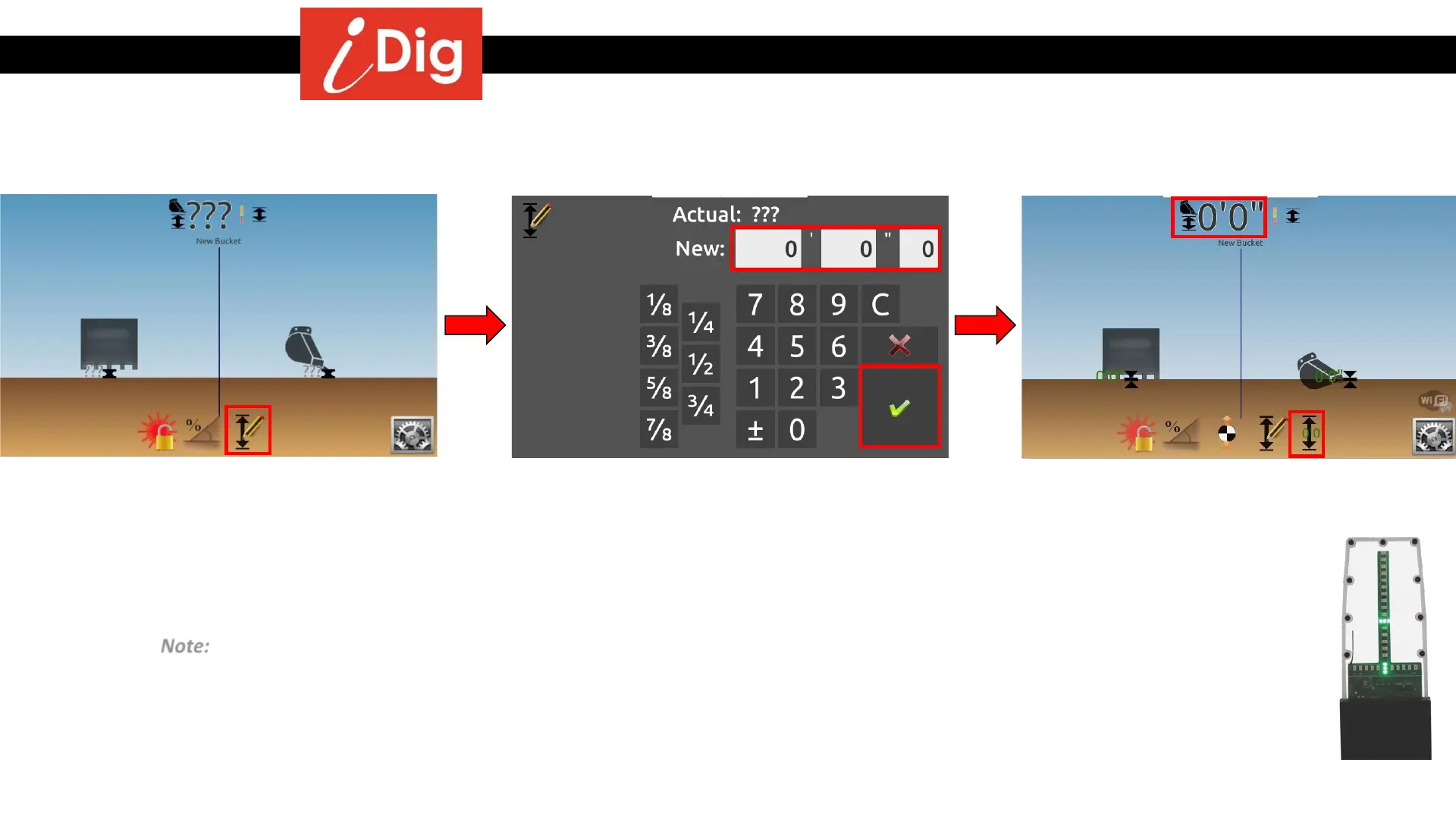
• Place the tip of the bucket at the bottom of
the trench and then press the “Elevation”
symbol.
• Enter '0' as the height, you are at the
bottom of the excavation.
• Press the green check mark to validate.
• The screen and the LED Display are now
giving you real-time elevation information.
Note: After the first setting of an elevation, a second icon appears on the very right hand side of
the screen: by clicking on it, you can set the last dialed-in elevation with one single click.



 To Next Page