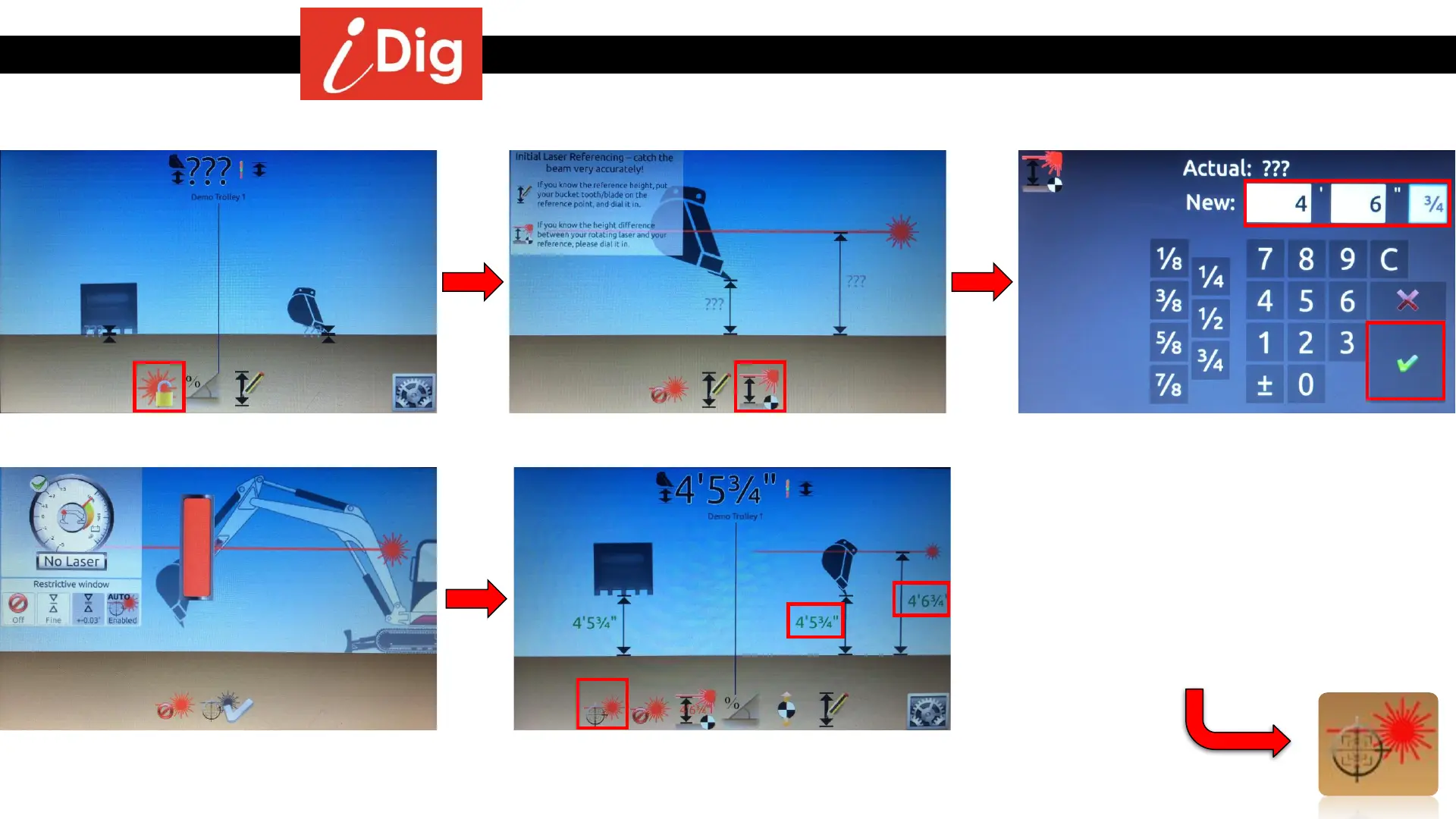
Digging to an elevation using a rotating laser
94
Method 2: Knowing the Laser Height
• Activate the 1
st
laser catch.
• Click on “Set Laser Height”.
• Enter your laser height, 4’6¾” in this
example.
• Click on the green check mark to validate.
• Catch the laser beam.
• The laser height previously set is shown
(4’6¾”) and the result of the laser catch is
that the bucket tip is 4’5¾” above grade.
• Each time the machine gets moved on the
job site, click on this button at the new
location prior to continue digging to catch
the laser beam.



 To Next Page