Part 1 - Remote Setup
31
Motion Detection
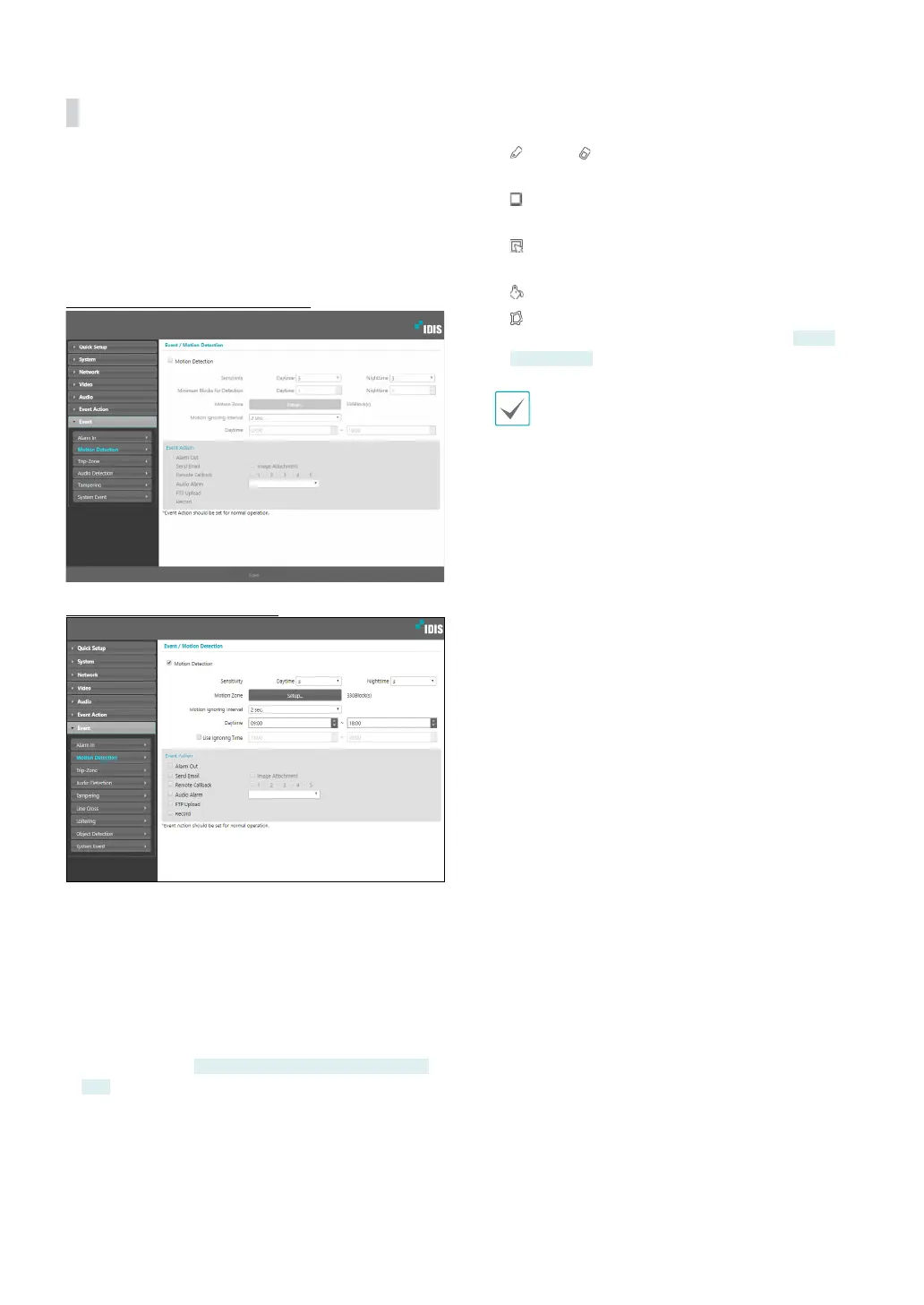
Select Motion Detection to congure motion detection
event settings. With motion detection event enabled,
motion detections within the designated area will be
assumed as events.
DC-D3233HRX-N, DC-D3243HRX-N
DC-D6233HRX, DC-D6243HRX
• Sensitivity: Select daytime and nighttime motion
detection sensitivity levels. Higher values will result in
more sensitive motion detection.
• Minimum Blocks for Detection: Select minimum
blocks for daytime and nighttime motion detection.
Motion must take place over the selected number
of blocks in order for it to be considered as a motion
detection event.
DC-D3233HRX-N, DC-D3243HRX-N
only
• Motion Zone: Click Setup and dene the motion
zone using blocks.
-
(Draw)/ (Erase): Enable/disable motion
detection blocks.
-
(Cell): Select/unselect motion detection blocks
individually.
-
(Region): Select/unselect multiple motion
detection blocks.
-
(Fill): Select/unselect all motion detection blocks.
-
(Polygon): Select/unselect polygon motion
detection blocks by the number of points.
Some
models only
Polygon is not supported in IE 10 or earlier.



 To Next Page