Part 2 - Conguration
56
● Use Panic Recording: Enable/disable Panic
Recording.
● Panic Recording Duration: Disable Panic Recording
automatically. Select between 5 mins and 1 hr. If you
do not wish to disable the feature automatically,
select No Limit.
● Video Prole: Select a recording prole value for
Panic Recording.
Advanced Setup
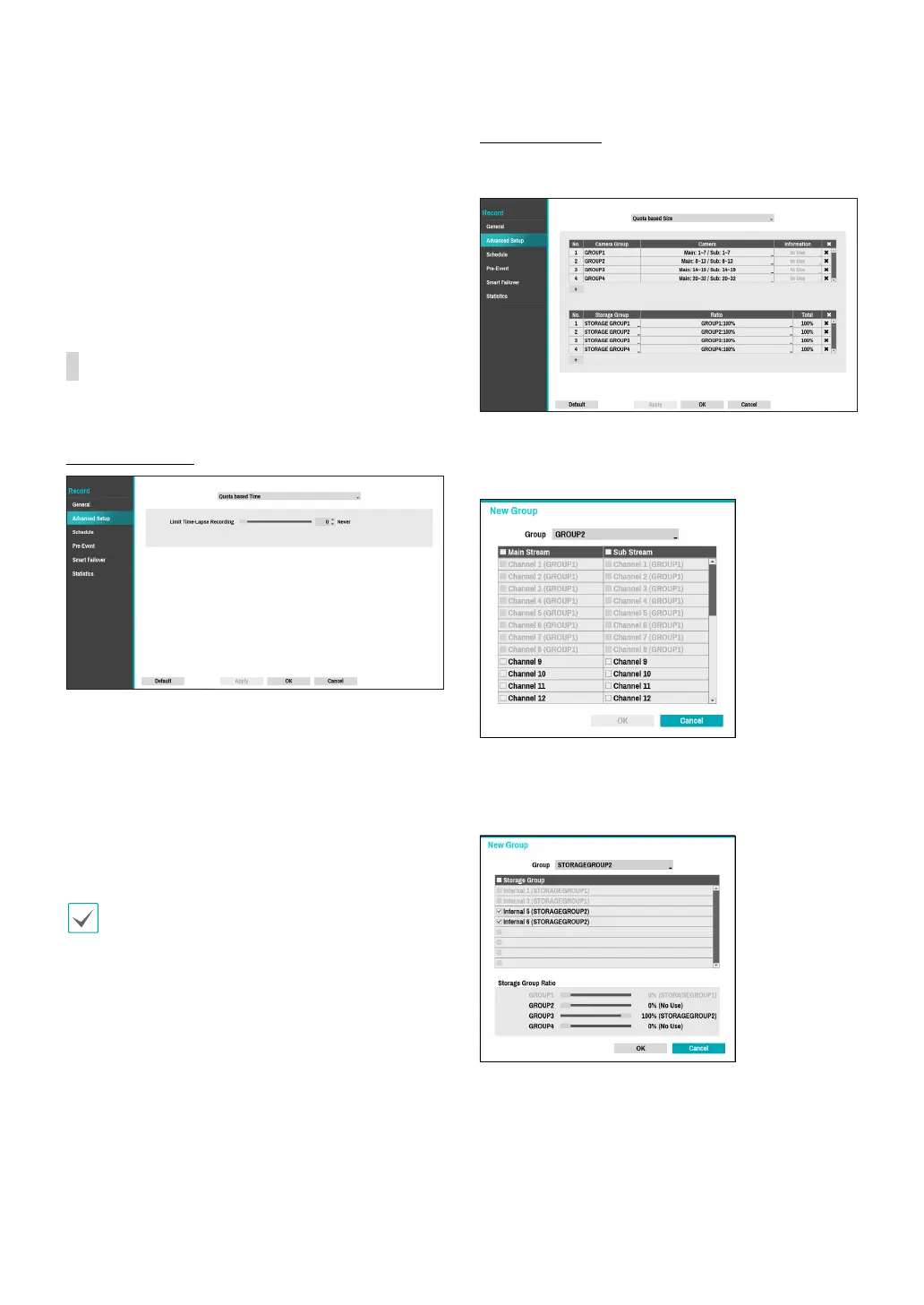
Quota Based Time
● Limit Time-Lapse Recording: You can store event
recording data for longer. If you do not wish to use
Limit Time-Lapse Recording, select Never. This
function is activated when data has been stored for
longer than as congured because the recording
disk has sucient capacity and saves new data by
overwriting Time Lapse Recording data that are
older than as specied under Recycle mode.
• If the recording stored on the disk is shorter than
the duration specied under Limit Time-Lapse
Recording, the older of Event Recording or Time
Recording data is deleted rst.
• The system's recording time may change depending
on recording quality, resolution, motion, and other
congurations made by the user. The duration
specied under Limit Time-Lapse Recording may
not be guaranteed in certain situations.
Quota Based Size
Cameras and disks are grouped to enable recording
according to the set ratio.
Click the + icon at the bottom left corner of the Camera
Group list table to group the cameras by specifying the
camera numbers as below.
Click the + icon at the bottom left corner of the Storage
Group list to create a seperate storage group by setting
the recording storage space of each camera group.



 To Next Page