Part 2 - Conguration
89
Network
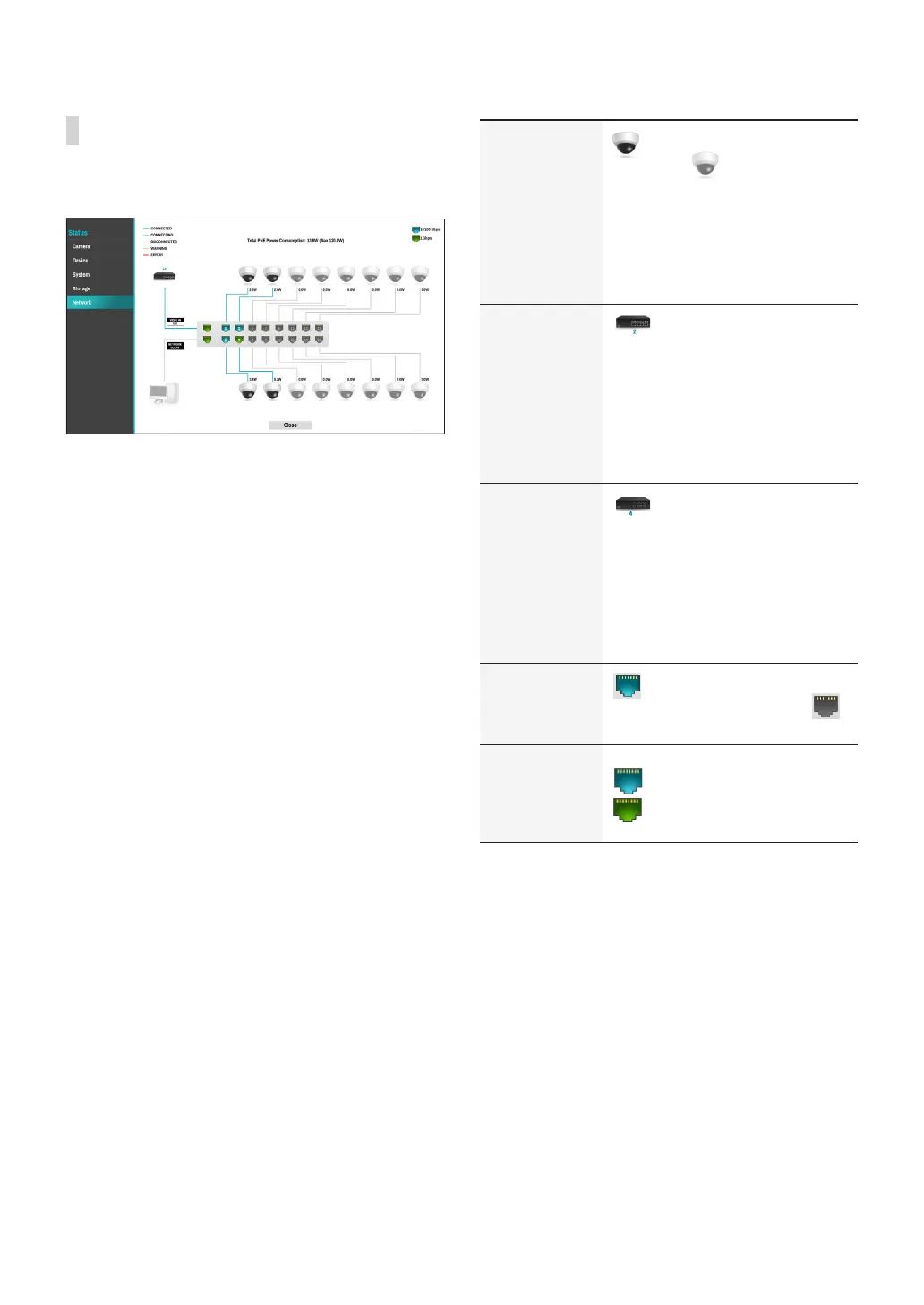
This page provides a complete overview of the network
status in real-time.
Information shown include camera connection status,
LAN port link status, power consumption, number of
connected clients, and network connection info.
Camera
Connection
indicates the camera is
connected. indicates the
camera is not connected. Clicking
the image displays the camera's
channel number. Clicking the
image displays status information
of the device connected to the
NVR.
Network Switch
indicates a network switch
is connected to the LAN port and
shows how many cameras are
connected. Clicking the image
displays the camera’s channel
number. Clicking the image displays
status information of the device
connected to the NVR.
Video Encoder
indicates a video encoder
is connected to the LAN port and
shows how many cameras are
connected. Clicking the image
displays the camera’s channel
number. Clicking the image displays
status information of the device
connected to the NVR.
LAN Port Link
indicates a camera or a
network switch is connected.
indicates neither is connected.
LAN Port Speed
indicates 10/100Mbps and
indicates 1Gbps.



 To Next Page