Part 2 - Conguration
74
IDIS Web
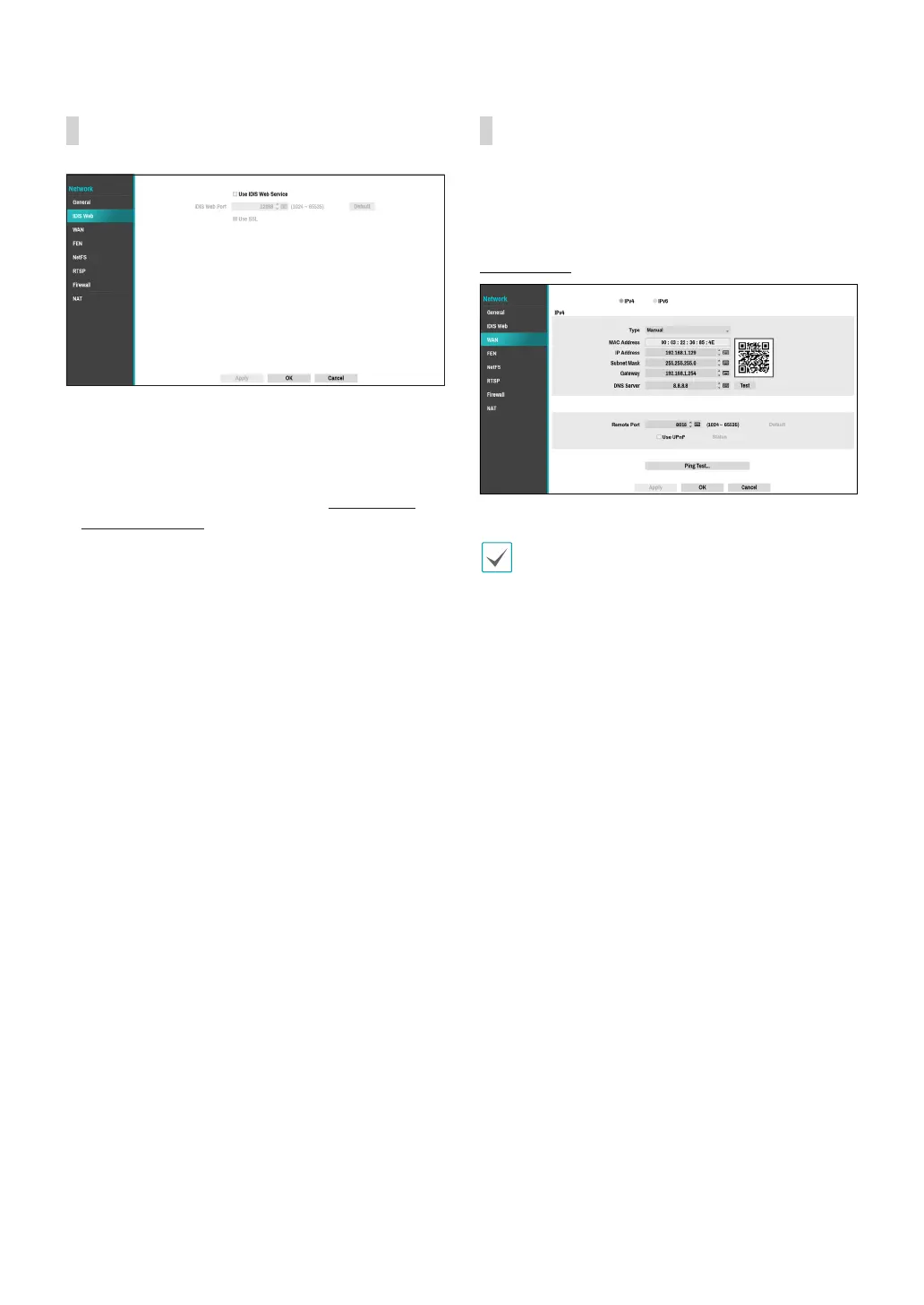
● Use IDIS Web Service: If you wish to use IDIS Web,
select IDIS Web - Use IDIS Web Service. Select IDIS
Web - IDIS Web Port and choose a port number
between 1024 and 65535. The port number can also
be entered using the virtual keyboard. For more
information on IDIS Web, refer to the Part 4 - IDIS
Web on page 101.
● Use SSL: When connecting to IDIS Web, the way of
HTTPS communication is enabled.
WAN
Designate the IP address type as IPv4_Manual, IPv4_
DHCP, IPv6_None or IPv6_Link-local.
IPv4_Manual
● Set Type to Manual.
• Manual lets you congure related settings
manually. Congure IP Address, Gateway, and
Subnet Mask settings manually using the remote
control's arrow buttons or the virtual keyboard.
• When registering NVR with the IDIS mobile
application, you can easily enter the IP address
using the QR code.
● DNS Server: Enter the DNS server’s IP address. The
IP address can also be entered using the virtual
keyboard.
● Remote Port: The port used by the remote program
to connect to the NVR. Choose a value between 1024
and 65535. The port number can also be entered
using the virtual keyboard.
● Ping Test: Select to test the current WAN settings you
made.



 To Next Page