Part 2 - Conguration
79
Firewall
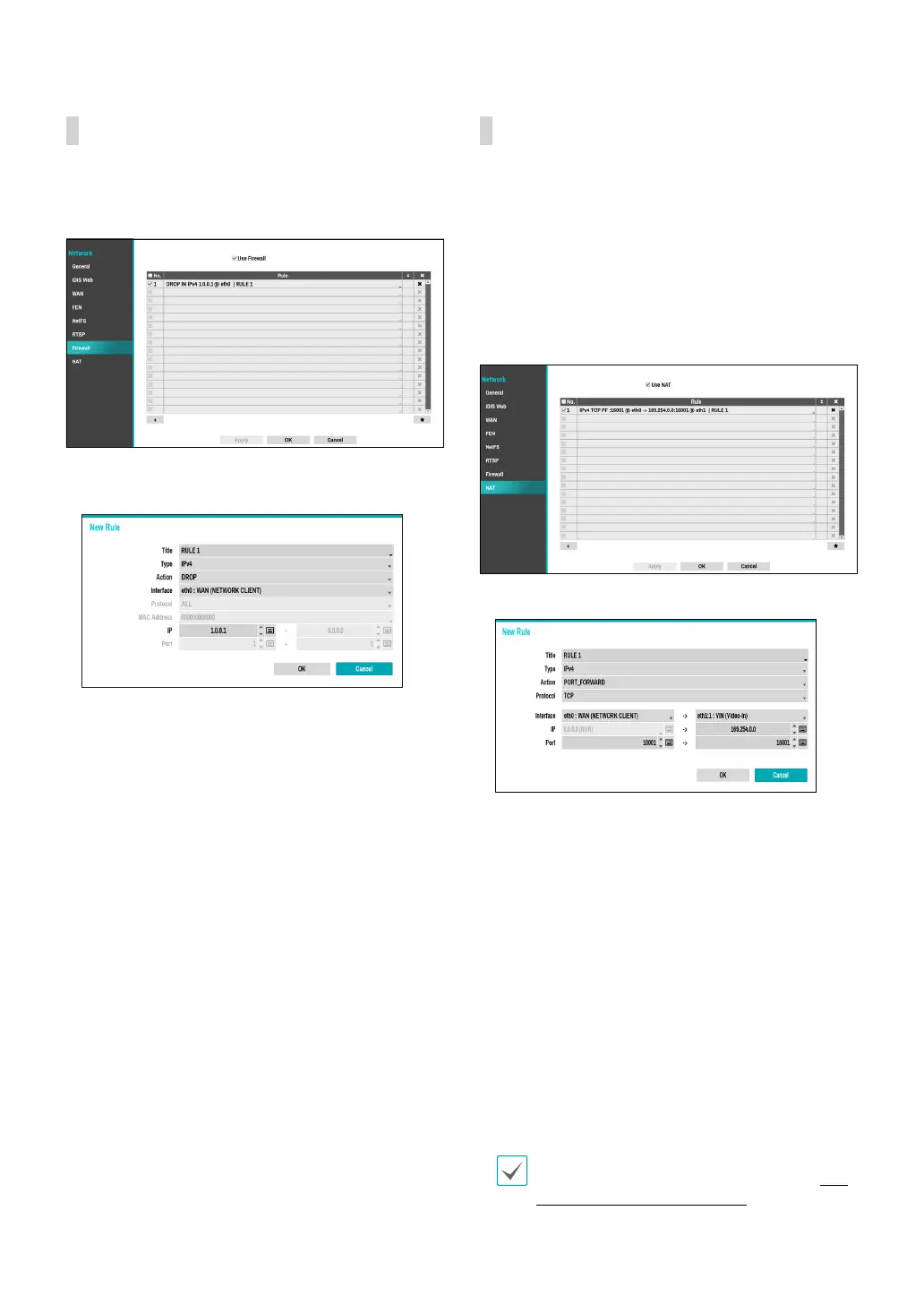
Setting up a customized rewall rule set, it allows or
denies access such as specic MAC address, IP address
and receiving network port of the NVR.
Select Use Firewall to activate rewall function. Click
the + icon at the bottom of the list to set up a rewall
rule.
● Title: Edit the name of the rule.
● Type: Set the IP address, the MAC address or the
network port.
● Action: Select which actions to apply this rewall rule
to.
– Drop: Discard the packet that matches all the
specied conditions.
– Reject: Deny the packet that matches all the
specied conditions and send back an ACK packet
telling it that the "packet was dropped" to the
sender.
– Accept: Allow the packet that matches all the
specied conditions.
● Interface: Specify the ethernet interface. It refers to a
WAN (Network Client) or VIN (Video-In).
● Mac Address: If the rule is set to MAC address, enter
the sending MAC address
● IP: If the type of the rule is set to IPv4 or within the
IPv4 scope, enter the sending IP address.
● Port: If the type of the rule is set to port or within the
port scope, enter the receiving network port number
of NVR.
NAT
NAT function is to connect to the camera which is
internal VIN network from the physically divided WAN
network PC (WebSetup / IDIS Web / IDIS Center program
/ RTSP).
To connect to the camera WebSetup / IDIS Web / IDIS
Center program / RTSP function, you need to congure
the NAT rule to forward ports from NVR port number to
the camera port number.
Select Use NAT to activate NAT function. Click the + icon
at the bottom of the list to set up a NAT rule.
● Title: Edit the name of the rule.
● Type: Set the IP address, the MAC address or the
network port.
● Action: Select which actions to apply this NAT rule to.
– PORT_FORWARD: Allow the access by combining
an external TCP/UDP port with an internal port.
● Protocol: Set the network protocol to apply the rule
to.
● Interface: Specify the ethernet interface. It refers to a
WAN (Network Client) or VIN (Video-In).
● IP: If the type of the rule is set to IPv4 or within the
IPv4 scope, enter the sending IP address.
● Port: If the type of the rule is set to port or within the
port scope, enter the receiving network port number
of NVR.
It is not possible to set an interface from VIN to WAN
direction. For more information on NAT, refer to NAT
Conguration Guide on page 108.



 To Next Page