Part 2 - Conguration
71
Device Setup
Refer to the Menu Use on page 32 for basic
information on using the Setup menus.
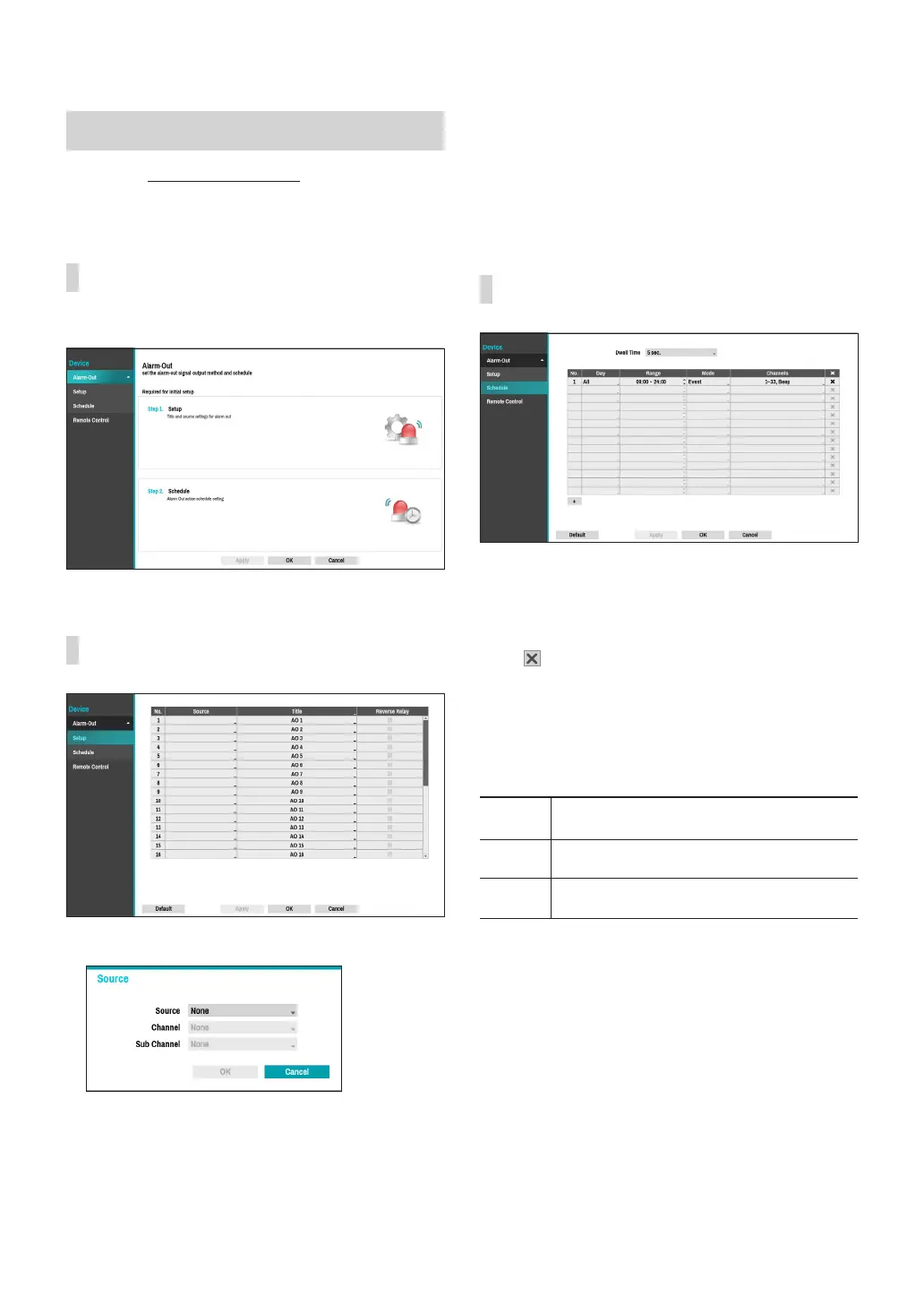
Alarm-Out
A list of events for setting up Alarm-Out.
Alarm-Out_Setup
● Source: Specify the device to use for Alarm-In event.
– Channel: Set the channel of the source you set.
– Sub Channel: Set the sub channel of the source
you set.
● Title: Designate a name for the alarm-out event
● Reverse Relay: Reverse the alarm-out type of the
device you set at the source.
Alarm-Out_Schedule
Click the + icon at the bottom left corner of the screen
to add a schedule.
You can apply dierent schedules for dierent Days of
the week.
Select icon to delete the schedule.
● Dwell Time: Select a value between 5 secs and 15
mins as the alarm-out duration.
● Title: Designate a name for the alarm-out.
● Range: Change the schedule time frame.
● Mode: Select Event, On, or O.
Event
Generates an alarm-out when an event
occurs.
On Alarm-out is always on.
O
Alarm-out is always o.
● Channels: Congure alarm-out port and beep
settings.



 To Next Page