Part 2 - Conguration
64
Video-Analytics
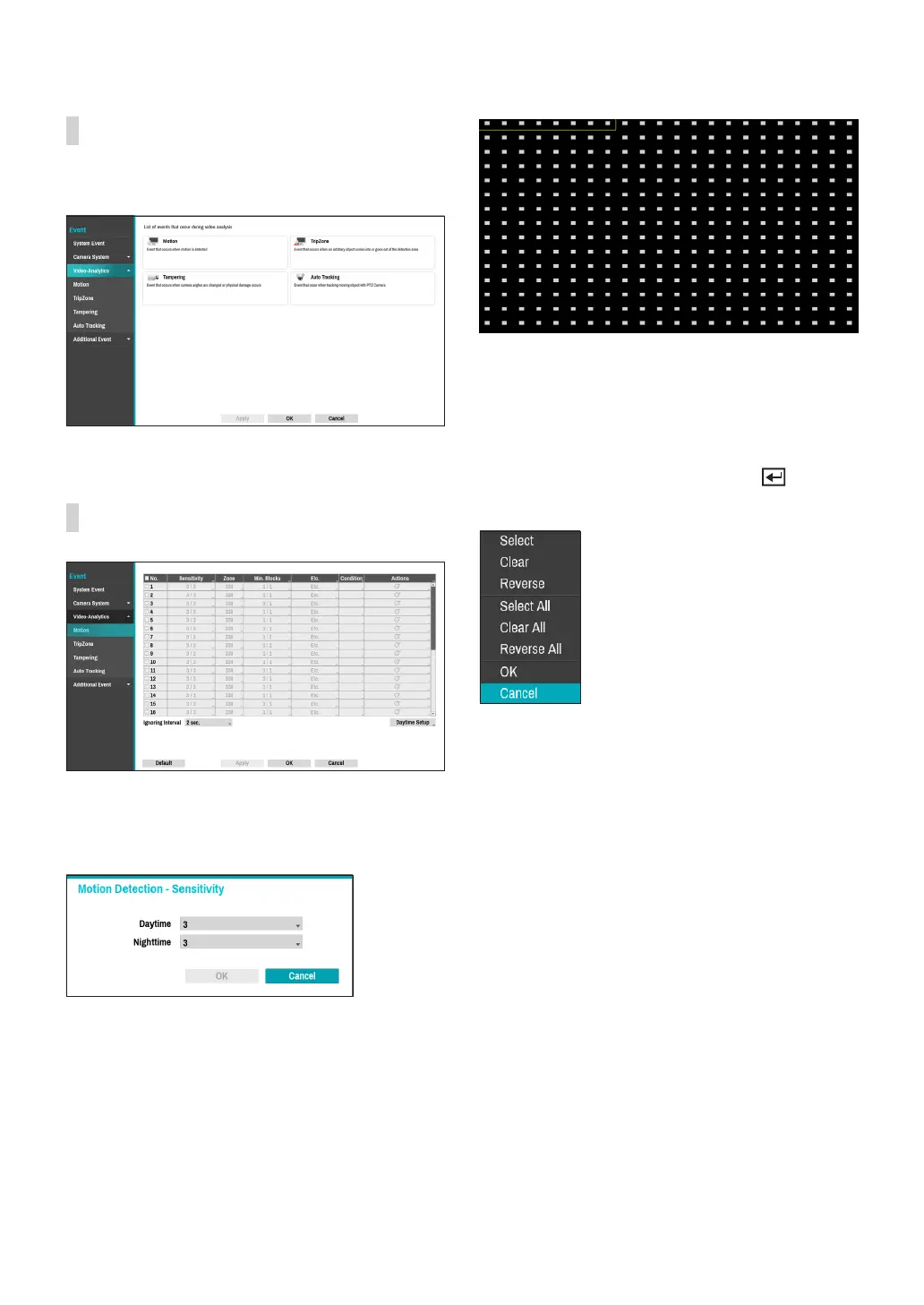
Event lists that occur through video analysis include
Motion, Tampering, TripZone, Auto Tracking.
Video-Analytics_Motion
● No.: Select which cameras to apply Motion Detection
to.
● Sensitivity: Set daytime and nighttime sensitivity
settings between 1 (Low) and 5 (High).
● Zone: Dene the motion detection block.
Use the remote control’s arrow buttons to move the
block selection window up, down, left, and right. The
selection window consists of 8 blocks per row. Select/
deselect individual blocks using the Camera buttons.
You can use the mouse to drag the zone and then select,
clear, or reverse the selection.
From the zone selection screen, press the button
on the remote control or right-click on the mouse to
open up the Zone Setup menu.
– Select: Conrm the block selection in the selection
window.
– Clear: Clear the block selection in the selection
window.
– Reverse: Clear the blocks selected within the
selection window and select all unselected blocks
within the selection window.
– Select All: Select all blocks.
– Clear All: Clear all block selections.
– Reverse All: Clear all selected blocks within the
screen and select all unselected blocks within the
screen.
– OK: Save the changes and exit the menu.
– Cancel: Exit the menu without saving the changes.



 To Next Page