Part 2 - Conguration
65
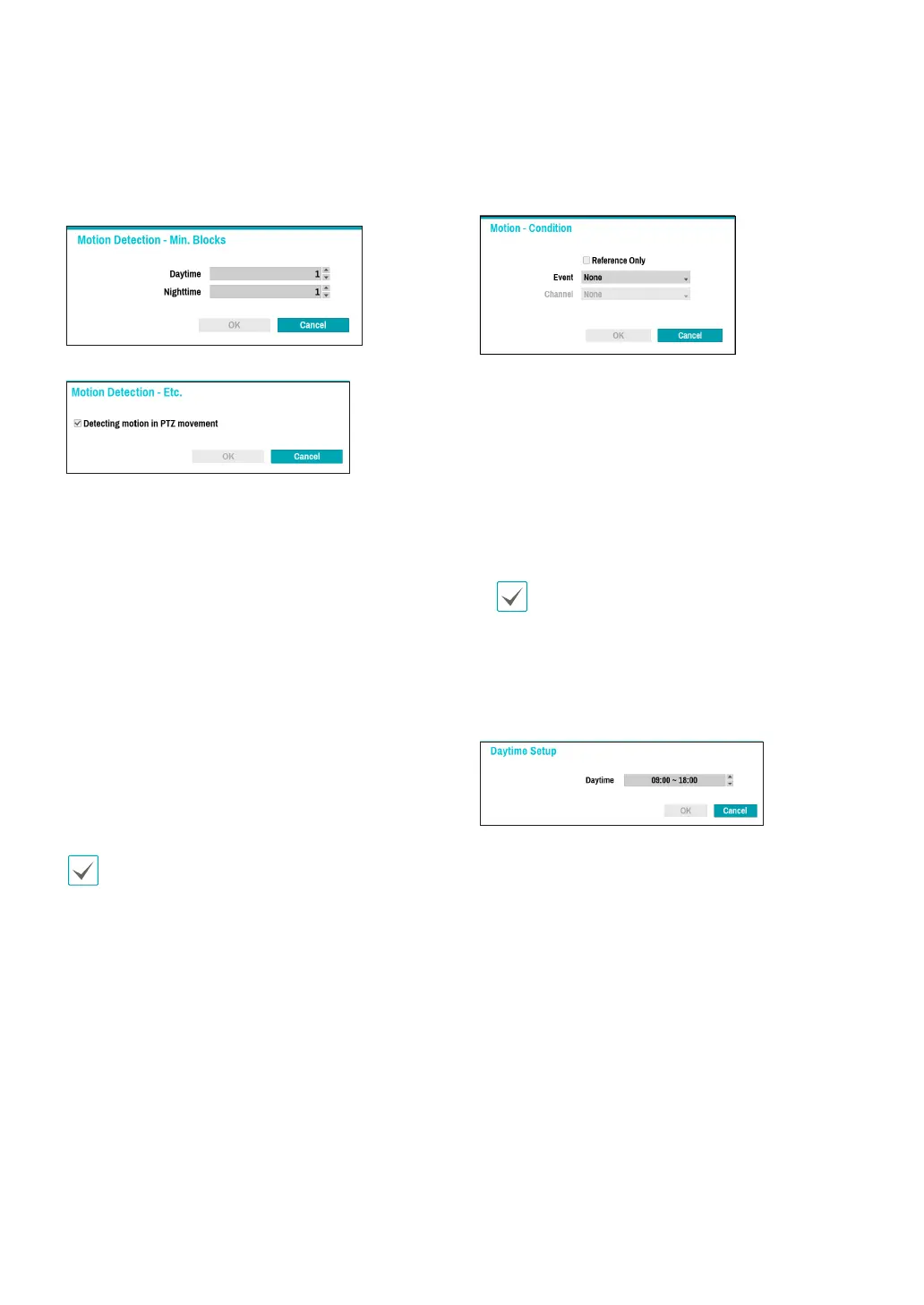
● Min. Blocks: Motion needs to be detected in more
than the specied number of blocks in order to
trigger a Motion Detection event. You may select a
value between 1 and the number of blocks selected
under Zone for daytime and nighttime, each.
● Etc: Select Etc to detect an event on PTZ movement.
● Actions: Specify which actions to take when motion
is detected.
– Record: Specify which cameras to begin linked
recording on when an event occurs. If the schedule
is set to Event or Time & Event mode, the selected
cameras will begin linked recording when an event
occurs.
– Alarm-Out: Designate event-triggered alarm-out
channels (each for the NVR and camera) and beeps.
– Notify: Congure to be notied of events by Mail,
LAN1 through 5, Push, HTTP, FTP, and/or Alert
Window.
– PTZ: Moves the PTZ camera to a specic preset
position when an event occurs.
– Event Monitoring: Selects the cameras to monitor
when an event occurs.
In order to use the Callback feature, the NVR must be
registered on the remote program.
● Motion Condition: When a specic event occurs,
you can set the condition that determines whether
to operate motion according to the status of other
events.
– Reference Only: Set the event to be the subject of
a reference.
– Event: Set the reference event.
– Channel: Set the reference channel.
● Ignoring Interval: The system does not produce
event log entries or issue remote notications
regarding motion detected for the time specied
after the initial motion was detected. Set the value
between 1 sec and 5 secs or choose Never.
Ignoring Interval does not aect motion detection
recording.
● Daytime Setup: Specify when daytime starts and
ends. Adjust the time frame in 15-minute increments.
Times outside the specied range will be assumed as
nighttime by the system.



 To Next Page