22
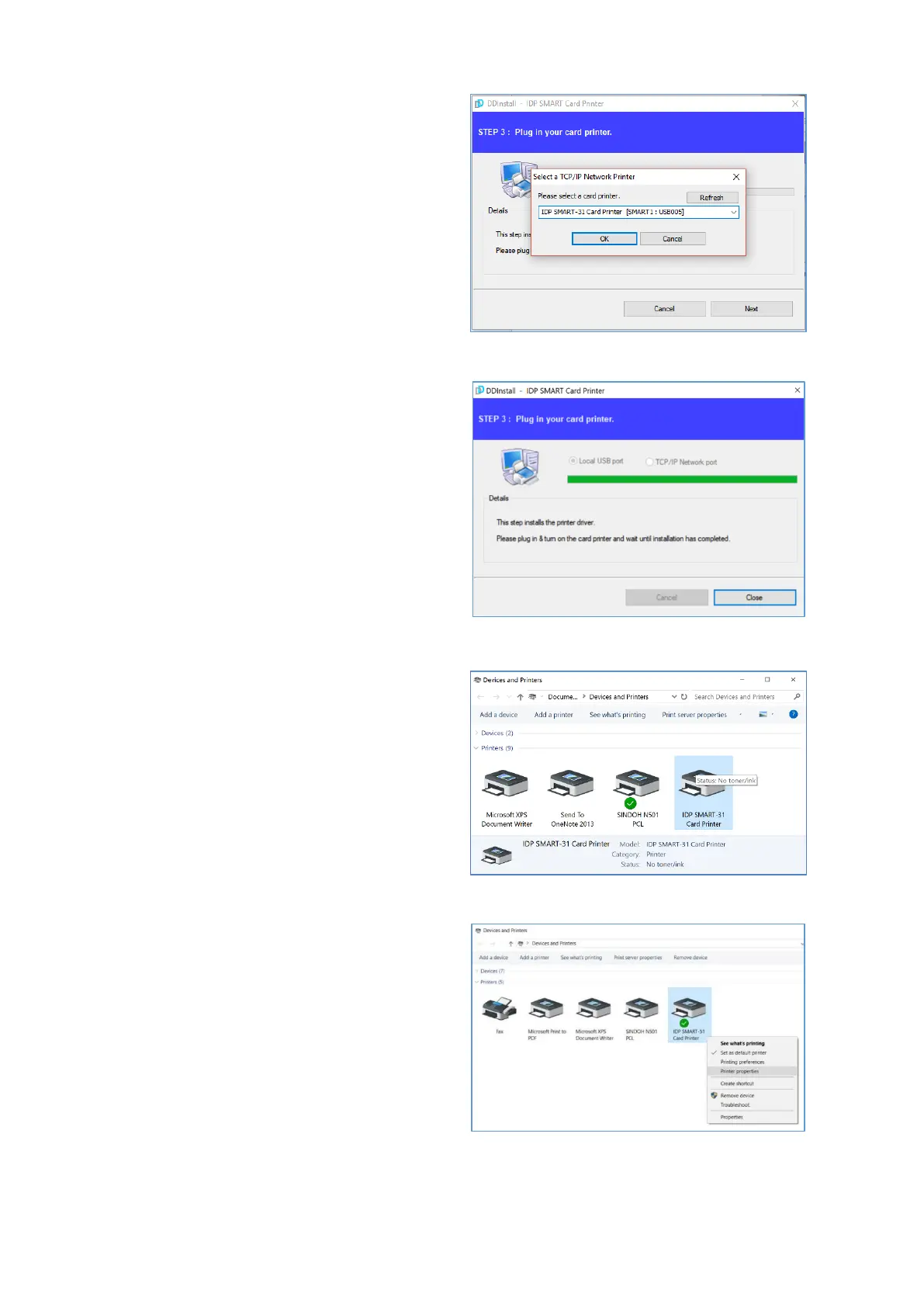
(7) STEP 3: Network
Please select the printer that you want
to install in the list and click “OK”.
(If no printer comes out on the window,
please check the connection.)
Figure 33 Install Win7 driver 10
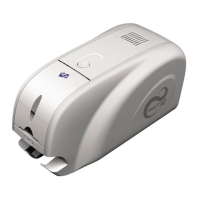
(8) When driver installation is
completed, please click “Close”
Figure 34 Install Win7 driver 11
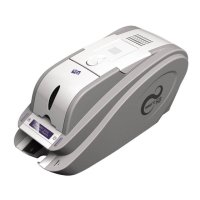
(9) Please open “Devices and
Printers” from “Hardware and
Sound”. Please check if “IDP
SMART-31 Card Printer” is created.
Figure 35 Install Win7 driver 12
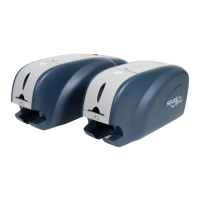
(10) Please click the right mouse
button after cursor is placed on “IDP
SMART-31 Card Printer” icon. Click
“Printer properties”.
Figure 36 Install Win7 driver 13


 To Next Page