74
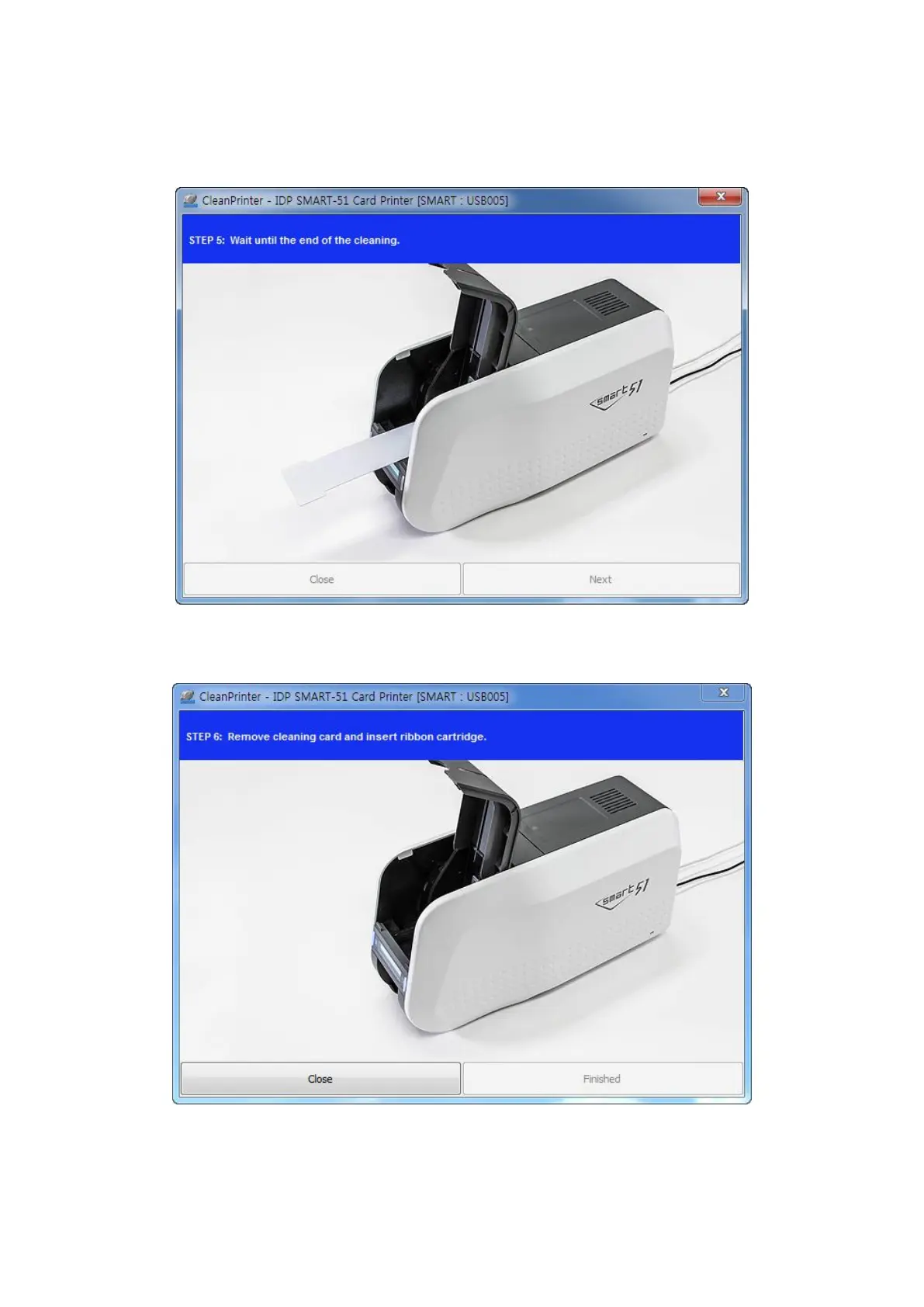
Step 5. Wait until the cleaning is completed. When the cleaning is completed, the exclusive
long cleaning card will be ejected automatically as the picture.
Figure 99 Printer cleaning Step 5
Step 6. Remove the exclusive long cleaning card and install ribbon cartridge into the printer.
Figure 100 Printer cleaning Step 6


 To Next Page